Move the accent.
Transform the pattern.
The Accent Placement drill teaches you to place accents on specific beats and subdivisions. The same notes with different accents become entirely different grooves.
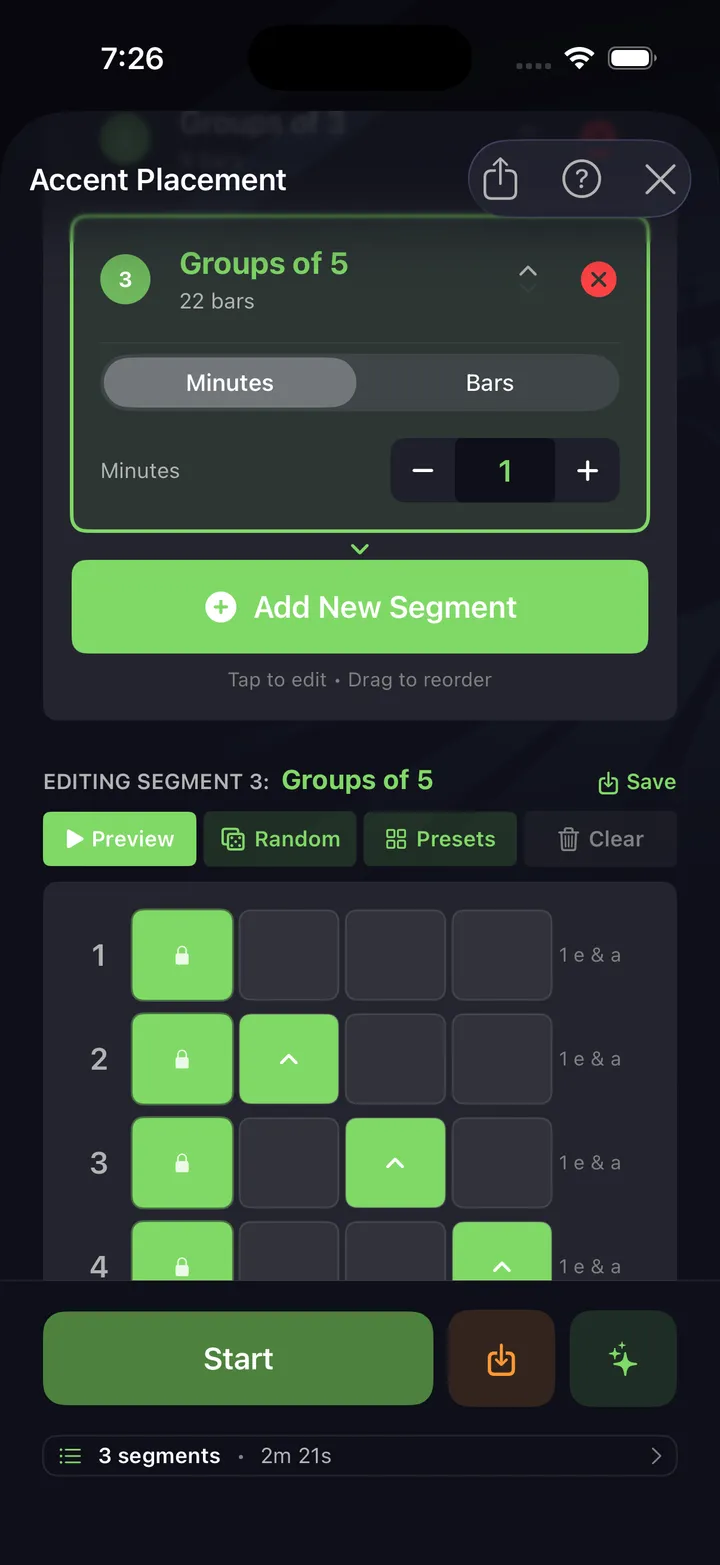
Accents change everything
Named patterns
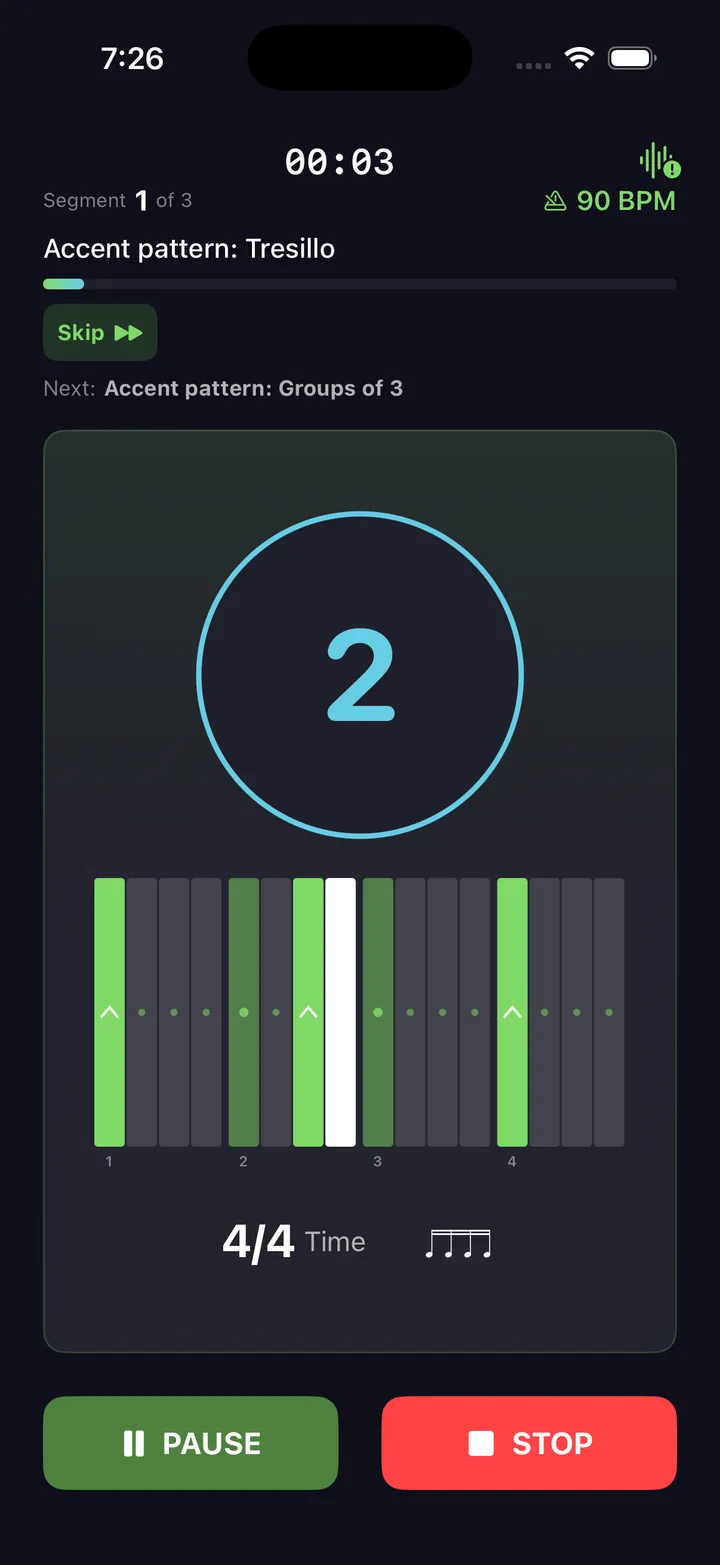
The drill ships real accent patterns — Son Clave 3-2, Cascara, Tresillo, Groups of 3, 5, and 7 — on top of 24 metronome accent patterns.
Chained segments
Chain accent segments back to back: Backbeat for 8 bars, then Groups of 3, then Tresillo. The drill cues each switch.
Progressive difficulty
Start with quarter-note accents. Progress to 8th notes, then 16ths. More subdivisions means more precision.
On kit or pad
Practice accent placement on a pad for isolation, or on the kit for musical context. Both build control.
Fill builder accents
18 accent shapes in the fill builder apply this concept to actual fills — First of Run, Gospel, Crescendo, Groups of 3, 5, and 7 — on top of 36,700+ stickings and 11 voice strategies.
Practice history
Every session lands in your practice history automatically — tempo, time signature, duration — so you can see what you've actually put time into.
Practice tips
Match the click
The click accent shows you where to hit harder. Match it on your instrument — louder where it accents, softer where it doesn't.
Independence drill
Play a steady groove with your hands while the accent pattern shifts around the bar. Keeping the groove steady is the real challenge.
Musical accents
Use accent shifts to discover new groove feels. Moving the accent from beat 1 to the & of 2 transforms a basic pattern into something funky.
Fill builder connection
A clean accent on beat 1 of a fill is what makes it land instead of stumble. Reach for the Crescendo and First of Run shapes in the fill builder.
A four-week accent progression
Each stage is a drill config you can set up in a minute. Move on when the unaccented notes are honestly quiet, not when the accents are loud.
Backbeat on 8ths
8th notes @ 70 BPM · accents on 2 & 4Alternating hands on the snare, accent only where the pattern says so. The exercise is the seven soft notes, not the loud one. Add 5 BPM per session up to 90.
Groups of 3 on 16ths
16th notes @ 75 BPM · Groups of 3An accent every three 16ths over a 4/4 pulse — the accent walks through the bar and resolves every three beats. Keep the hands strictly alternating so the accent lands on either hand. This one exposes a weak left (or right) fast.
Tresillo and Son Clave 3-2
16ths @ 80 BPM · Tresillo → Son Clave 3-2Load Tresillo (the 3+3+2 cell) for a few minutes, then Son Clave 3-2. These are the accent skeletons under most Latin and a lot of modern pop grooves — learning them as accents first makes the grooves come easy later.
Tresillo (3+3+2)
Son Clave 3-2
Chain the switches
16ths @ 85 BPM · Backbeat → Groups of 5 → TresilloChain three accent segments, 8 bars each, and let the drill cue every switch. Holding steady time while the accent logic changes underneath you is the advanced skill — this is the stage that turns placement into vocabulary.
Practice this in DrumShed
Free on the App Store & Google Play
The Accent Placement drill is free.
Not a trial, not a preview. The metronome underneath is complete — no limits, nothing held back — and this drill, along with all ten that aim it, ships in the free app, with hands-free sessions and your full drill history, stats and streaks. No ads, no card, not a timed trial. A subscription only comes in when you want to build your own beats and fills, publish them, or use the AI co-pilot.
Every drummer needs
a home base.
Same notes. Different groove. That's accents.