Beats people can
hear, see, and clone.
Build a pattern and show it in standard drum notation or a color-coded grid. Hit play and hear it. Export video for TikTok or YouTube, or publish a clonable pattern your audience can drill themselves — with AI on hand to draft a sketch when you're moving fast.
The idea dies in the edit.
By the time you've recorded yourself, screen-recorded the metronome, edited the audio, and added captions, you've spent an afternoon on one clip. DrumShed exports the finished post from the pattern itself.
Velocity over polish
Algorithm rewards posting cadence. Exporting straight from the pattern turns an afternoon of editing into minutes — and an AI draft can start the next sketch while this one uploads.
Visuals that read
A grid view with color-coded voices reads in 3 seconds — the entire window your scroll has on TikTok.
Built-in distribution
Publish to Explore. Drummers clone your patterns. Every clone is a follow waiting to happen.
The four-step workflow
Blank page to a published video in the time it takes to drink a coffee.
Generate or build
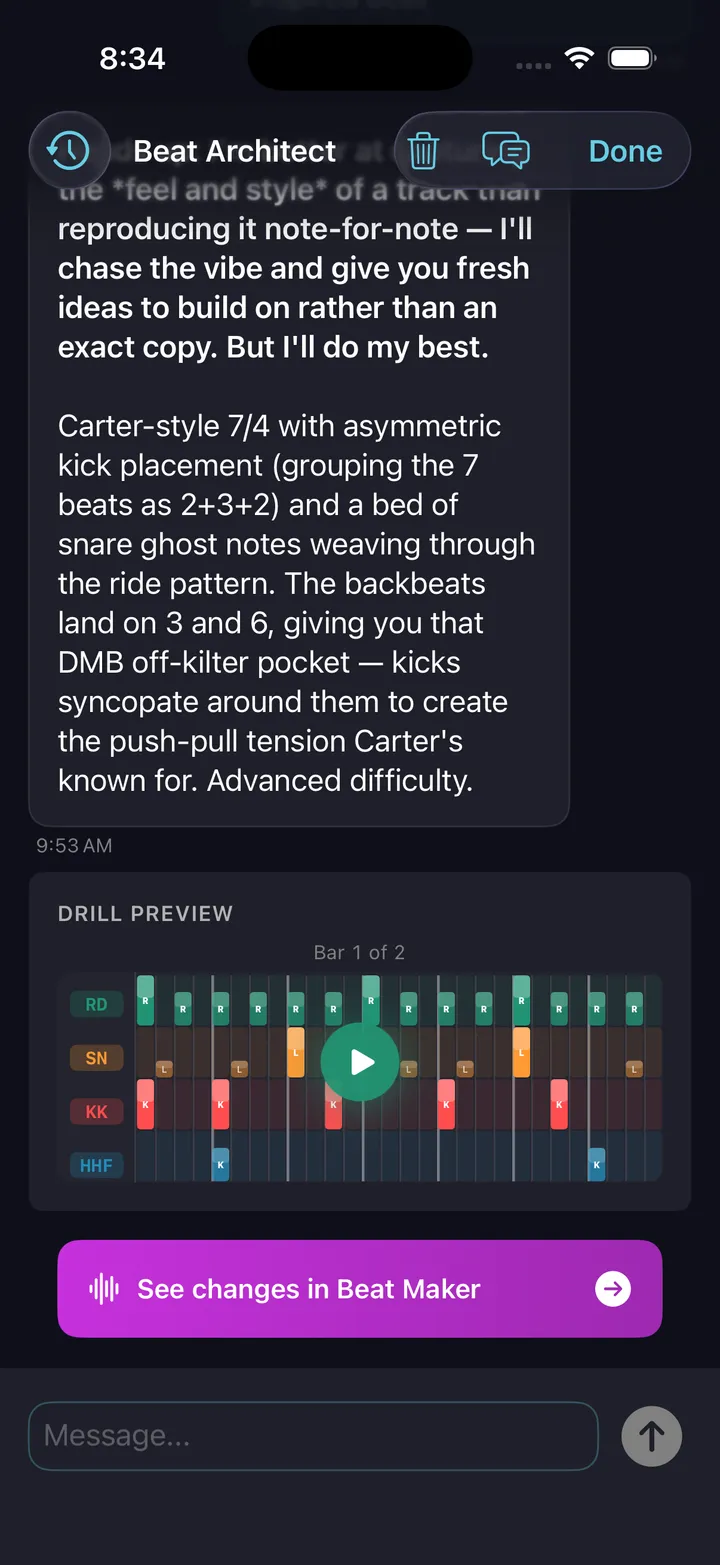
Describe a beat in plain English to the AI, or use the wizard to layer kick, snare, embellishments, and cymbals by hand. From idea to playable pattern in under a minute.
Preview in grid or notation
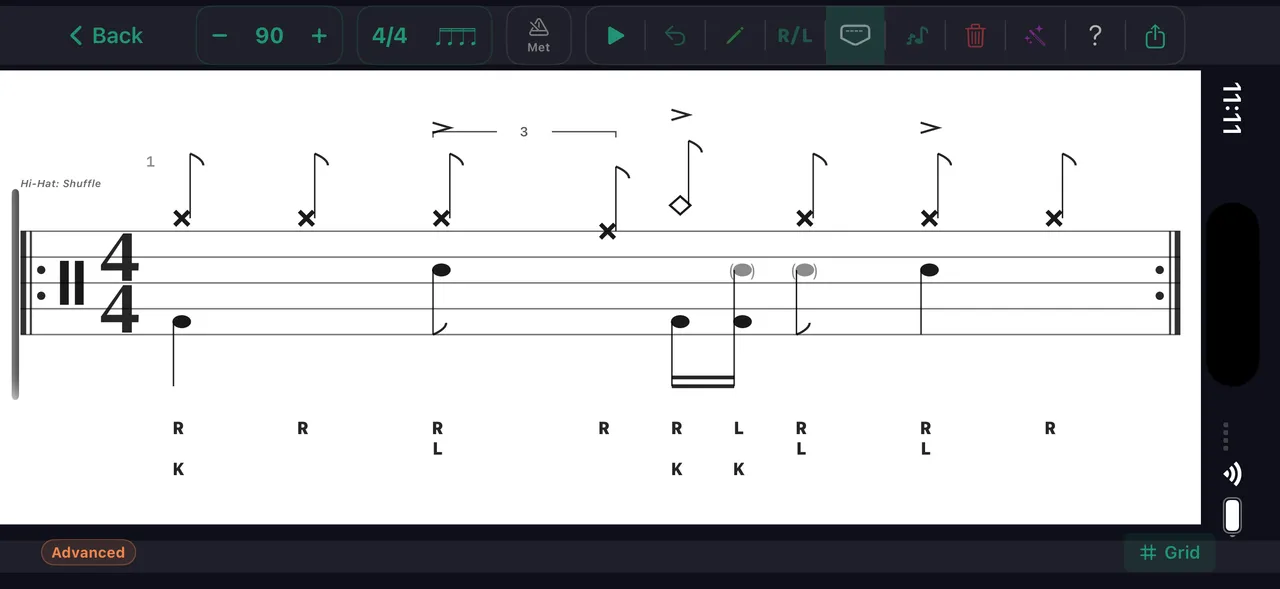
Flip the phone landscape — the playback view tracks every voice color-coded in grid mode, or reads as standard drum notation. Same pattern, two looks.
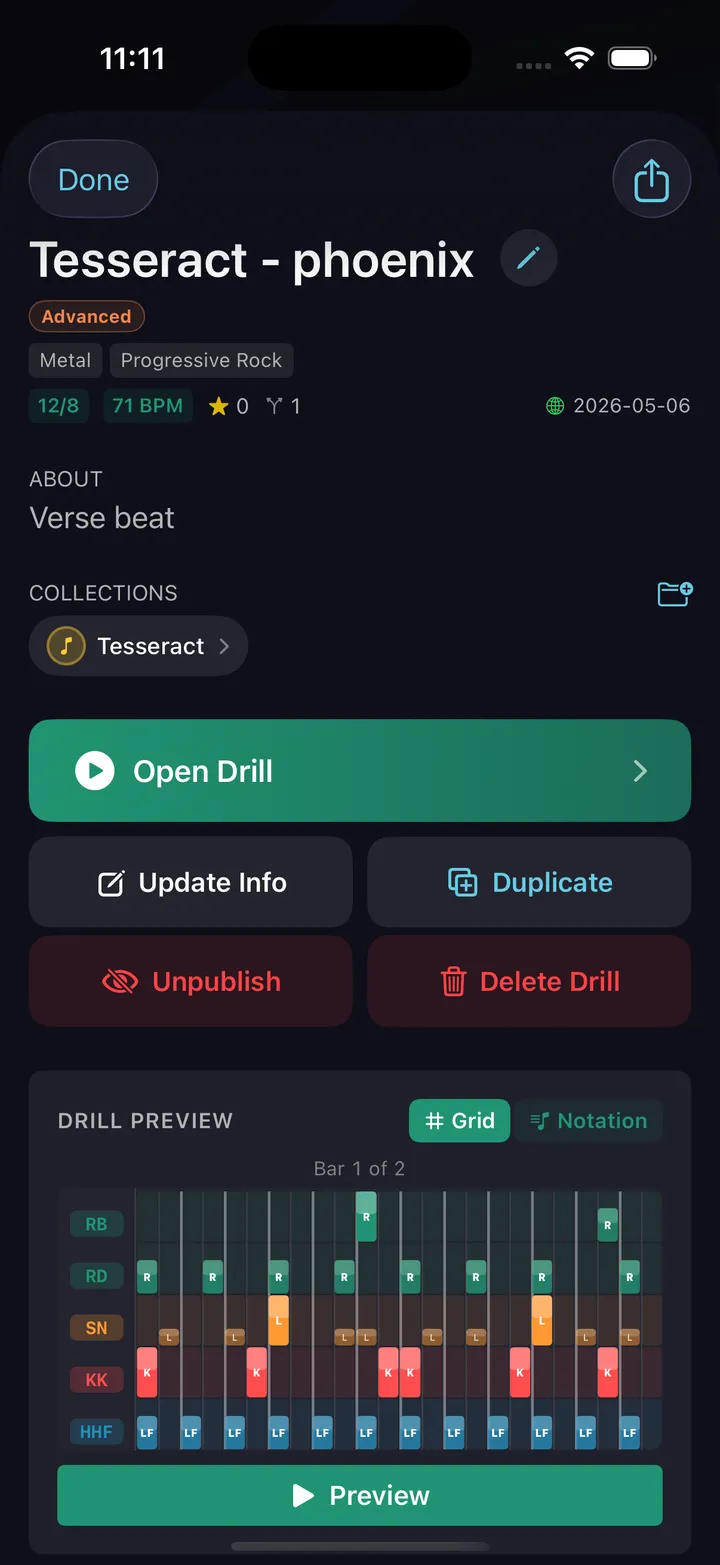
Export video, image, PDF, MIDI or MusicXML
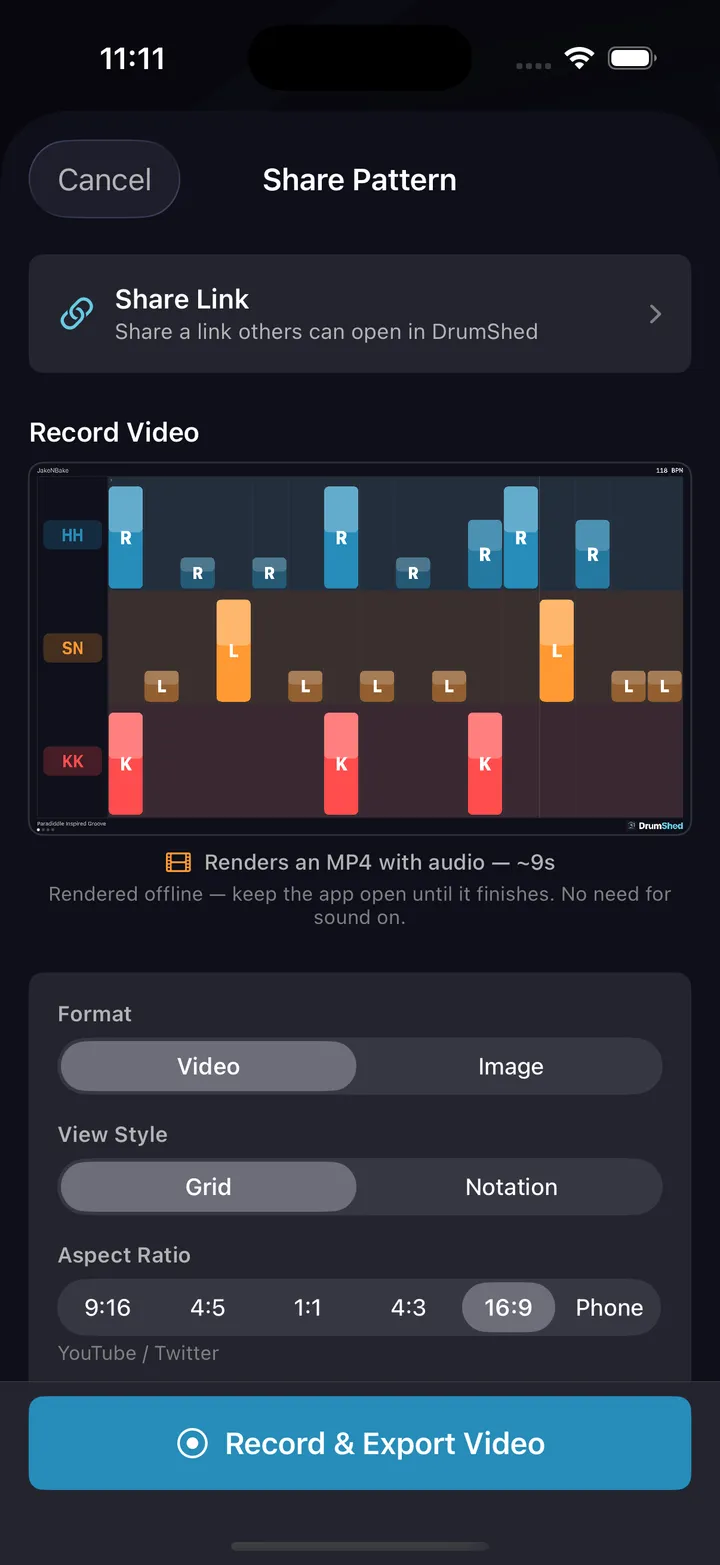
Hit export. Toggle metronome audio on or off. The video renders with a moving playhead, your color scheme, and your watermark baked in — or engrave the pattern as a sheet-music PDF for your course materials. Take the same pattern into your DAW as MIDI, or into a notation app as MusicXML.
Post and publish
Drop the video on TikTok, Reels, or YouTube Shorts. Publish the pattern to Explore so your followers can clone it and drill it themselves.
Every export option, dialed in
Format, click, watermark, grid or notation. Set it once and the export comes out finished.
Video export
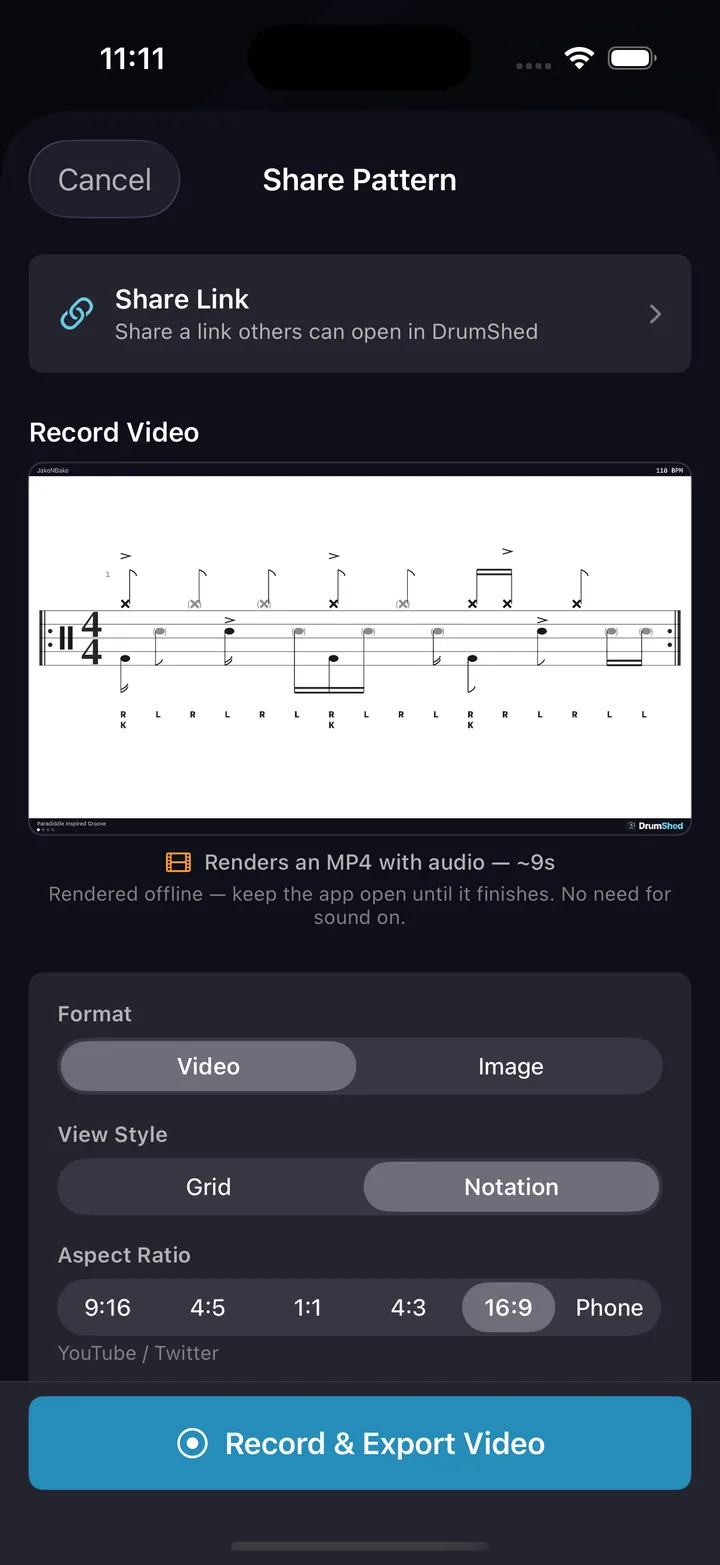
Render your pattern as a video with the live playback view. The moving playhead and color-coded voices read instantly on a feed.
Still images
High-res PNGs in grid or notation. Drop them in lesson handouts, blog posts, or carousel slides.
Grid + notation
Toggle the visual style per export. Grid for visual viewers, notation for the readers, both for cross-posting.
Beat bars for fills
Show the beat count alongside fill patterns so viewers see exactly where each hit lands. The fill becomes legible without commentary.
Rhythm counts
Toggle counting syllables — 1 e & a, triplets, sextuplets — above the notation on any export. Viewers read exactly where every note lands, no voice-over needed.
Click on or off
Render with the metronome audible (great for educational content) or muted (great when the audio is your performance).
Custom watermark
Your DrumShed username appears as a subtle mark on every export. Build recognition across every platform you post to.
Every clone is a follow waiting to happen.
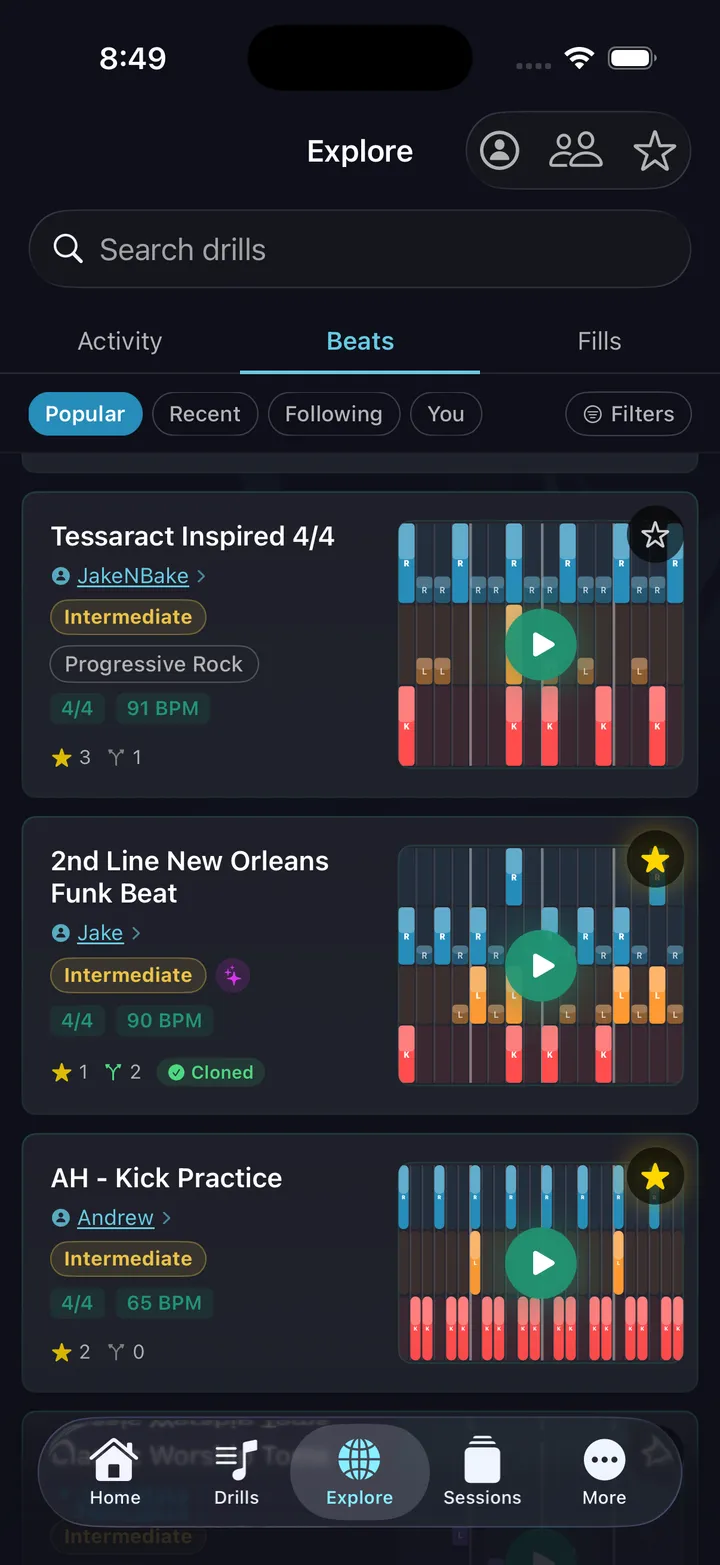
Publishing to Explore is one tap. Drummers worldwide find your pattern by genre, difficulty, or search. They clone it into their library and drill it.
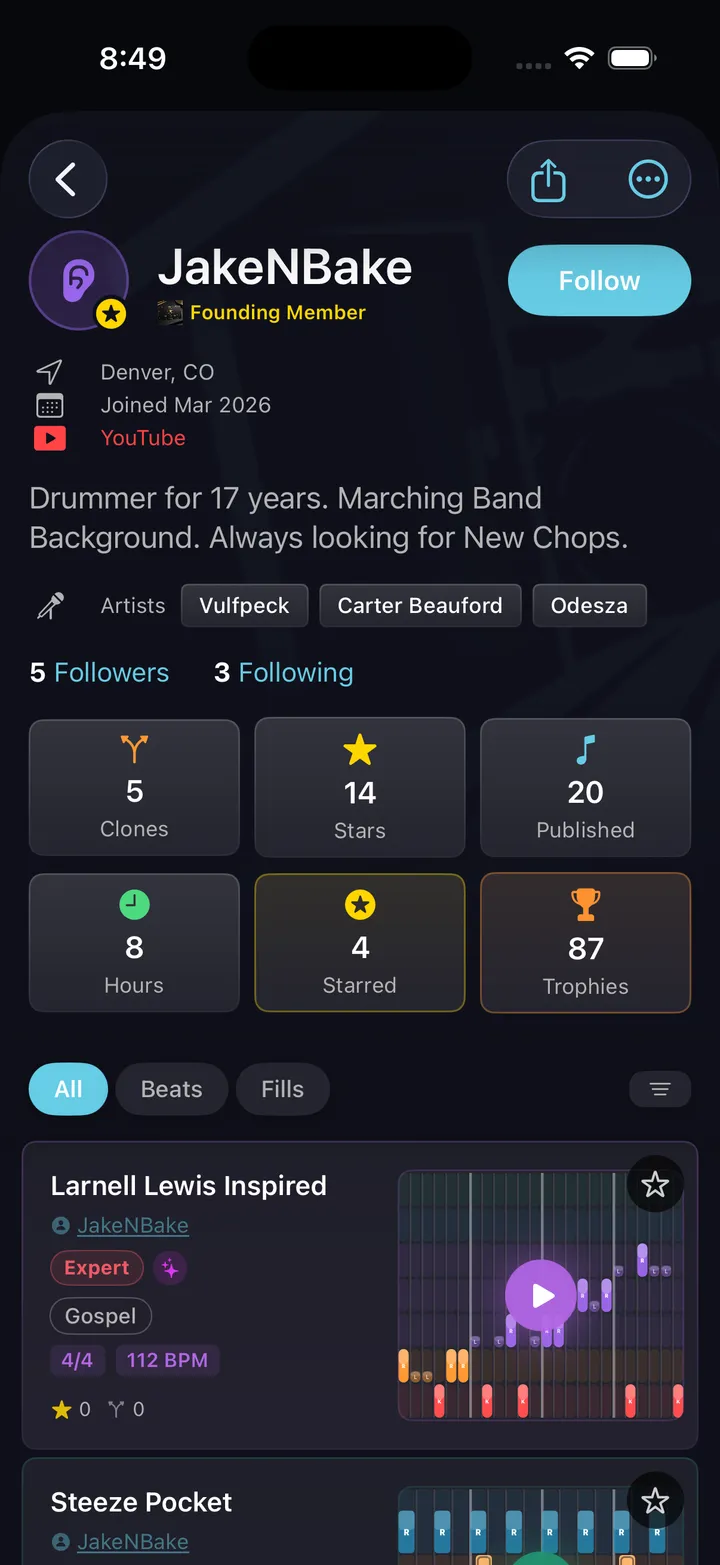
Your profile shows everything you've published and your follower count — and you can see play and fork counts climb as drummers pick your patterns up. Think of it as a portfolio that's also a distribution channel.
Link your TikTok, YouTube, Instagram, and the rest right on your DrumShed profile — every pattern you publish becomes a route back to your full creator presence.
The link to a published pattern opens directly into the app — perfect for a TikTok bio, a YouTube description, or a tweet.
Every drummer needs
a home base.
Ship your first export tonight.