Place every hit
on every voice — odd meters, mixed meters, split beats.
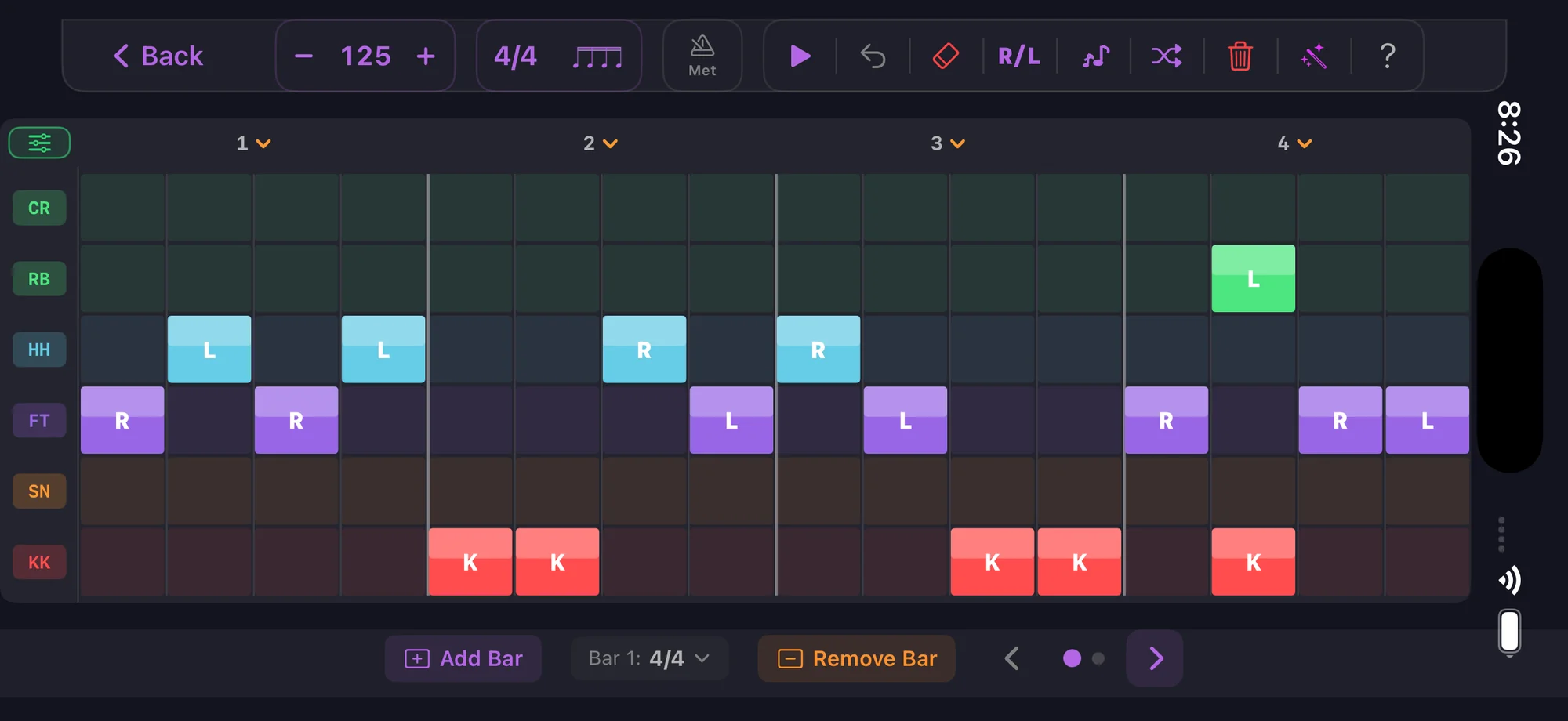
This is the deep end. The pattern editor gives you full control over your drum patterns — tap cells to cycle through off, ghost, normal, and accent. Works on iPhone, iPad, and Android.
Total control over every note
Grid editor
Every voice on a row, every subdivision on a column. Tap to cycle hit states, long-press for precise velocity.
4-state tap cycle
Each cell cycles: off → ghost → normal → accent. Tap to cycle quickly, long-press to fine-tune velocity.
Odd and mixed meters
Any time signature from 2 to 13 over /4 or /8, with mixed subdivisions per beat. The grid adapts columns to match.
iPad optimized
The grid expands on iPad for comfortable editing. See more voices and subdivisions at once.
All voices
24 drum voices — kick, snare, hi-hat (open/closed/pedal), ride (bow/bell/crash), crash, china and splash with their chokes, toms, cowbell, cross-stick, and more.
Live preview
Hear your pattern loop as you edit. Changes are instant — no save-and-reload.
Edit on any device
Power features
Per-beat subdivision
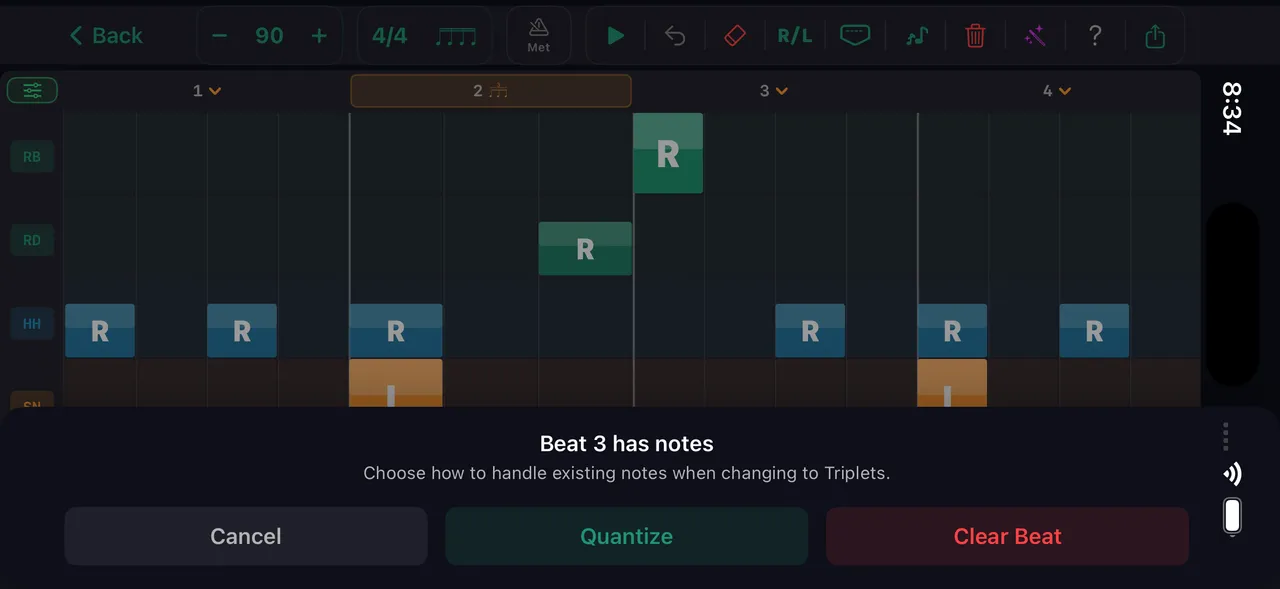
Change the subdivision of individual beats within a bar. Mix triplets on beat 1 with 16ths on beat 2. Auto-quantize preserves existing notes.
Voice toggles
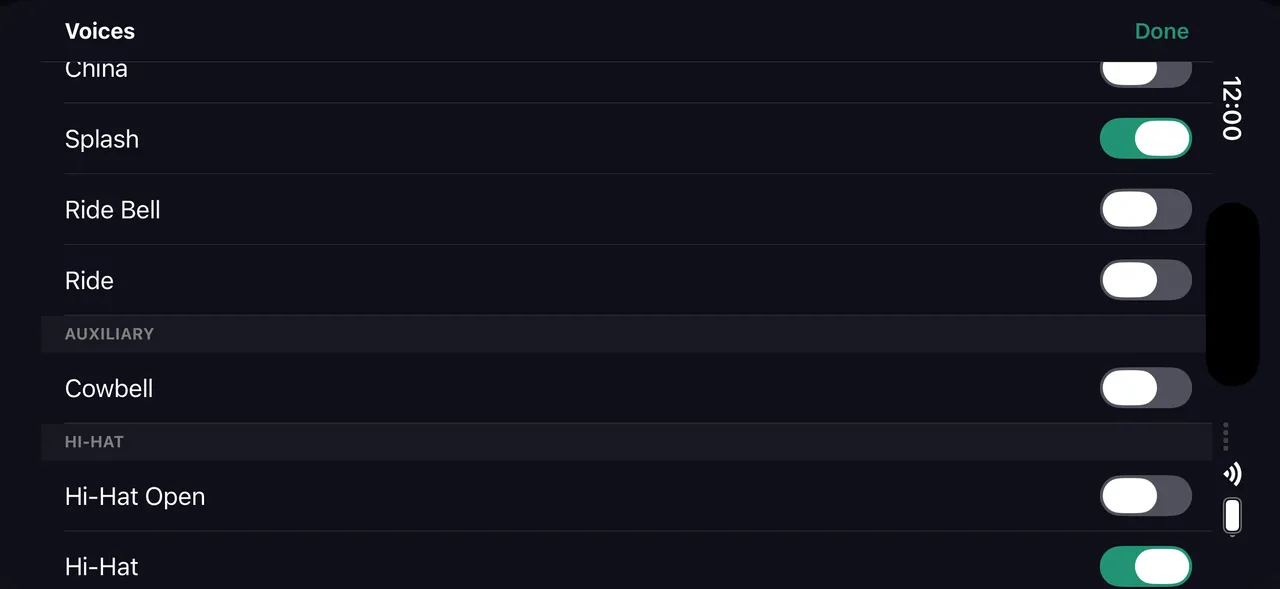
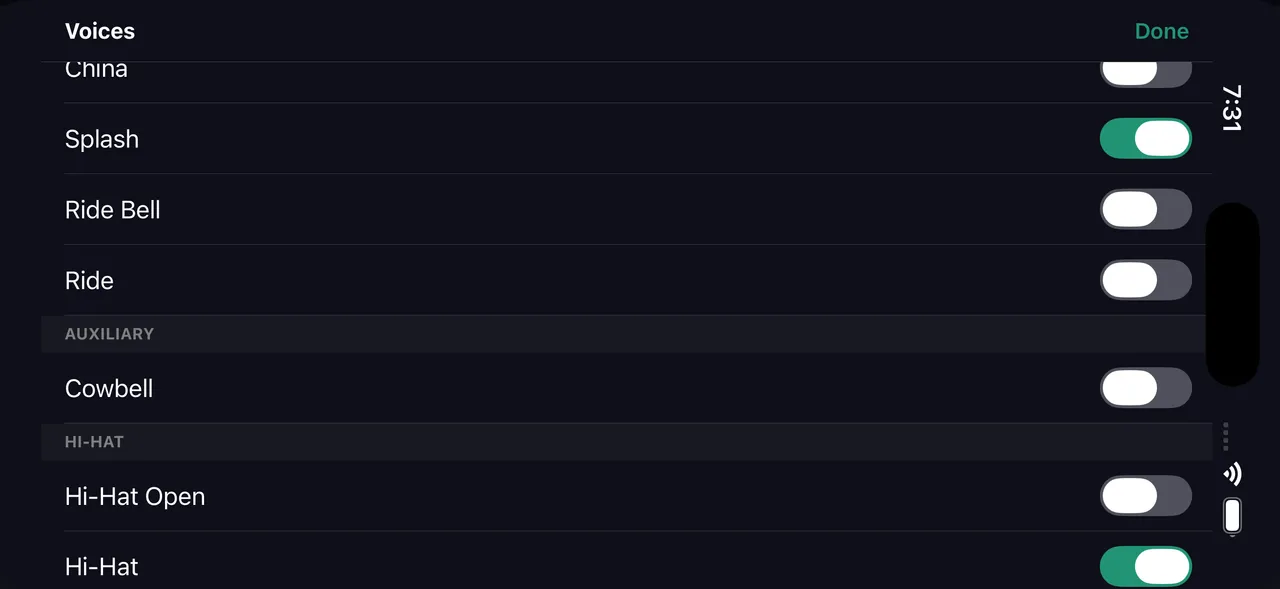
Toggle any drum voice on or off: kick, snare, hi-hat (open/closed/pedal), ride (bow/bell/crash), crash, china, splash and their chokes, cowbell, and all three toms.
Physical warnings
Red borders flag impossible hits (same hand, same tick). Yellow borders flag difficult hand crossings. Visual only — helps you understand what's physically realistic.
What you can build
The pattern editor is the final destination for beats and fills. Everything the wizards and AI generate opens here for fine-tuning.
Any subdivision
16ths for most grooves, triplets for jazz and shuffle, sextuplets for dense patterns, 32nds for ghost-note-heavy grooves. Mix subdivisions per beat.
Every voice
Kick, snare, hi-hat (open/closed/pedal), ride (bow/bell/crash), crash, china, splash and their chokes, cowbell, hi-tom, mid-tom, floor-tom. Toggle any voice on or off.
Sticking mode
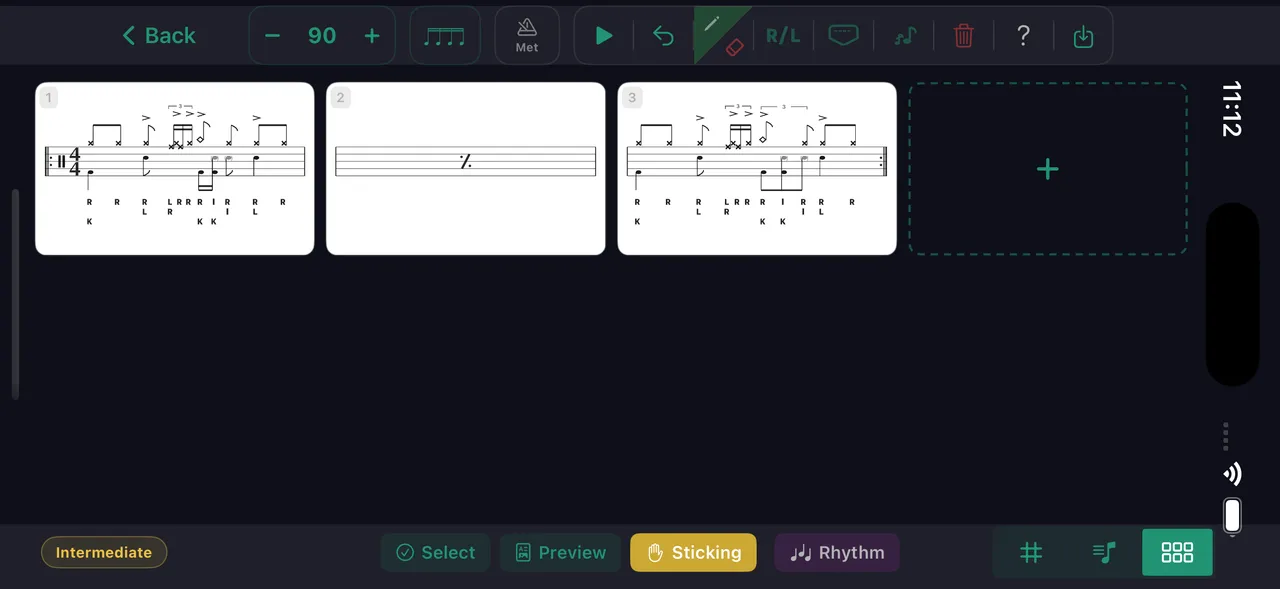
Toggle R/L sticking mode. Tap cells to assign right or left hand, or tap a voice label to lay a whole preset across the bar in one tap — paradiddle, doubles, alternating, or a custom pattern, on one voice or every voice at once. Ghost notes read as lowercase r/l. Long-press to set B (both hands) for flams.
Grid or notation
Switch between grid view and standard drum notation. Toggle counting syllables — 1 e & a, triplets, sextuplets — above the staff. Both show a moving playhead during playback.
Half-beat splits
Split a beat into two halves with different subdivisions — a 16th-triplet half flowing into straight 16ths. The grid handles the math.
Build for sheet music
Go long: up to 64 bars, with an Arrange view that shows every bar as a card — drag to reorder, tap one to edit, copy, paste, duplicate, or delete a whole run. Scaffold the piece, then fill in the bars.
Export it
Export as video (five aspect ratios, click on or off), PNG notation images, or an engraved multi-page sheet-music PDF with per-bar sticking and count captions. Your name is on every export.
The full editor on iPad
Landscape view with per-beat subdivision control
Every drummer needs
a home base.
Place every hit exactly where you hear it.