Try your grooves over songs.
Hear them with the band.
Upload a song, drop a beat or fill from your library onto a section of its chart, and hear your part with the recording. Swap grooves until one fits, or take a part from one song and hear it over another.
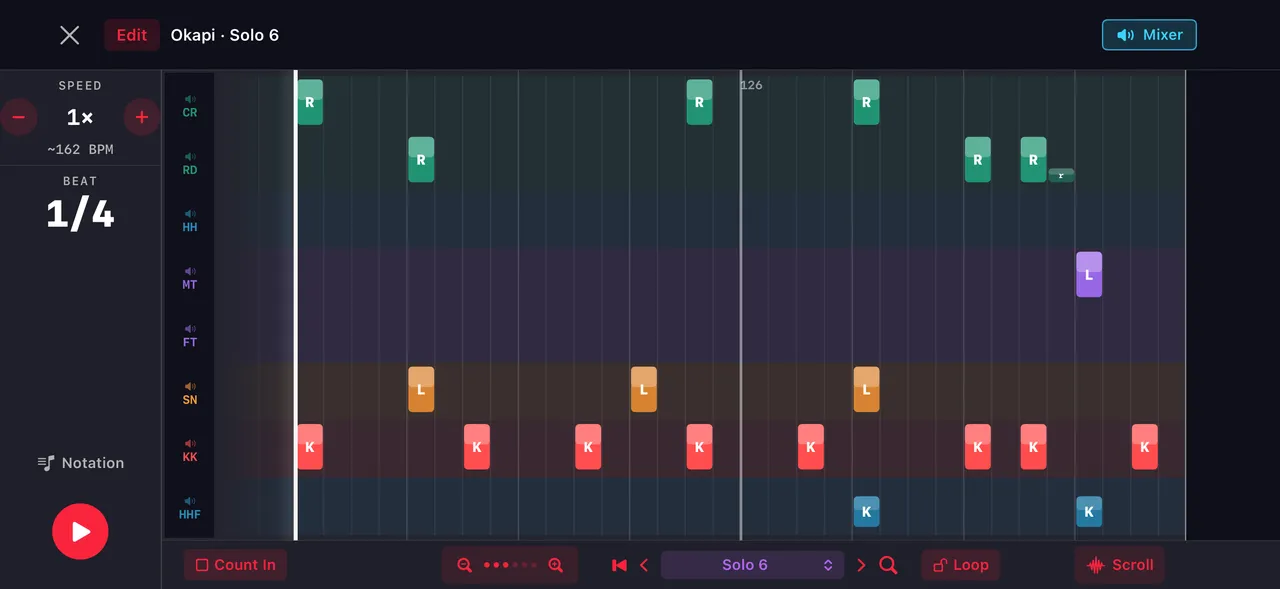
From your library to the band
01
Upload a song
DrumShed finds the tempo bar by bar and marks the sections: intro, verses, choruses, the bridge.
02
Drop a groove on a section
Pick a beat or fill from your library and place it on the song’s chart: the verse, the chorus, the bar before the bridge.
03
Hear it with the band
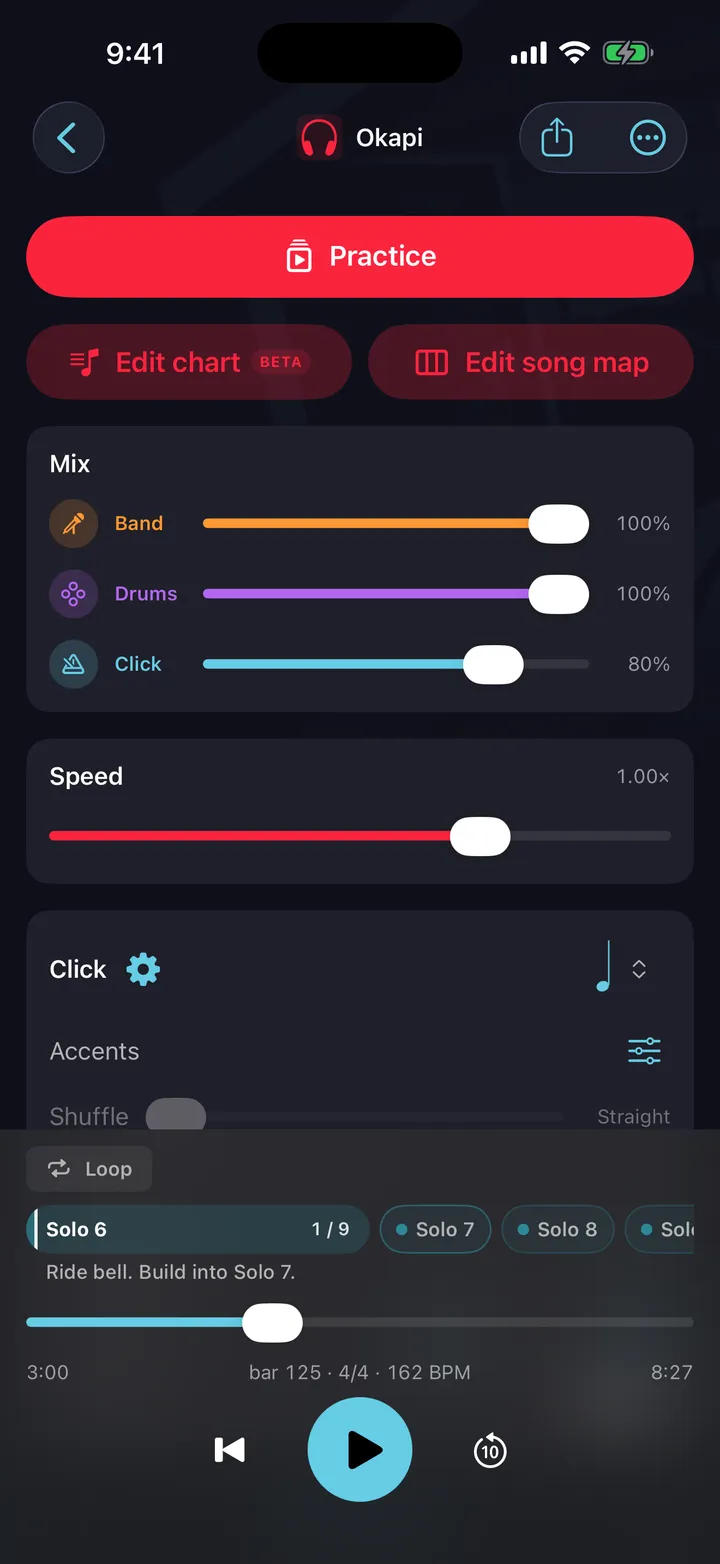
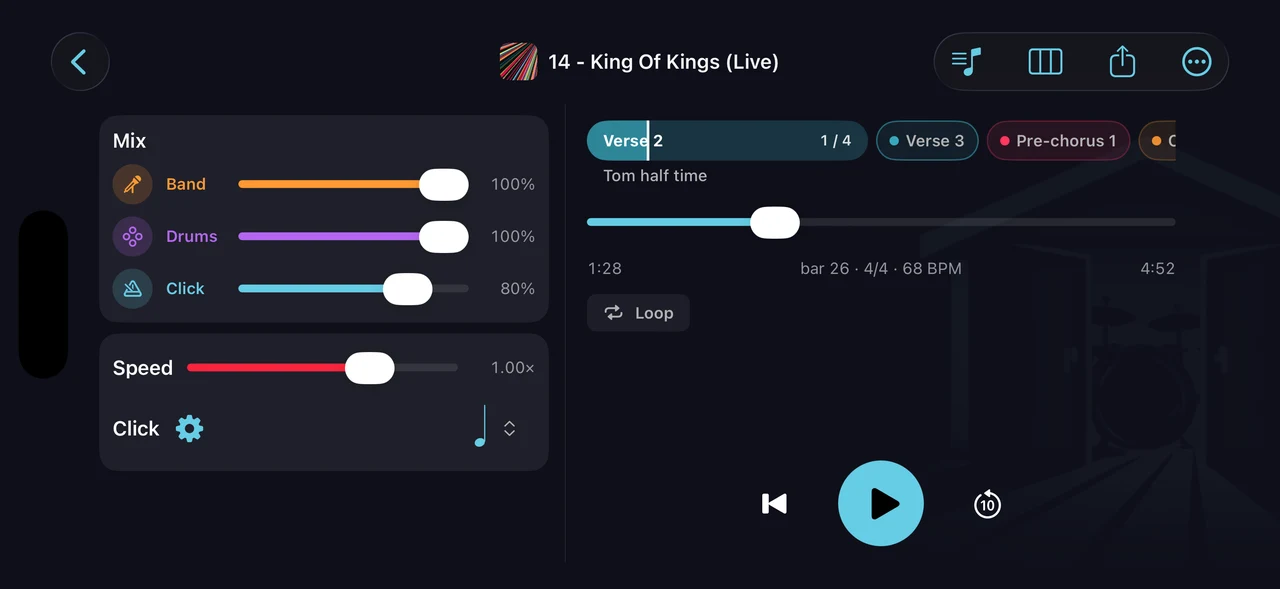
Turn the original drums down and your part plays with the recording. Slow it down at the same pitch if you need to.
04
Keep the one that fits
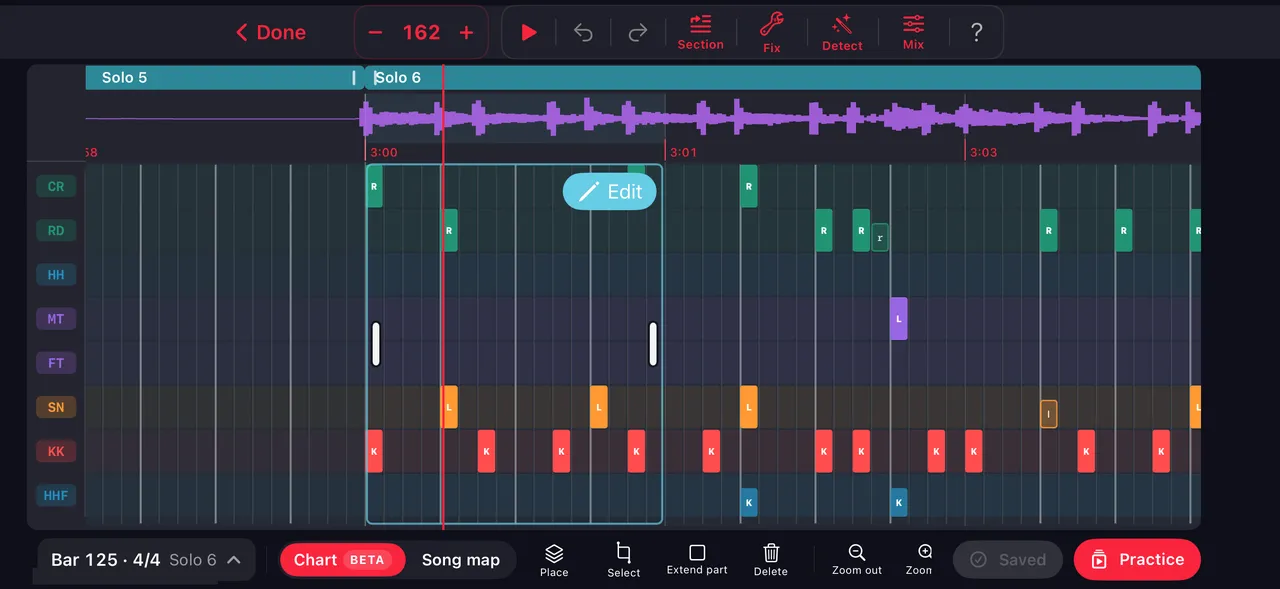
Swap in another groove, fix a bar in the grid editor, or take a part from one song’s chart and hear it over another song.
Why try it with the song
A groove that sounds right on its own can fight the bass line, crowd the vocal or sit wrong under the guitar. You only find out with the band playing. Putting it on the song’s chart lets you hear that before rehearsal, and try three ideas for the chorus in the time it takes to play one at the kit.
It works the other way too. Build a beat in the beat maker, then hear it over a few songs to find where it belongs. The sections come from the song map, and the chart is the same one you can practice, print and export: how drum charts work.
What you can upload, and who can hear it
- Audio files you have the rights to use for your own practice — your band’s recordings, demos, rehearsal takes, lesson material. MP3, M4A, WAV or FLAC, up to 15 minutes. We don’t accept links from streaming services.
- Private unless you share it. Uploads are never listed or searchable. A song is heard only by you and the people you invite into a playlist with it, and it’s deleted with your account.
- Three songs a month are free, no card. All Access includes 150 song & sheet-music uploads and 10 drum chart transcriptions a month (beta), and the separated stems stay for the life of the upload.
How we handle infringement notices is in our Copyright Policy.
Common questions
Do I need a drum chart first?
Your grooves sit on the song’s drum chart, but it does not have to be a transcription. Turn off auto-detect at upload and the chart starts empty on the song’s grid, ready for your beats. Or let auto-detect write the drum part, which gets you most of the way there, and drop your grooves onto the sections you want to try. Drum charts are in beta.
Which grooves can I use?
Any beat or fill in your library. Place it on a section, and it plays on the song’s grid with the band.
Can I move a part from one song to another?
Yes. Take a part from one song’s chart and hear it over another song. It is a quick way to find out whether the groove from an old tune suits a new one.
Can I change the groove once it is on the song?
Yes. The chart opens in the same grid editor you build beats in, on your phone, your tablet or the web. Move a note, add a crash on the downbeat of the chorus, or swap the whole section for another groove.
Do I need my own songs?
No. Songs › Built-in has more than 200 royalty-free backing tracks spanning sixteen genres — rock, funk, jazz, gospel, Latin, metal and more — each with the drums already separated and a click on its grid. Filter by genre, pick a tempo, play. Uploading is for when it has to be a particular song.
Does it change the pitch when I slow a song down?
No. Speed runs from half speed to full at the same pitch, so a song at 0.6× still sits in its key — you are hearing the band slower, not lower.
How does the click know where the beats are?
When you upload, DrumShed finds the tempo and the downbeats of the take and lays a grid over it bar by bar. The click follows that grid — including tempo drift in a live recording — and you can nudge it earlier or later until it sits right to your ear.
Can I put a song inside a practice session?
Yes. Add a whole song or a bar range — say bars 9 to 16 — as a session item next to your drills, loop it, and it counts toward your practice time and streak like any drill.
Is it free?
Yes, to start. Every account includes three songs a month with no card, and the free week opens the rest, including 2 drum chart transcriptions (beta). All Access includes 150 song & sheet-music uploads and 10 transcriptions a month, and packs of more transcriptions are sold in the app. The separation and transcription run on our servers, which is why they are metered.
Every drummer needs
a home base.
Hear the groove with the band before you bring it to rehearsal.