Write drum music by tapping a grid
and read it back as engraved notation.
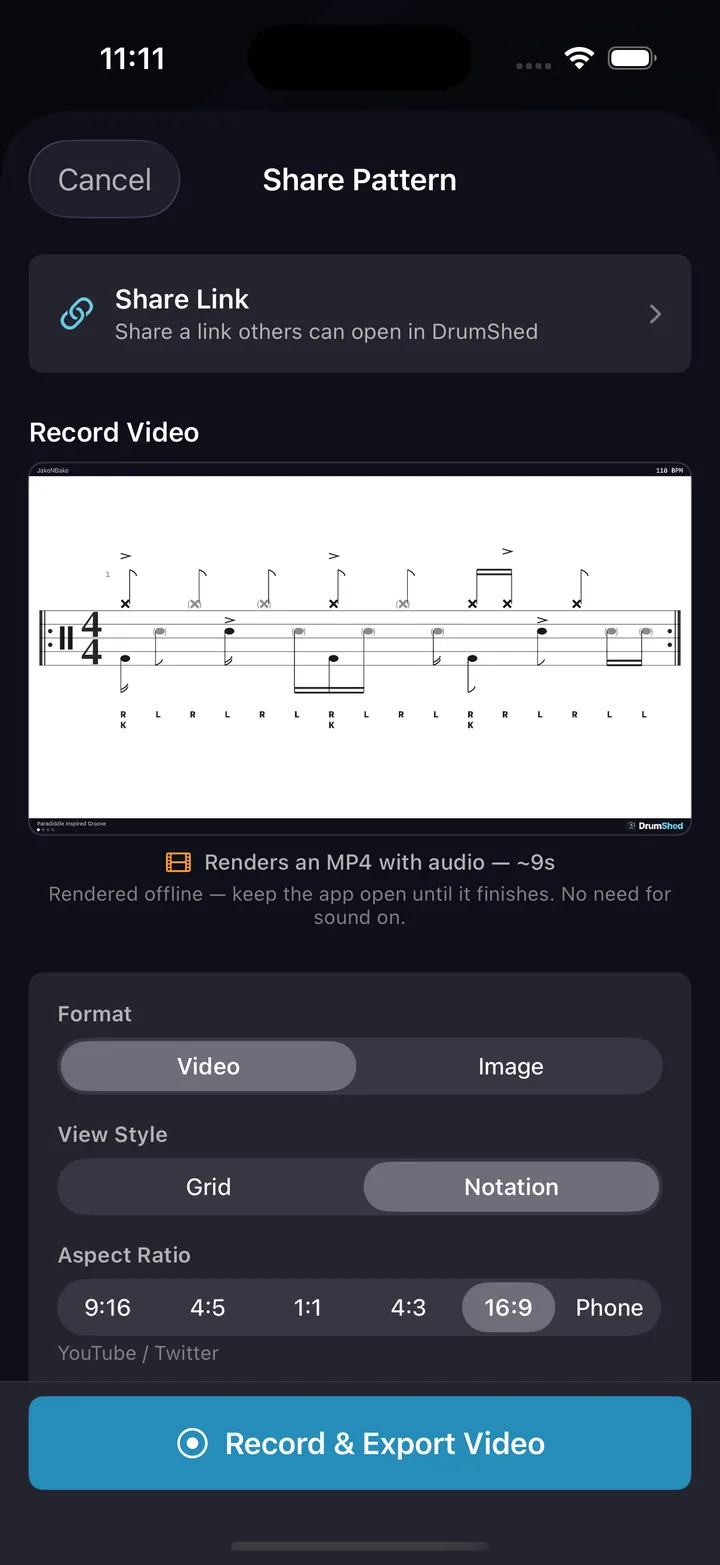
Every pattern you build is standard drum notation the moment you build it. Export it as MusicXML for MuseScore, Dorico or Sibelius, as MIDI for your DAW, or as a printable engraved chart.
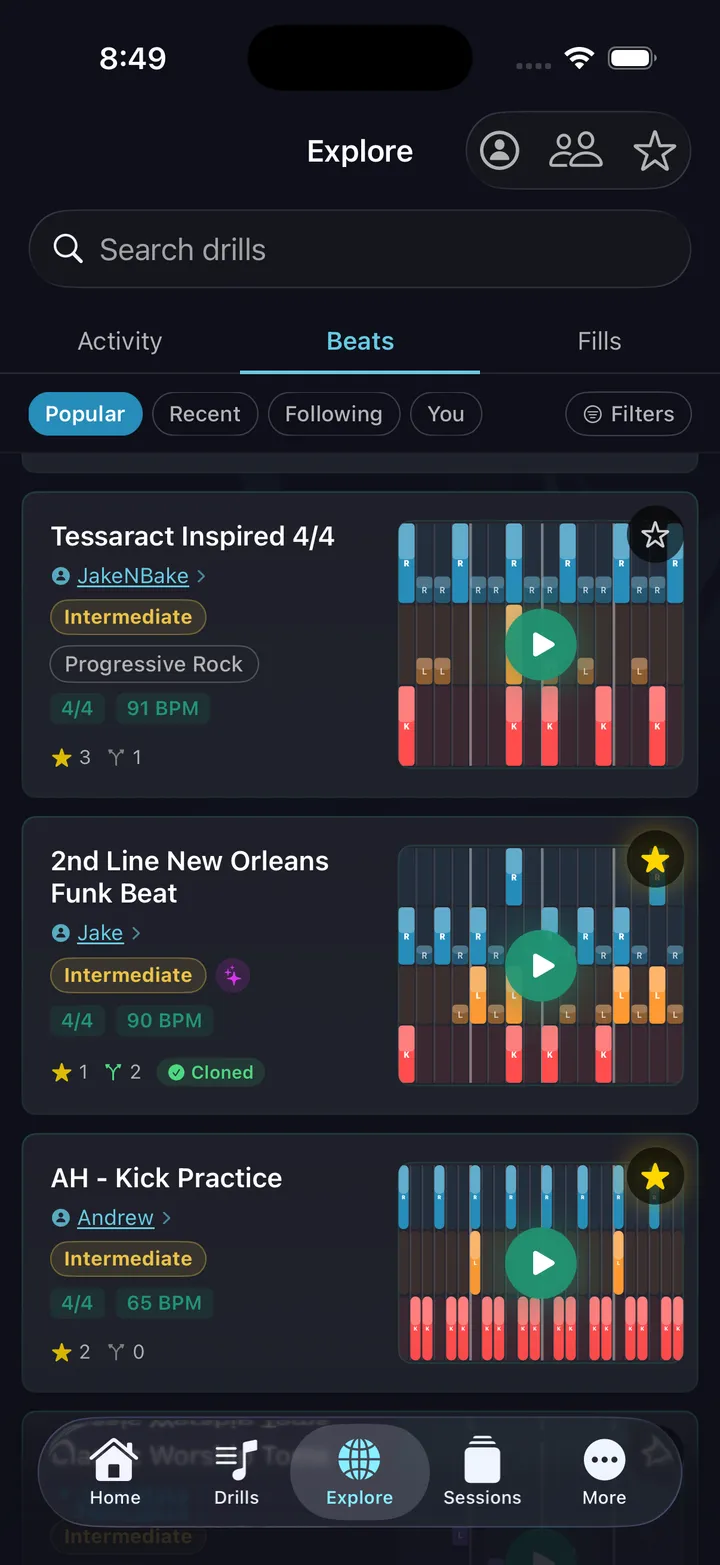
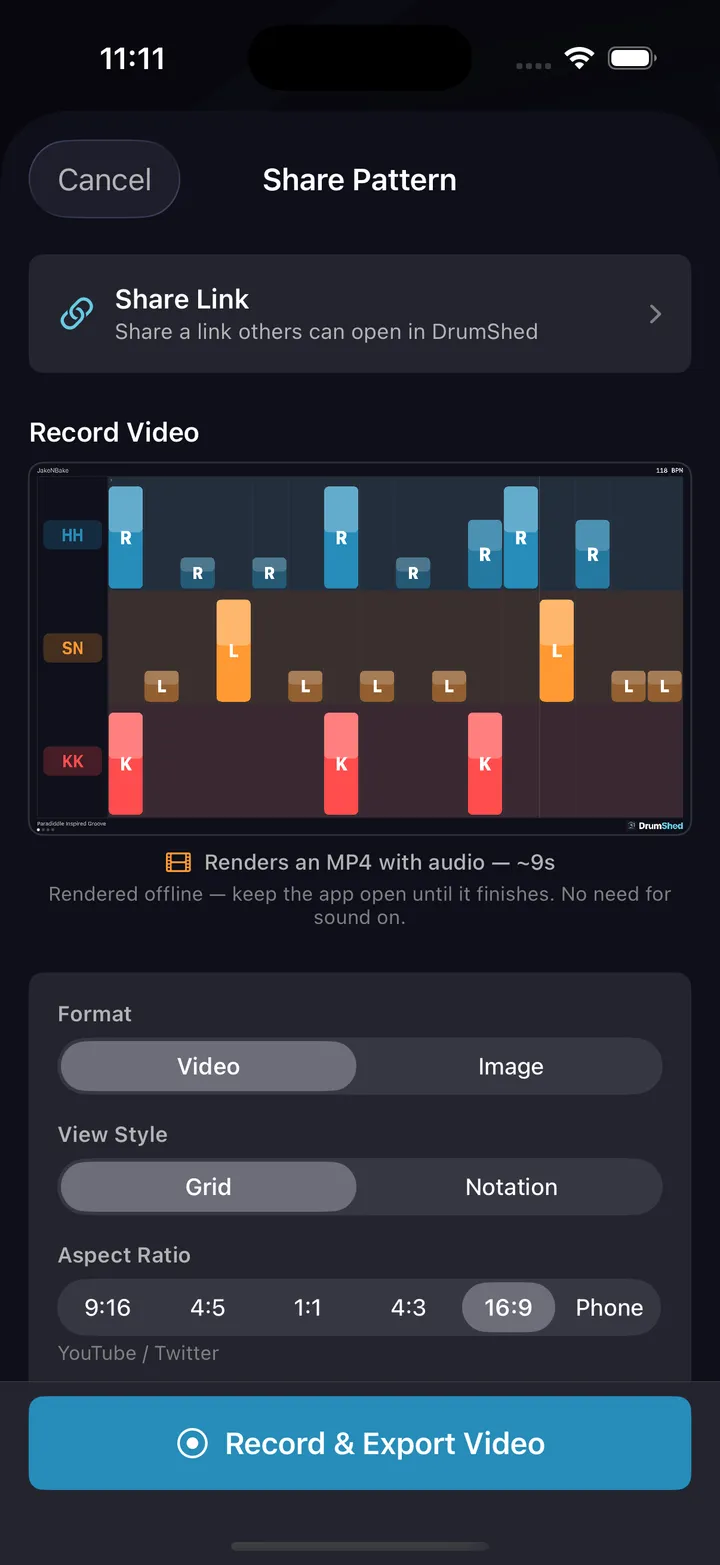
The grid and the staff are the same pattern
No note-entry palette, no dragging noteheads onto a staff. Tap where the hit goes and switch to the notation view to read what you wrote.
Engraved, not approximated
Beams, flags, rests and stem direction the way a drum chart is actually set. Kick and hi-hat foot below the line, hands above, cymbals as x-heads.
Any subdivision, beat by beat
Triplets on beat 1 and sixteenths on beat 2 in the same bar. Quintuplets, sextuplets, split beats and polyrhythms all engrave correctly.
Articulations that mean something
Flams, ghost notes, accents, choked cymbals, open and closed hi-hat, ride bow and bell — each one its own mark on the staff.
Sticking and counts
R and L letters under the notes, and 1 e & a counting captions above the staff. Switch either on bar by bar.
Odd meters and long forms
Any time signature, a different one per bar if you want, up to 64 bars laid out across multiple systems.
Written on a phone
The whole editor works on a touchscreen. Nothing here needs a desktop, a mouse or a MIDI keyboard.
It leaves in the format you need
A chart you wrote here is not stuck here.
MusicXML
Open the score in MuseScore, Dorico, Sibelius or Finale and keep editing. Sticking letters travel with it.
MIDI
Drop the part into your DAW. Notated mode writes the grid as written; performance mode carries the swing, pocket and velocities you set.
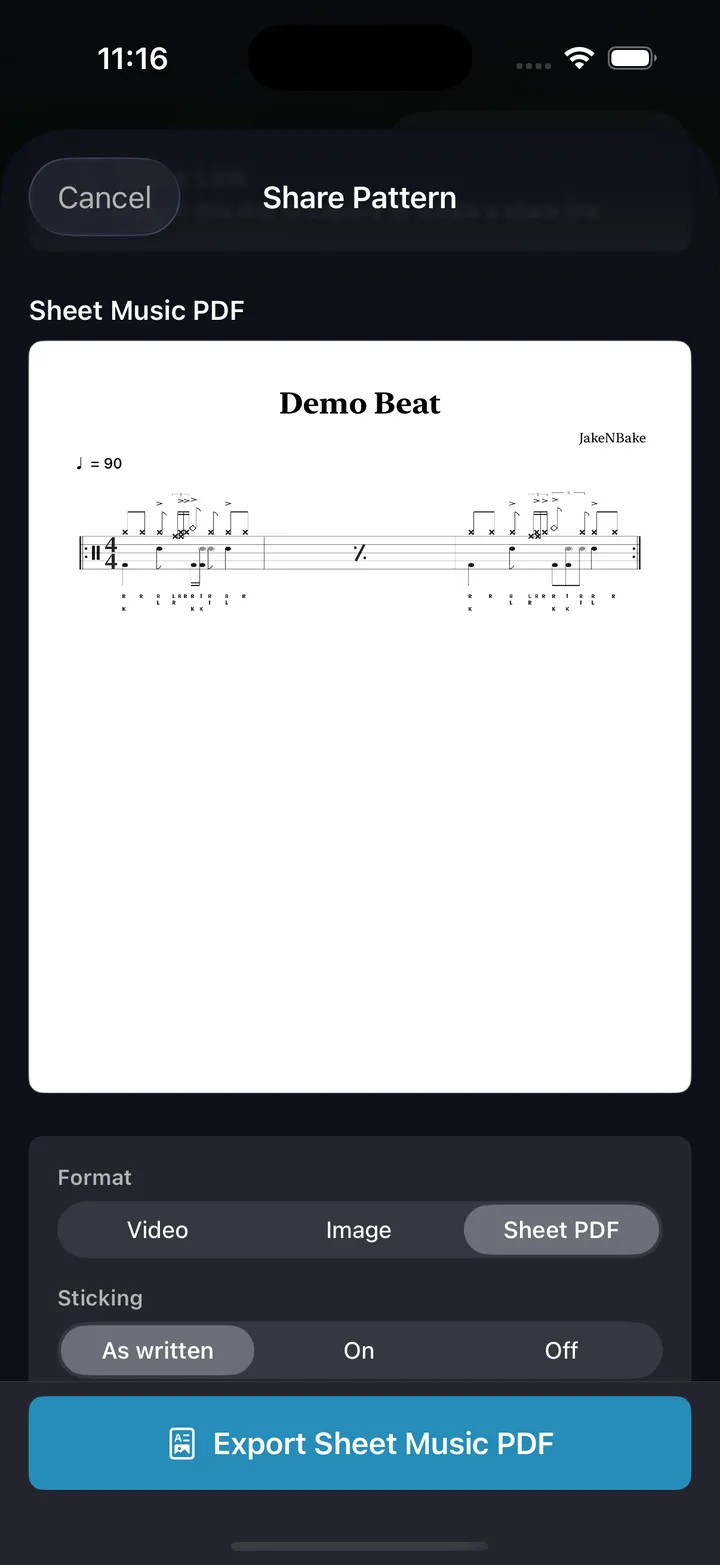
Sheet music PDF
A real engraved chart — A4 portrait, title and tempo marking, up to four bars per system, multi-page for long exercises.
Notation image
A high-resolution PNG of the staff for a handout, a slide or a post.
Video
The notation playing in time, in portrait, square or landscape, for TikTok, Reels, Shorts and YouTube.
Sheet music in
Bring a score the other way. Import a .musicxml or .mxl, or photos of printed drum sheet music (beta), in the app or the web editor. Check what it became, then keep editing it as a DrumShed pattern.
Notation software built around drums
General-purpose engravers treat the kit as one more instrument on a staff. Writing a two-bar groove means picking a note value, placing a notehead on the right line, remembering which line the ride sits on, and doing it again for every voice. DrumShed starts from the kit instead. Rows are drums, columns are the beat, and a tap is a hit — so the pattern exists before you have thought about how it is spelled.
The engraving is not a preview of your grid. It is the same document read a second way, so a triplet you tapped on beat three is a bracketed triplet on the staff, a ghost note is a parenthesised notehead, a choke is an apostrophe on the cymbal, and a bar in 7/8 is set in 7/8. Switch views as often as you like. Neither one is the master copy.
And you can hear it. Every pattern plays back at any tempo with a moving playhead on the staff, which is the part a paper chart cannot do — write a fill, hear whether it sits, fix the one note that does not, print it. MIDI and MusicXML export are part of All Access; the editor, the notation view and playback are not.
Write it, read it, print it
Free on the App Store & Google Play
Every drummer needs
a home base.
Write the chart on the way home from rehearsal.