Playing in the pocket
is a place, not a vibe.
The pocket is where your notes sit against the pulse — a backbeat that leans back, a hat pattern that pushes. DrumShed makes that placement visible, buildable, and drillable.
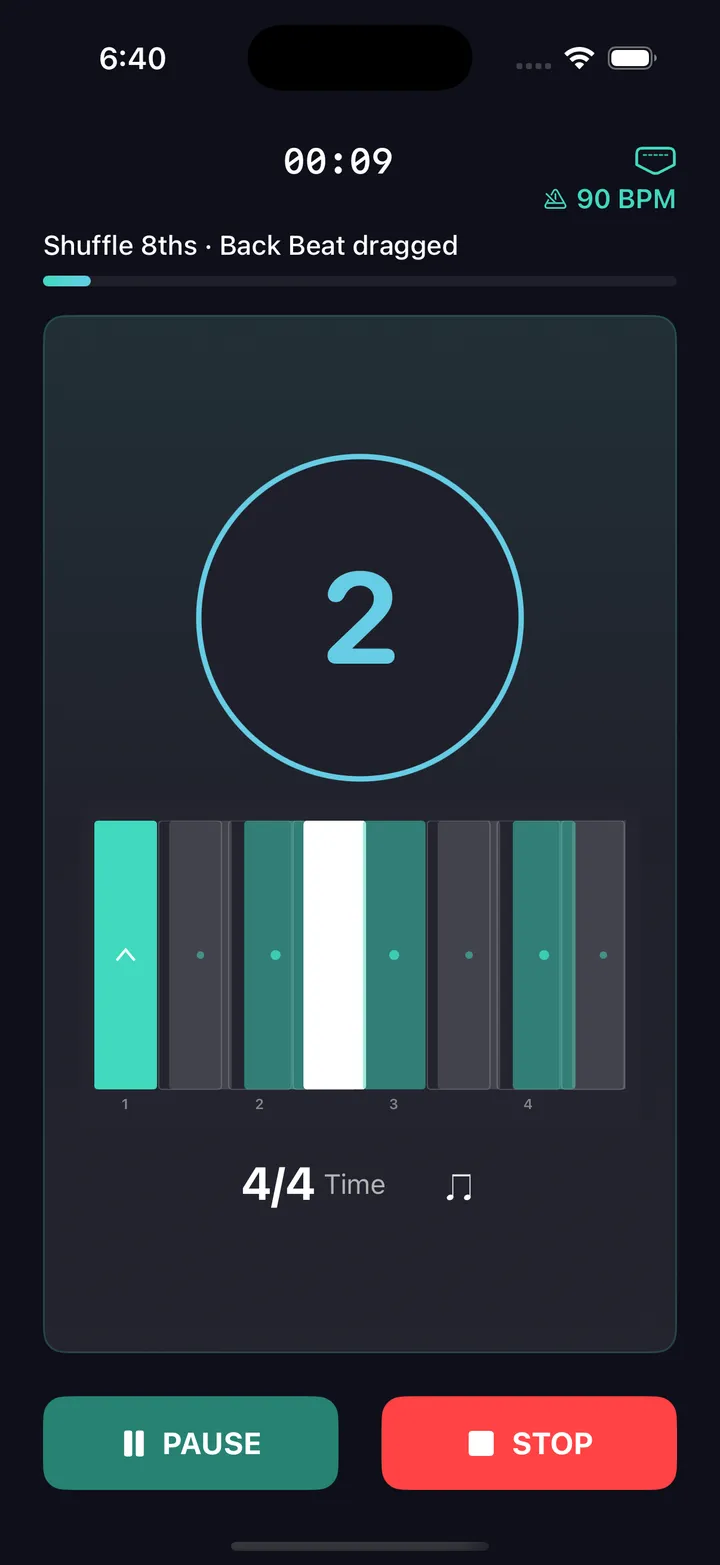
What "in the pocket" actually means
Two drummers play the same beat at the same tempo and one of them feels better. The difference is rarely the notes — it's where the notes sit. A backbeat that lands a hair behind the pulse relaxes the whole groove; one that leans a hair ahead drives it. These are small, consistent placements measured in fractions of a beat, and the players you think of as "pocket players" are the ones who choose a placement and hold it.
Most practice tools can't touch this, because a standard metronome and a standard grid both assume everything sits dead center. DrumShed doesn't: micro-timing is a control you can set, see, and practice against — in your own patterns and in the click itself.
See it, place it, hold it
Place notes off the grid
The pattern editor sets micro-timing per voice: lay the snare back while the kick stays planted, or push the hats ahead. Laid-back or pushed is a choice you make, note placement by note placement.
Hear the difference
Play the same groove centered, laid back, and pushed — the playback engine renders the actual placements, so your ears learn what each pocket sounds like before your hands chase it.
A click with a pocket
The main metronome drags or rushes its own backbeat and shuffles its subdivisions — free, on the main screen. Practice holding your groove against a click that grooves.
The Pocket drill
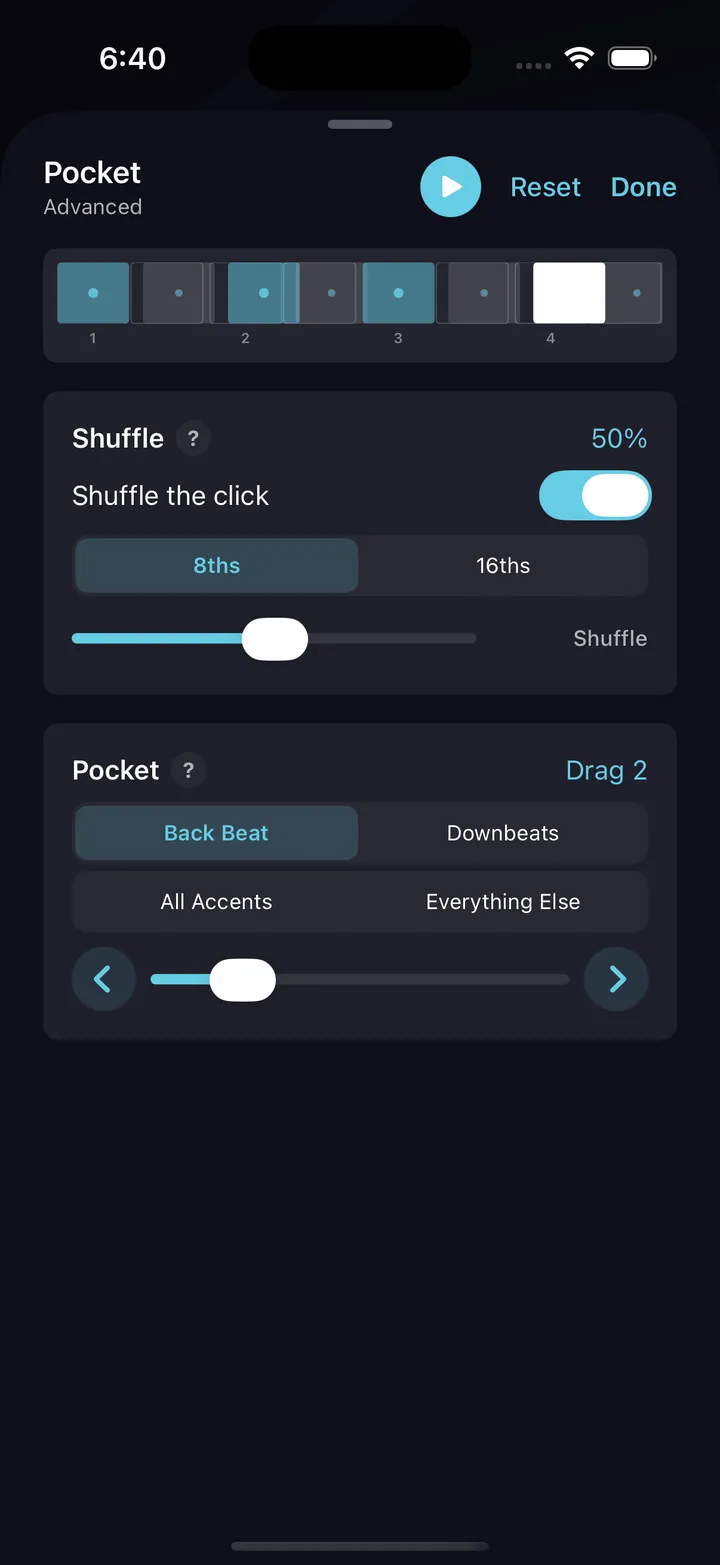
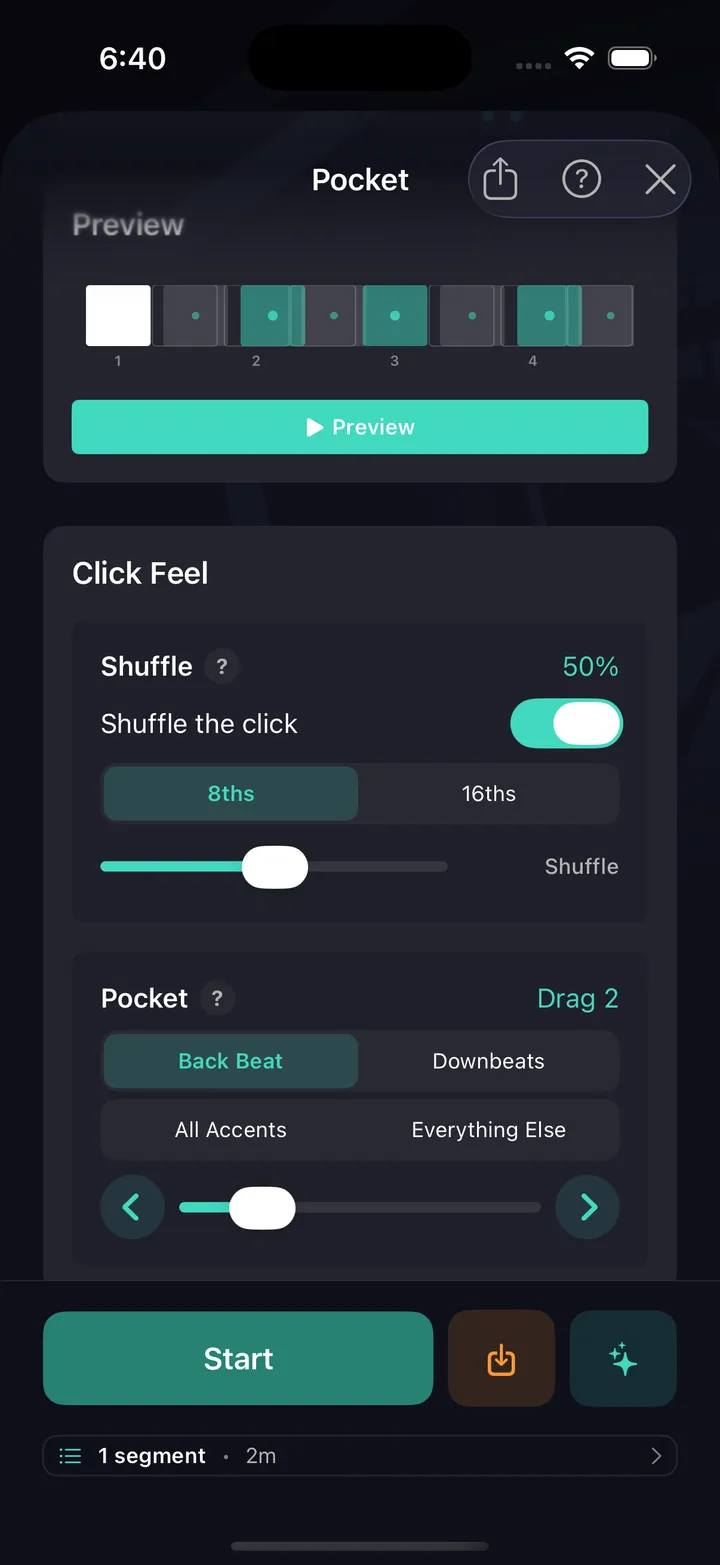
Structured reps from Beginner to Advanced, free: presets, a live preview of exactly which clicks move, and drill history that logs the shift, tempo, and duration of every run.
Feel per voice
Pocket and swing live on the same per-voice controls — combine a light shuffle on the hats with a laid-back snare and you're describing real records, not settings.
Make it a routine
Save the groove, tap Learn This, and put a week of pocket work on your practice calendar with the tempo ramp drafted for you.
Micro-timing in the editor
Every voice can sit where you put it — the grid shows the lean.
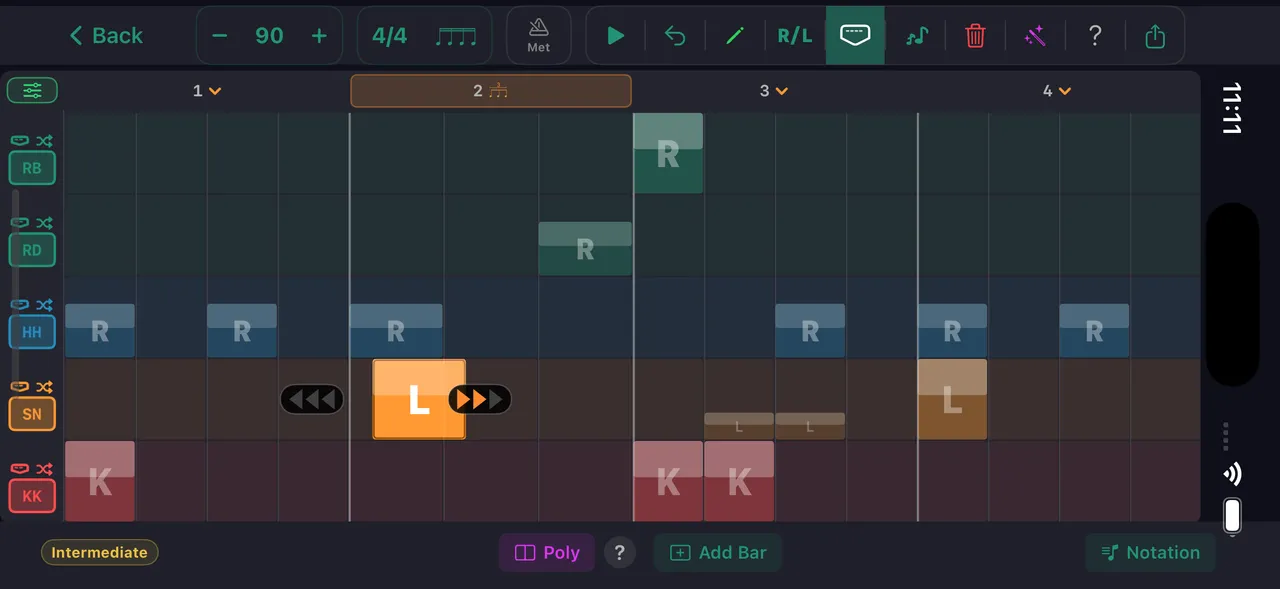
Pocket / micro-timing per voice
Practice tips
Exaggerate first
Set the snare placement further back than you'd ever play it and loop the groove. Once the extreme is comfortable, walk it in — the target placement will feel obvious instead of invisible.
One voice at a time
Move only the snare while everything else stays centered. When that's stable, try the hats. Moving everything at once teaches you nothing about where the feel comes from.
Anchor with the kick
Keep the kick dead center and treat it as the truth. The pocket reads as the distance between your anchored voice and your moved one.
Match the record
A dragged backbeat sits behind gospel, R&B, and neo-soul; a pushed one drives punk and pop-punk. Pick a song you love, set the placement to match, and play inside it.
Drill it in DrumShed
Free on the App Store & Google Play
“I also LOVE the internal clock and feel transitions capabilities. Those are awesome not just on drums but I also use them as a bass and guitar player!”
★★★★★ · jtc180, App Store review
The Pocket drill is free.
Not a trial, not a preview. The metronome underneath is complete — no limits, nothing held back — and this drill, along with all ten that aim it, ships in the free app, with hands-free sessions and your full drill history, stats and streaks. No ads, no card, not a timed trial. A subscription only comes in when you want to build your own beats and fills, publish them, or use the AI co-pilot.