Read drum notation
by watching it play.
DrumShed's notation view runs a playhead across standard drum notation as it plays. You watch the note get struck and hear it land in the same instant, so the dots on the staff stop being a foreign alphabet.
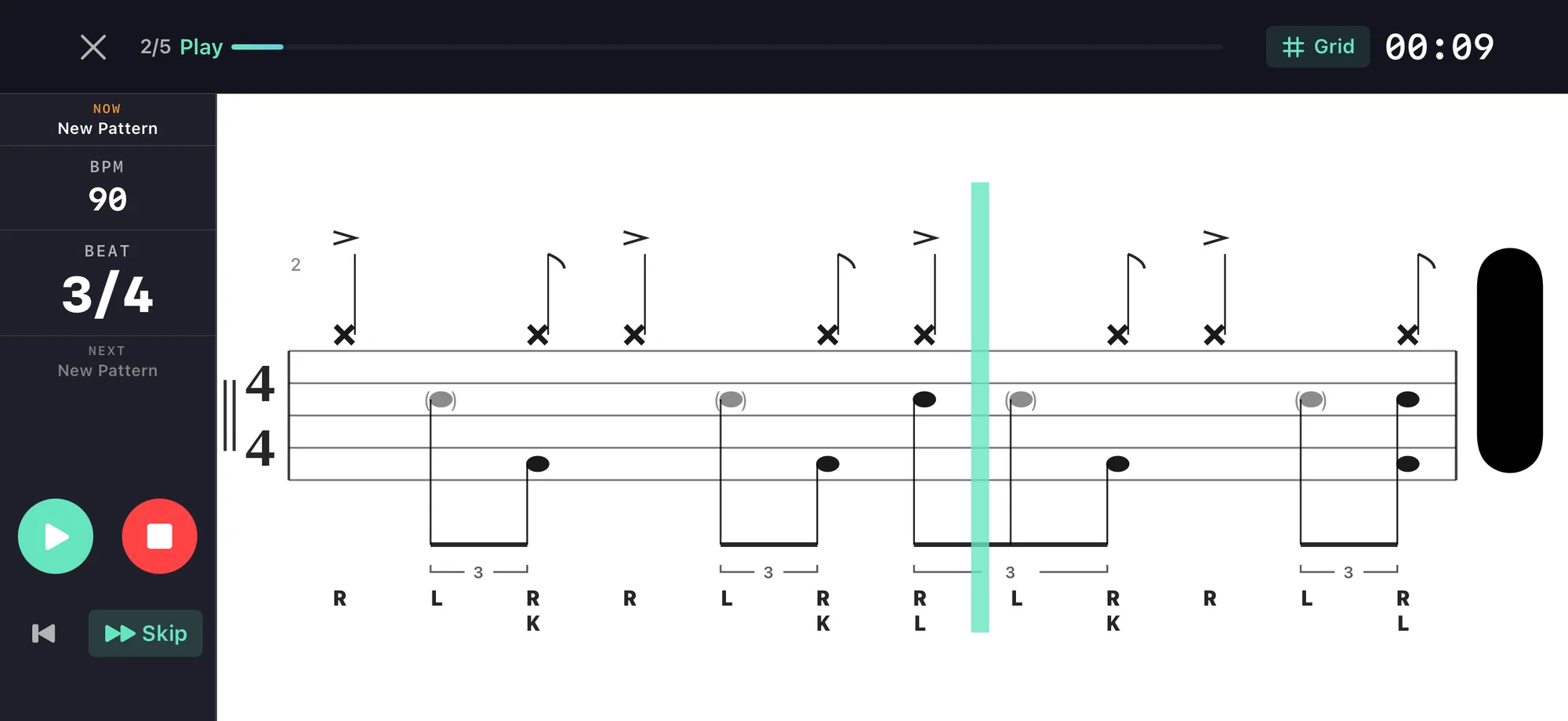
See it. Hear it. Read it.
Notation view
Standard drum notation rendered in real time as the pattern plays. The playhead moves through the score.
Grid view comparison
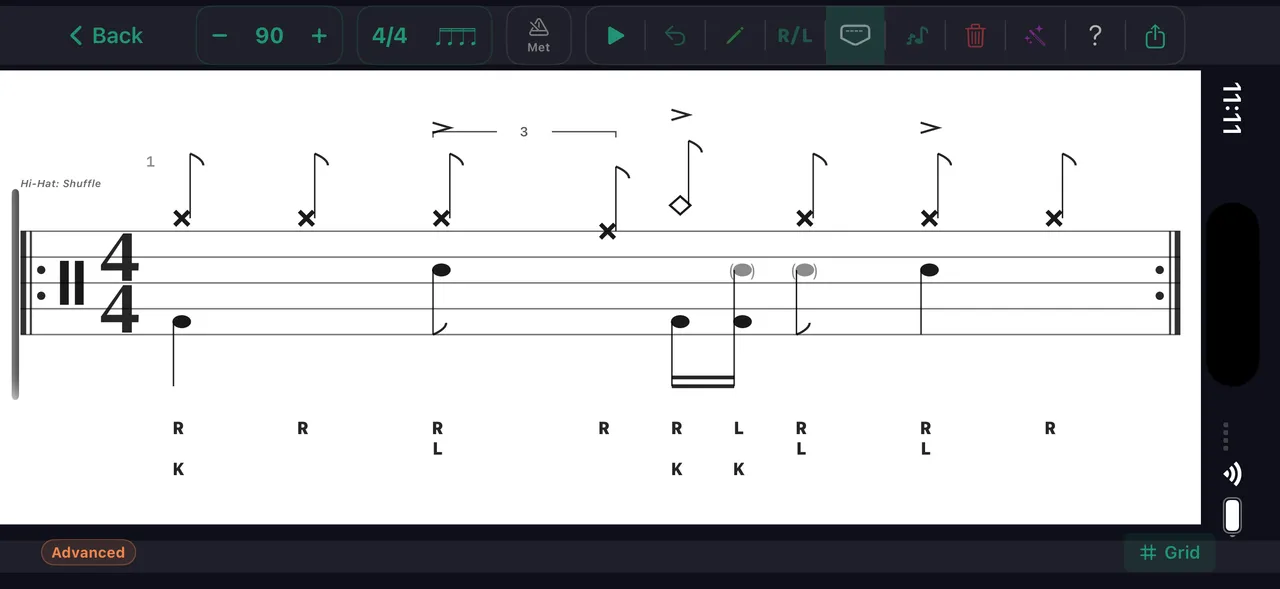
Switch between grid and notation view for the same pattern. See the same music represented two ways.
Slow it down
Reduce the tempo to read each note carefully. Speed up as notation becomes more familiar.
Sticking overlay
R and L labels above each note show which hand plays — lowercase r and l on ghost notes, so the dynamics read at a glance. Connect the notation to the physical motion.
Count overlay
Toggle counting syllables above the staff — 1 e & a, triplets '1 trip let', sextuplets. Read the rhythm as you watch it play.
Loop the pattern
Loop the pattern at any tempo. Repeat until you can read it at speed.
Notation export
Export any pattern as a sheet-music PDF (or image). Print it, study it, bring it to lessons.
And when reading alone isn't enough, Learn mode plays a pattern in stages — spoken count-in, then Learn, Play, and Performance — so your ears confirm what your eyes are decoding.
How the staff maps to the kit
Every drum voice lives at a fixed spot on the staff. Learn the map once and most grooves read at a glance.
Every row of the map in one bar — crash & kick, closed then open hi-hat, ride over a foot chick, snare, then the three toms walking down. Engraved by the same engine the app uses.
The same map ships inside the app as the Reading Notation help screen, with each example rendered live by the notation engine.
Practice this in DrumShed
Free on the App Store & Google Play
Every drummer needs
a home base.
Learn to read by watching and listening.