36,700+ stickings.
18 accent shapes. 11 voice strategies.
The fill builder generates drum fills from a massive combinatorial space. Or describe what you want in plain English and let AI build it.
How the fill builder works
The wizard walks from setup and subdivisions through sticking, accents, and voicing — with a preview at every step. Stop and tweak at any one.
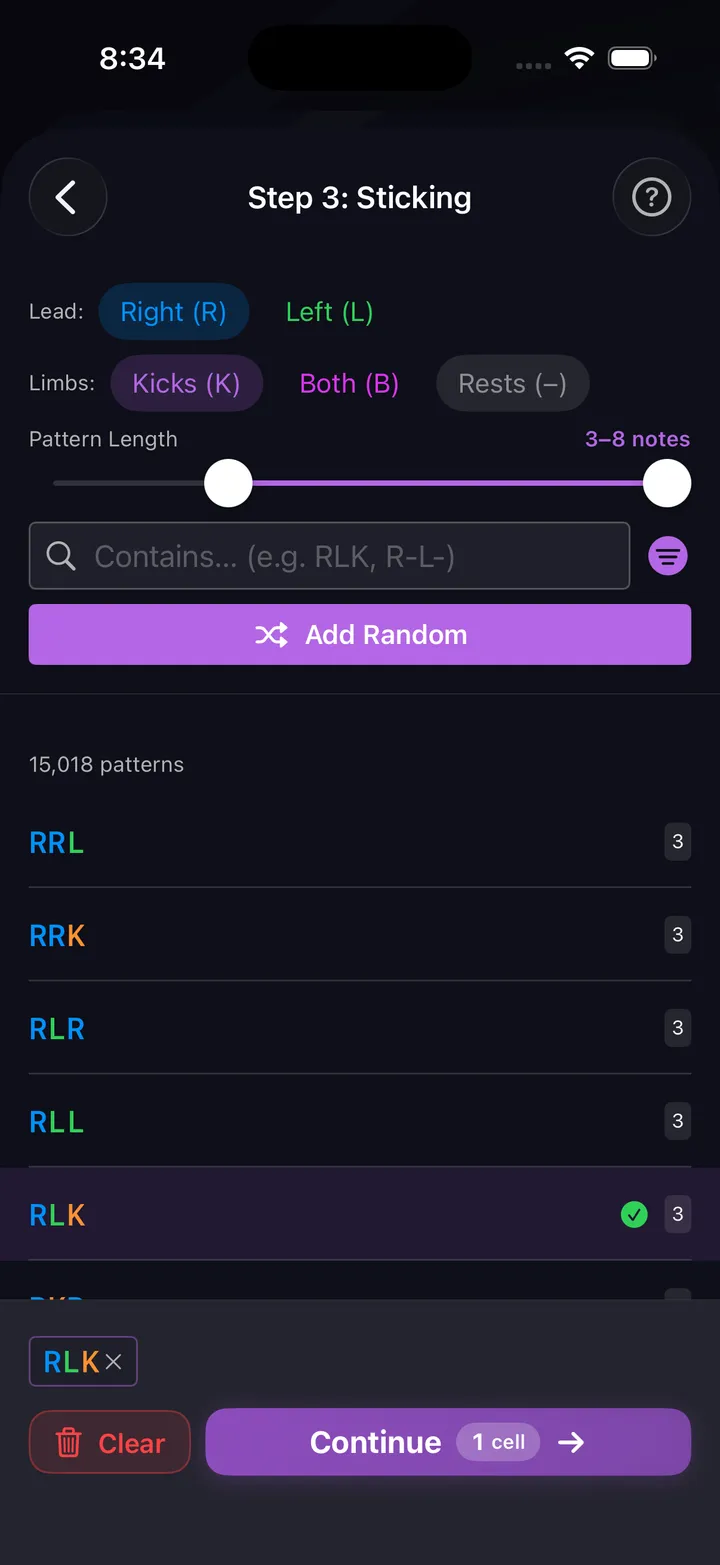
1. Choose your sticking
Pick from 36,700+ sticking patterns or let the builder suggest options based on length and complexity. Filter by length, difficulty, kick involvement, or search.
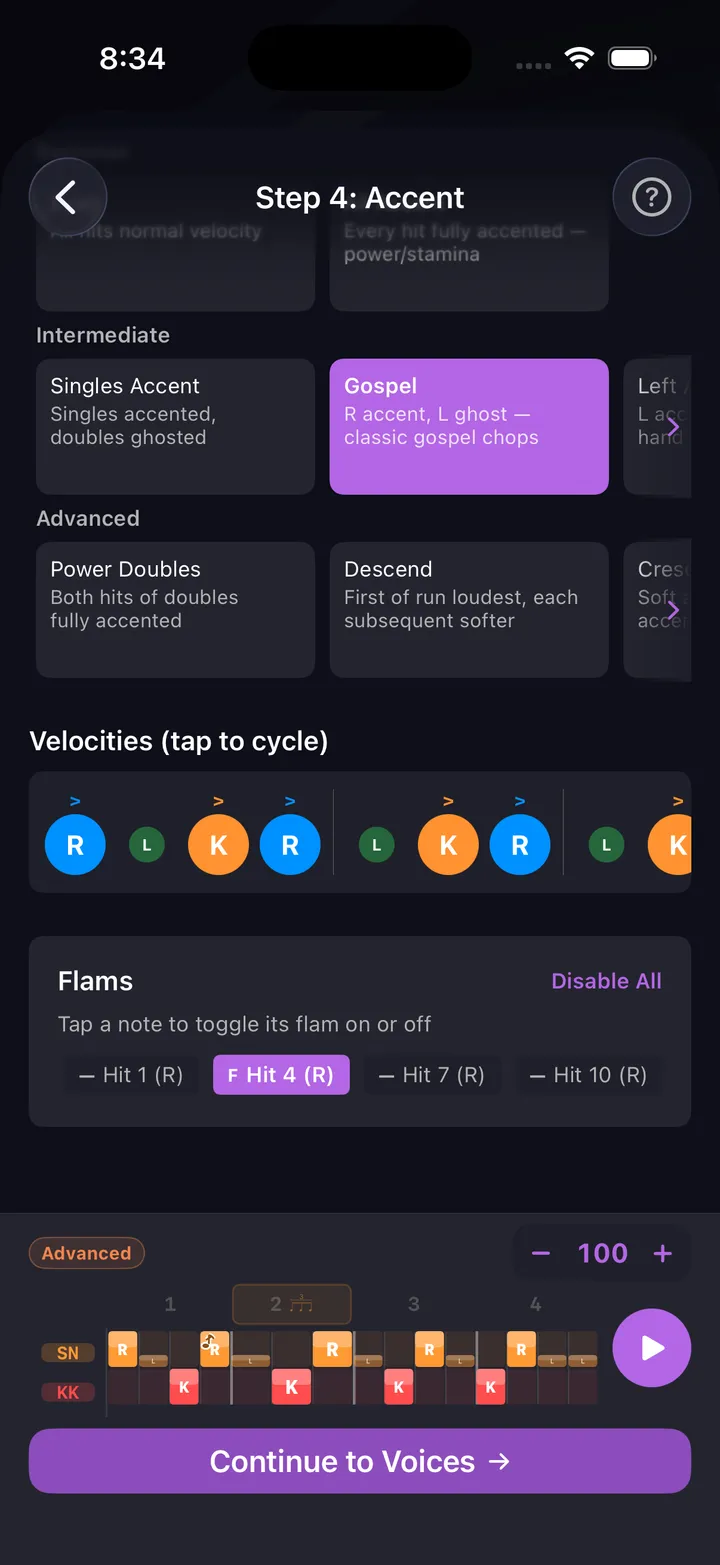
2. Shape the accents
18 accent shapes determine where the emphasis lands. Gospel, Power Doubles, Crescendo, Groups of 3, 5, or 7 — each shapes the musical character.
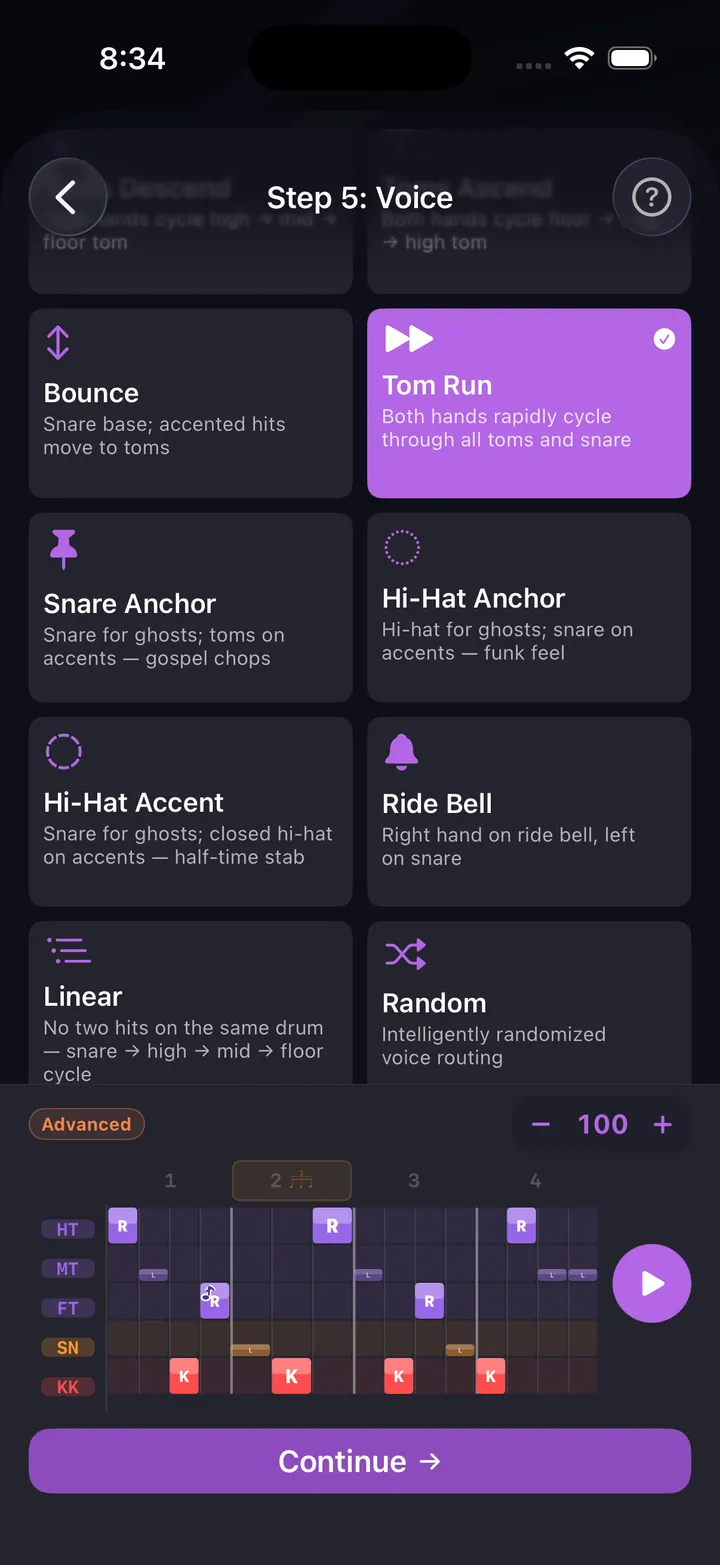
3. Assign voices
11 voice strategies map accents to drums and cymbals — Linear (no two hits in a row on the same drum), Snare Anchor, Random, and more.
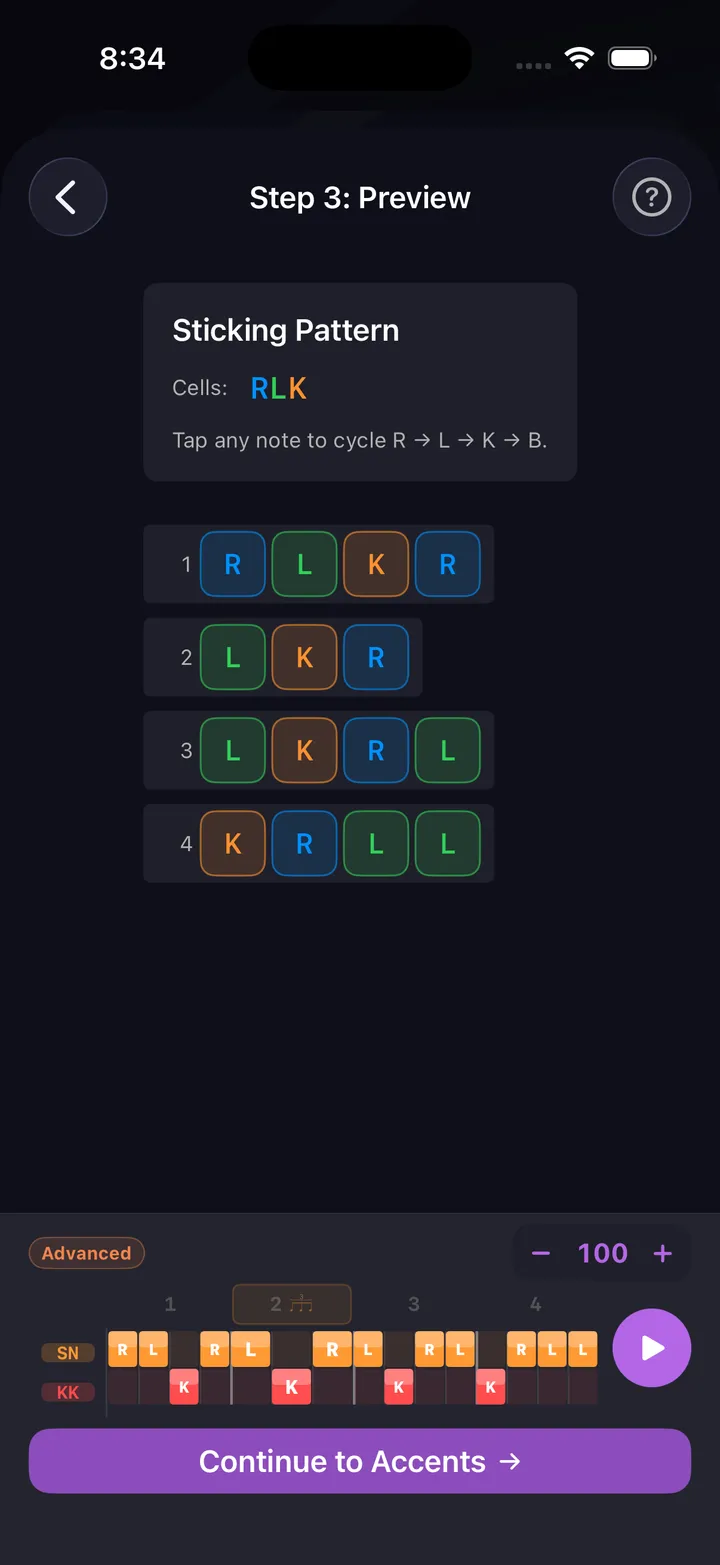
4. Preview and tweak
Hear the fill at your tempo, see it in notation, and fine-tune individual hits in the pattern editor before saving.
Build fills step by step
Four ways to create
Template wizard, AI, manual editor, or 200+ curated presets. Every approach produces a real, playable fill.
Template wizard
Set up the fill, pick subdivisions and a sticking (RLRL, paradiddle, etc.), shape the accents, then assign voices to drums. Generates a playable fill automatically.
AI generation (beta)
Describe what you want — 'gospel linear fill', 'triplet roll into crash', 'four-bar Bonham fill'. AI drafts within your subdivision and difficulty constraints.
Manual editor
Open the full grid editor. Tap cells to place hits, long-press for velocity. In sticking mode, tap toggles R/L — or tap a voice label to lay a whole preset across the bar (paradiddle, doubles, alternating, or your own). Total control over every note.
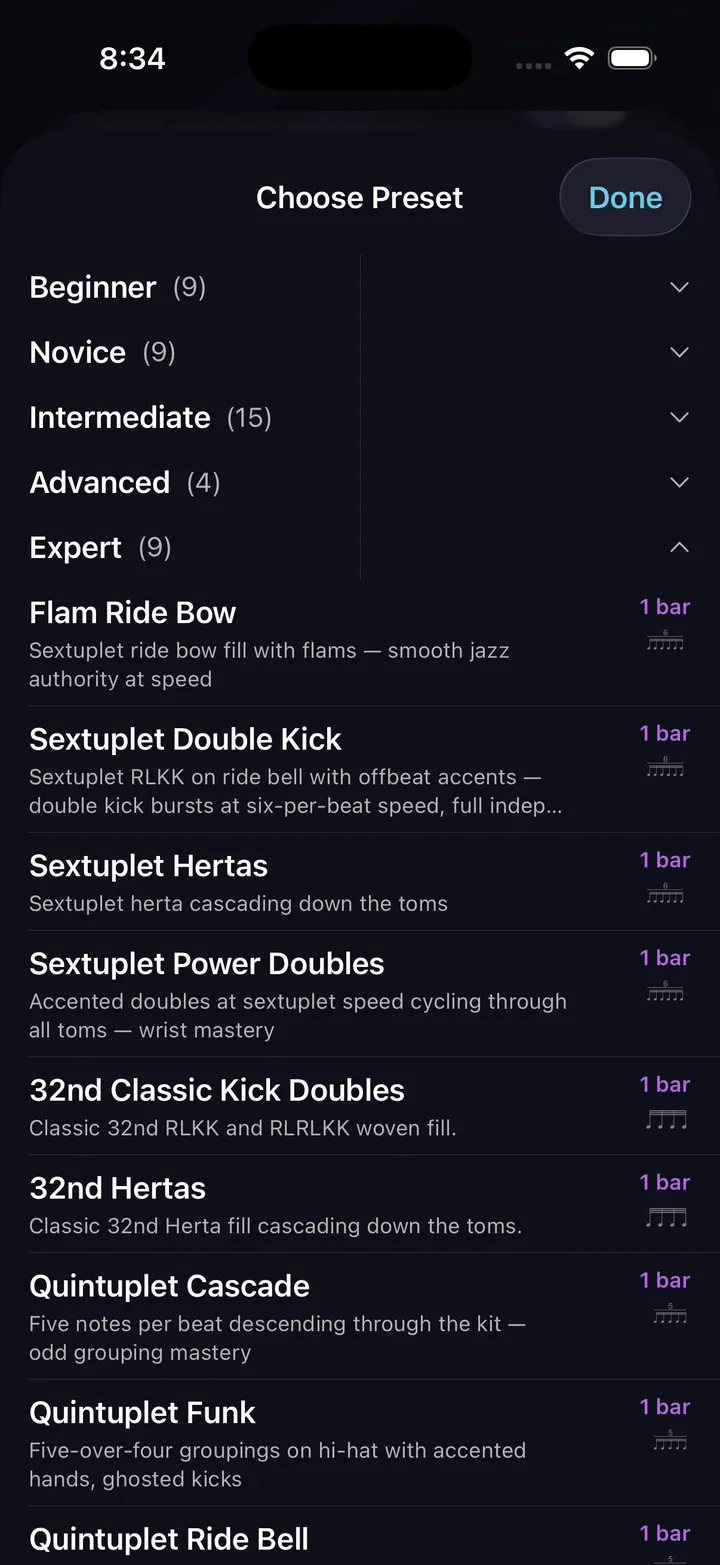
200+ presets
Curated fills sorted by difficulty — beginner uses simple stickings, expert uses rudiments, mixed subdivisions, and complex voice routes.
Three practice modes
Every fill has three graduated practice steps. Move through them in order — each one adds complexity.
Sticking only
All notes play on snare + kick regardless of voicing. Focus entirely on hand/foot coordination and the sticking pattern.
Sticking + accents
Same snare+kick layout but with velocity dynamics. Accents are louder, ghosts are soft. Adds feel without full kit complexity.
Full voicing
The fill plays exactly as built — hi-hat, toms, snare, crash, all voices. Only move here once the sticking feels automatic.
Practice tips
Work the steps in order
Don't skip to Full Voicing until Sticking Only is clean. The transition between steps exposes exactly which movements need work.
Nail the landing
The hardest part is the last note of the fill into beat 1 of the groove. Loop at a slow tempo until the transition is automatic.
Add groove bars gradually
Start with 0 beat bars to loop the fill. Add 2, then 4 bars of groove — more groove means more mental reset between entries.
Slow then fast
Once all three steps are clean at a given tempo, bump 5 BPM. Consistency first, speed second.
Practice this in DrumShed
Free on the App Store & Google Play
Every drummer needs
a home base.
Never play the same boring fill twice.