Stack drills. Set tempos.
Never touch your phone.
Build structured practice sessions that run hands-free. Voice cues announce transitions, tempos auto-adjust, and on iOS, Apple Music plays between drills.
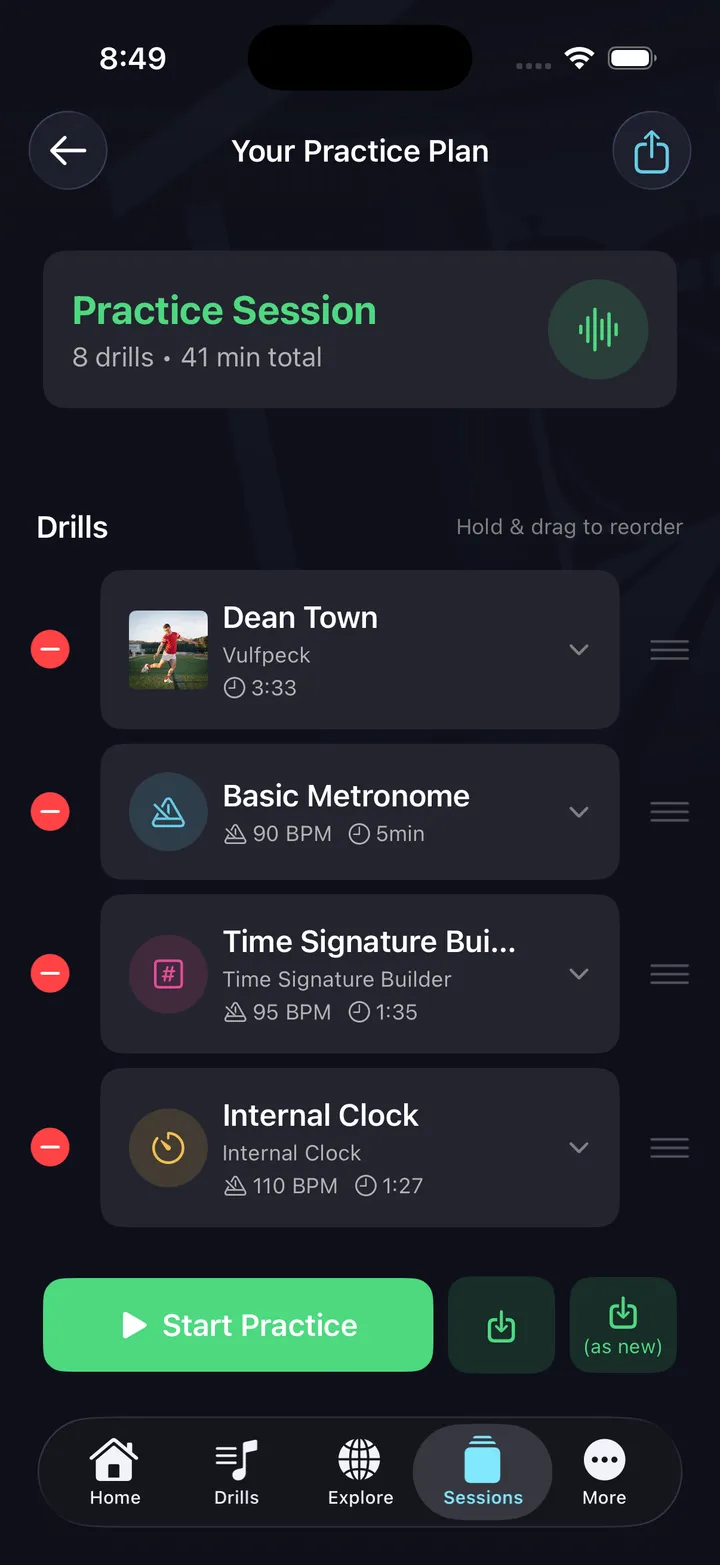
Structure your practice
Session builder
Drag drills into a sequence. Set tempo and duration for each, and put a song between drills as your breather. Save sessions for reuse.
Voice cues
Spoken announcements tell you what's coming next: drill name, tempo, time signature. Eyes on the kit, not the screen.
Apple Music integration (iOS)
Add songs from your own Apple Music library between drills. Play along, then the next drill starts on cue.
AI session generation (beta)
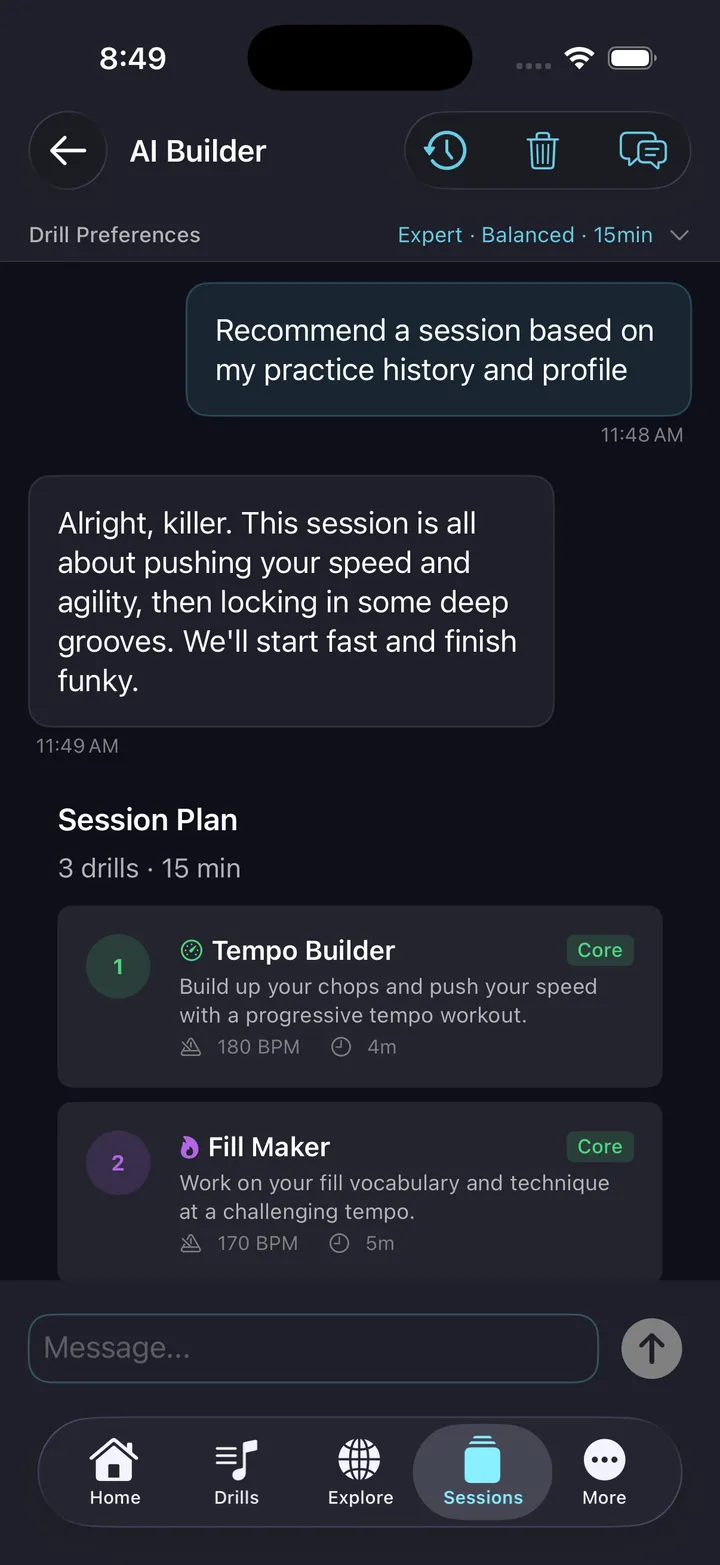
Tell the AI what you want to work on and how long you have. It builds a complete session targeting your goals.
Tempo progression
Sessions can automatically increase tempo across repetitions. Start slow, end at performance speed.
Session history
Every completed session is logged with drills practiced, tempos reached, and total time. Track progress over weeks.
How practice sessions work
A session is a sequence of drills and play-along segments that runs hands-free from start to finish. You build the sequence once — choosing which drills to include, what tempo each runs at, and how long each segment lasts — then hit Start Practice. Voice cues announce each transition: the drill name, the tempo, the time signature. Your hands never leave the sticks.
The AI session builder takes a different approach. Tell it what you want to work on — 'timing at 120 BPM for 15 minutes' or 'polyrhythm and feel transitions' — and it constructs a complete session targeting those goals. It picks appropriate drills, sets progressive tempos, and sequences them for maximum learning. You can edit the AI's suggestion before starting.
On iOS, Apple Music integration lets you add songs from your own library between drill segments, so the session alternates between structured practice and play-along time. It mirrors how many teachers structure lessons: focused technical work followed by musical application. Every completed session is logged to your practice history with total time, drills completed, and tempos reached.
Build or generate
Practice this in DrumShed
Free on the App Store & Google Play
Every drummer needs
a home base.
Hands-free practice starts here.