Drum sheet music,
played back and ready to practice.
Photograph a page of drum sheet music or open a MusicXML file. DrumShed turns it into a pattern you can fix, hear at any tempo, and drill until it's under your hands.
From the page to your hands
Bring it in
Photograph the page — one bar, a whole chart, or up to 16 photos in playing order — or open a MusicXML file from MuseScore, Dorico or Sibelius. DrumShed reads it into the Beat, Fill or Exercise Maker.
Tweak it
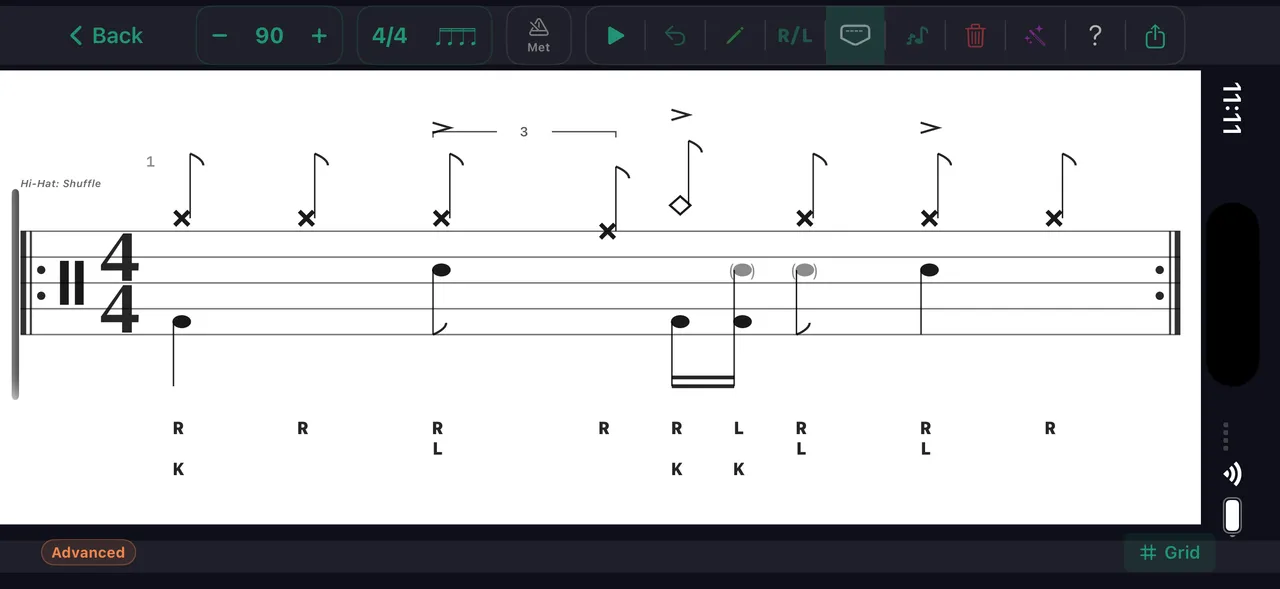
Check what it read against the page. Fix a note, change a sticking, split a beat into triplets, set the tempo. It is a DrumShed pattern now, so every editing tool works on it.
Hear it
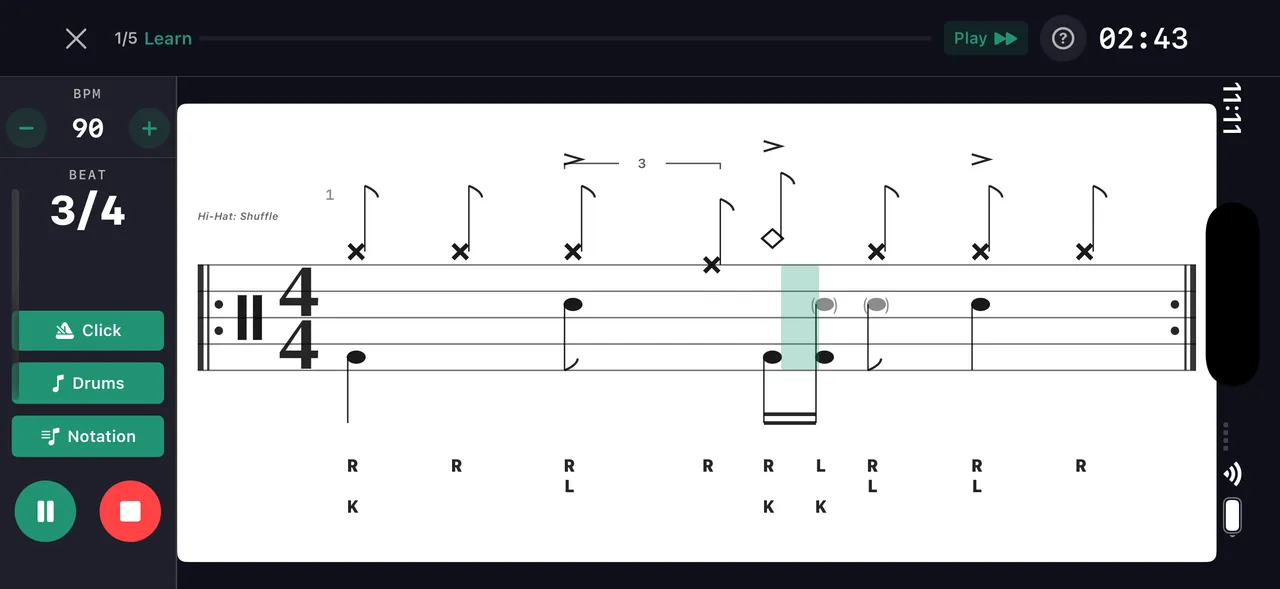
Play it back at any tempo and watch a playhead run across the notation, or switch to the grid. You hear the rhythm you were squinting at, the moment you import it.
Practice it
Run it as a drill. Start slow, loop it, let the tempo climb, and add it to a session with the rest of your practice.
Then practice it properly
An imported chart runs on the same practice engine as every beat, fill and exercise in DrumShed.
Any tempo
Set an exact BPM, nudge it while you play, or let a progressive ramp take it from comfortable to performance speed.
Learn mode
A spoken count-in, then the pattern in stages — Learn, Play, Performance — so you build it up before you play it through.
Loop it
Run the pattern round and round at the tempo you choose, until it stops needing the page.
Sticking and counts
R and L over each note and 1 e & a over the staff, so you see which hand plays and where the beat falls.
Notation or grid
Read it as standard drum notation with a moving playhead, or as a grid of voices. Same pattern, two views.
Keep it
Save it to your library, add it to a practice session, or print it back out as a clean, engraved PDF.
What reads well
Photo import is in beta. It reads printed drum notation, and it won’t be perfect, so expect to fix a few notes in the editor. MusicXML reads exactly what the file says.
- Printed music reads best. Handwriting often needs fixing.
- Keep all five lines of every staff in the frame, with the phone straight over a flat page in even light.
- Repeat signs and several lines on one page are read.
- Tempo isn’t read from the page. Set it after importing.
- Each photo import uses one upload from your monthly pool. MusicXML import uses none.
Import, the Beat, Fill and Exercise Makers, and 150 uploads a month are part of All Access, which starts with a free week.
Practice this in DrumShed
On the App Store & Google Play
Every drummer needs
a home base.
Bring your sheet music. Leave with it under your hands.