Practice on a kit like yours.
In the sounds you pick.
DrumShed has a new recorded kit and a dozen presets to start from. Build the kit you play at home, piece by piece, shape how every drum sounds, see it in 3D, and every drill plays on it.
From a preset to your own kit
01
Pick a sound
Start on Session, a kit recorded for DrumShed with every drum at three dynamics, or on one of a dozen presets from jazz to metal.
02
Build the kit you have
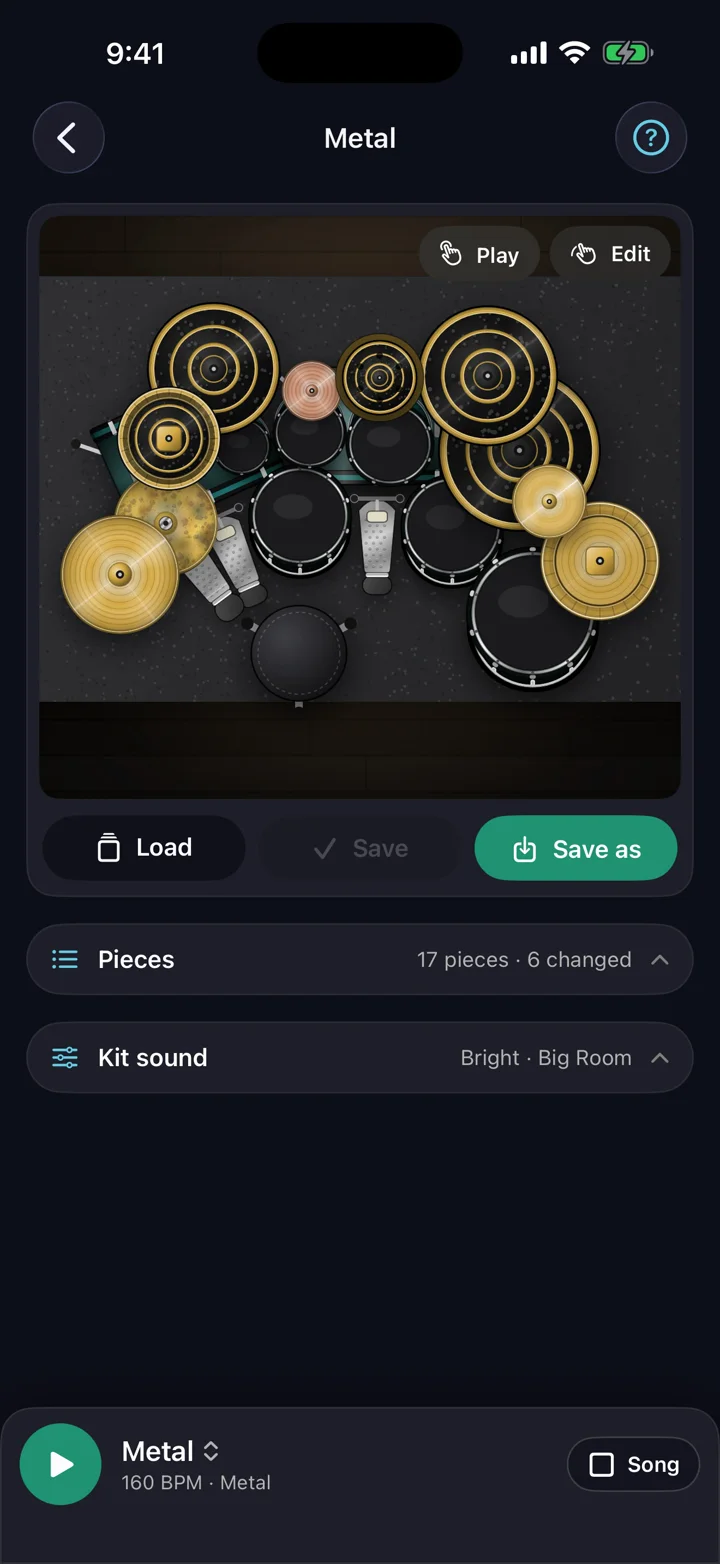
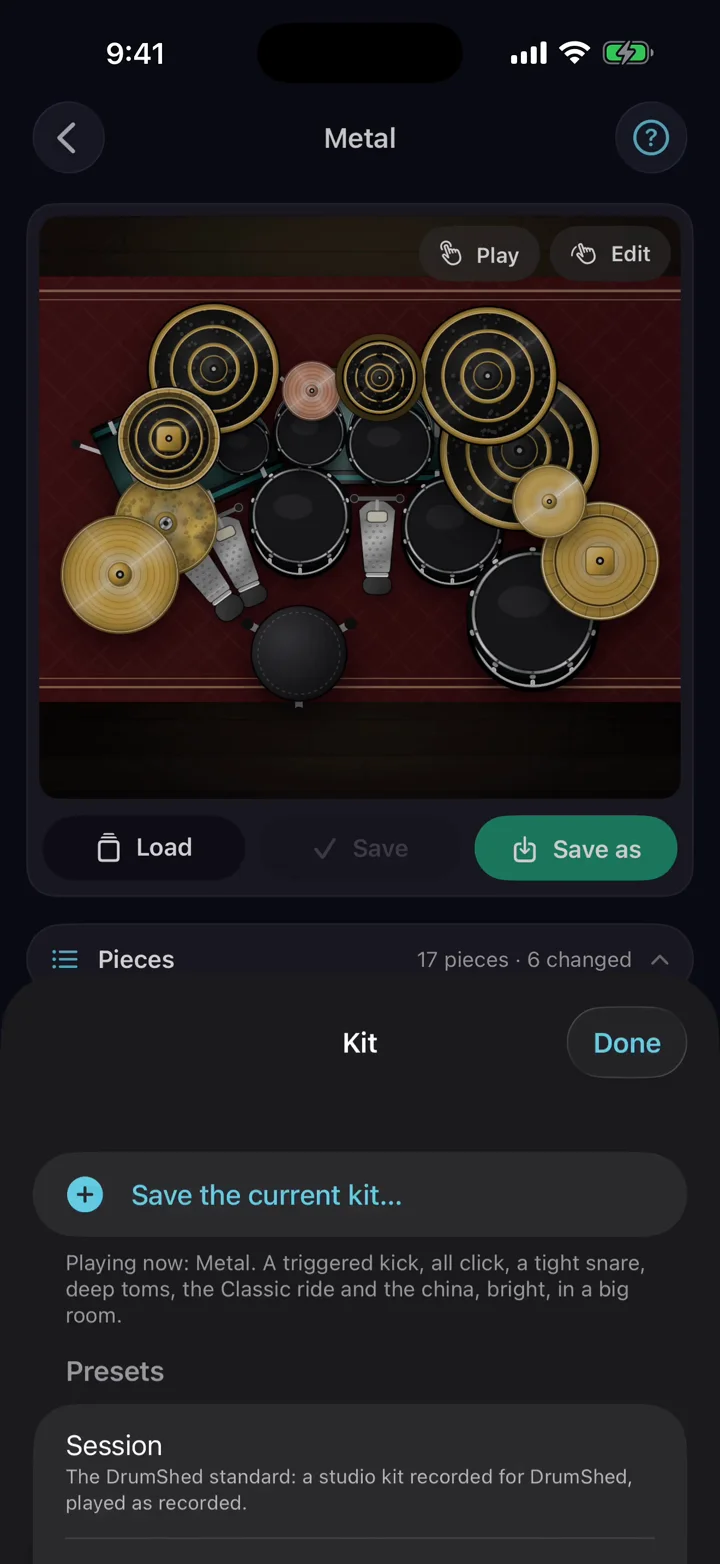
Add or take out pieces until it matches your kit at home, on one pedal or two, and set each piece’s size, finish and color.
03
Make each drum sound right
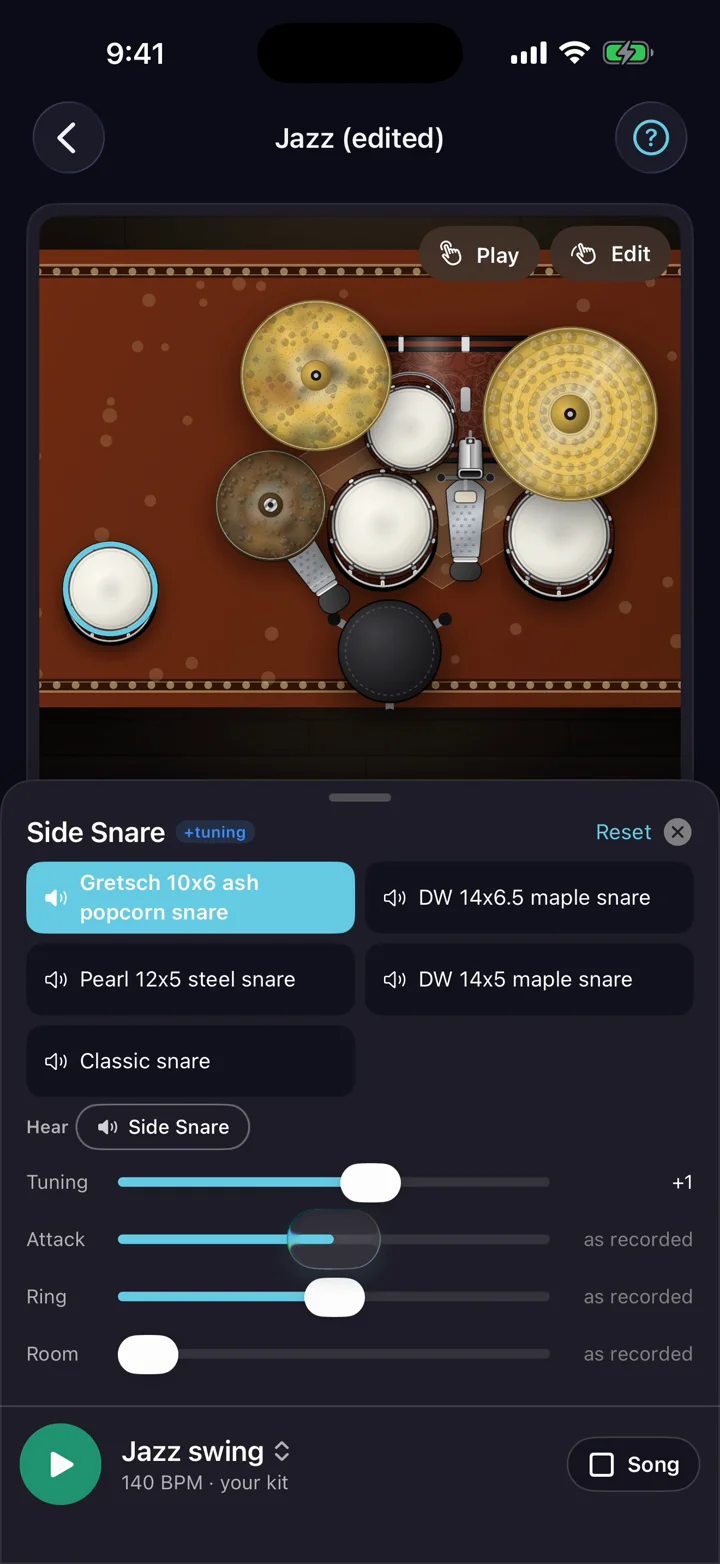
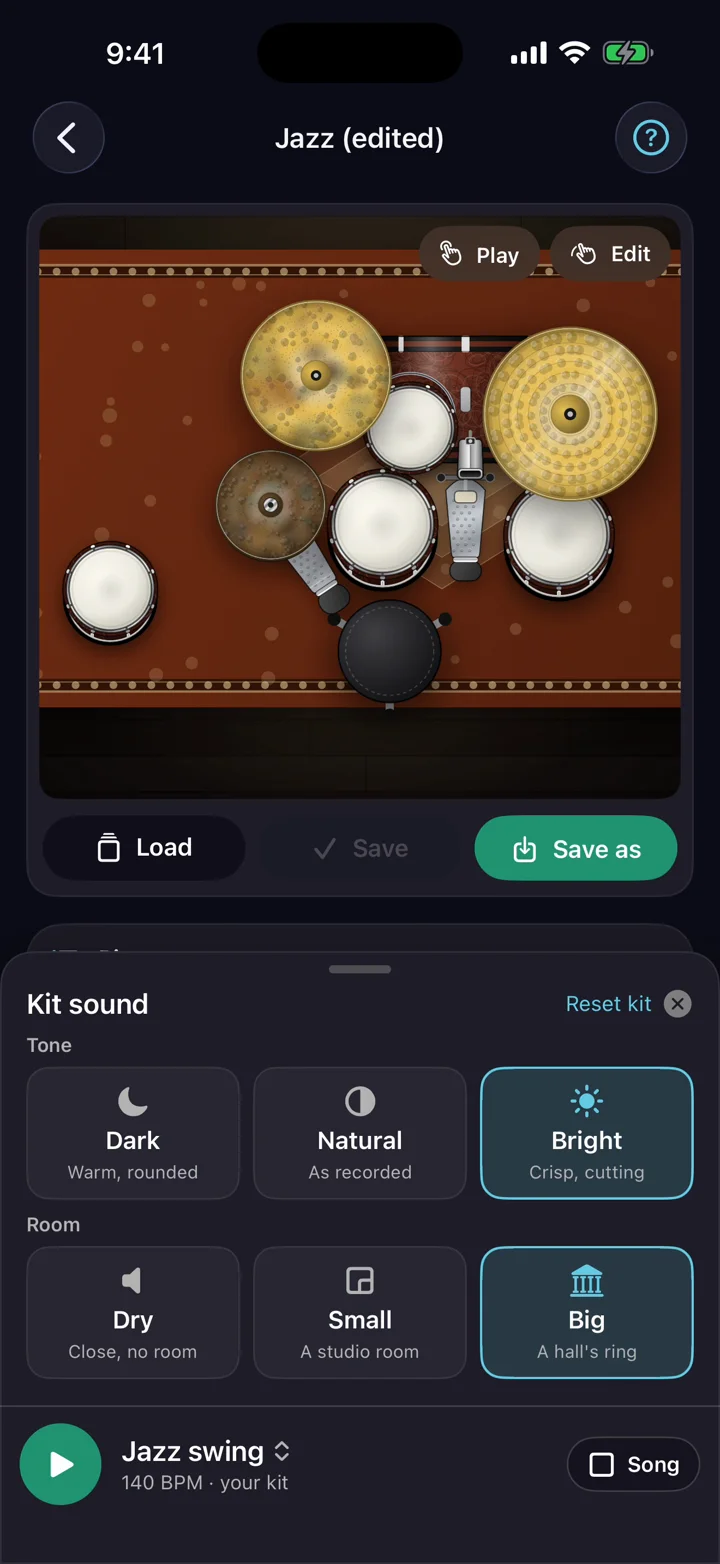
Pick a drum’s sample by name, then tune it and shape its attack, ring and room. Give the whole kit a dark, natural or bright tone, dry or in a small or big room.
04
Practice on it
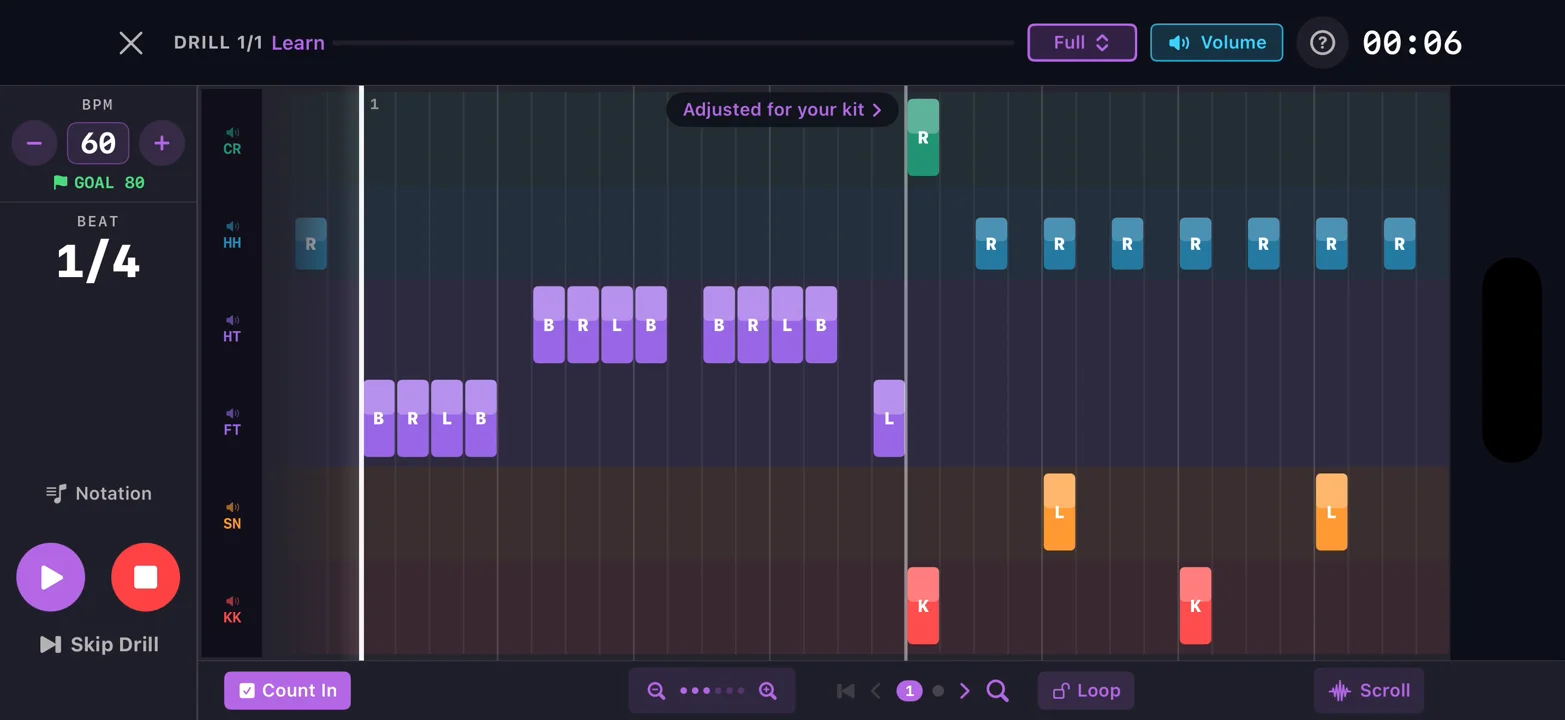
Every drill and song plays on your kit, in your sounds. A part written for more drums than you have moves onto the ones you do, so what you practice is what you can play.
See it in 40 seconds
Why practice on your own kit
A drill that plays on a kit you don’t have teaches you a part you can’t play. Tell DrumShed what is in front of you, the toms you have, the cymbals and where they sit, and the drills meet you there: a fill moves onto your toms, a crash you don’t own lands on one you do.
It sounds like a kit too. Session was recorded for DrumShed, every drum at a soft, a medium and a full stroke, so a ghost note sounds like a ghost note and not a quiet backbeat. Pick the drum you want for each piece, then tune it and set its ring until it sounds like yours.
Common questions
Does setting up my kit cost anything?
No. The recorded kit, every preset and everything on the kit page are free for everyone, with or without a subscription.
What happens when a drill uses a drum my kit doesn’t have?
It plays on the nearest drum you do have. A fill written for three toms runs across your two, a china you don’t have lands on a cymbal you do have, and a second ride plays on your ride. DrumShed tells you when it adjusted a part, and the drill itself never changes, for you or anyone you share it with.
Can I make it look like my kit?
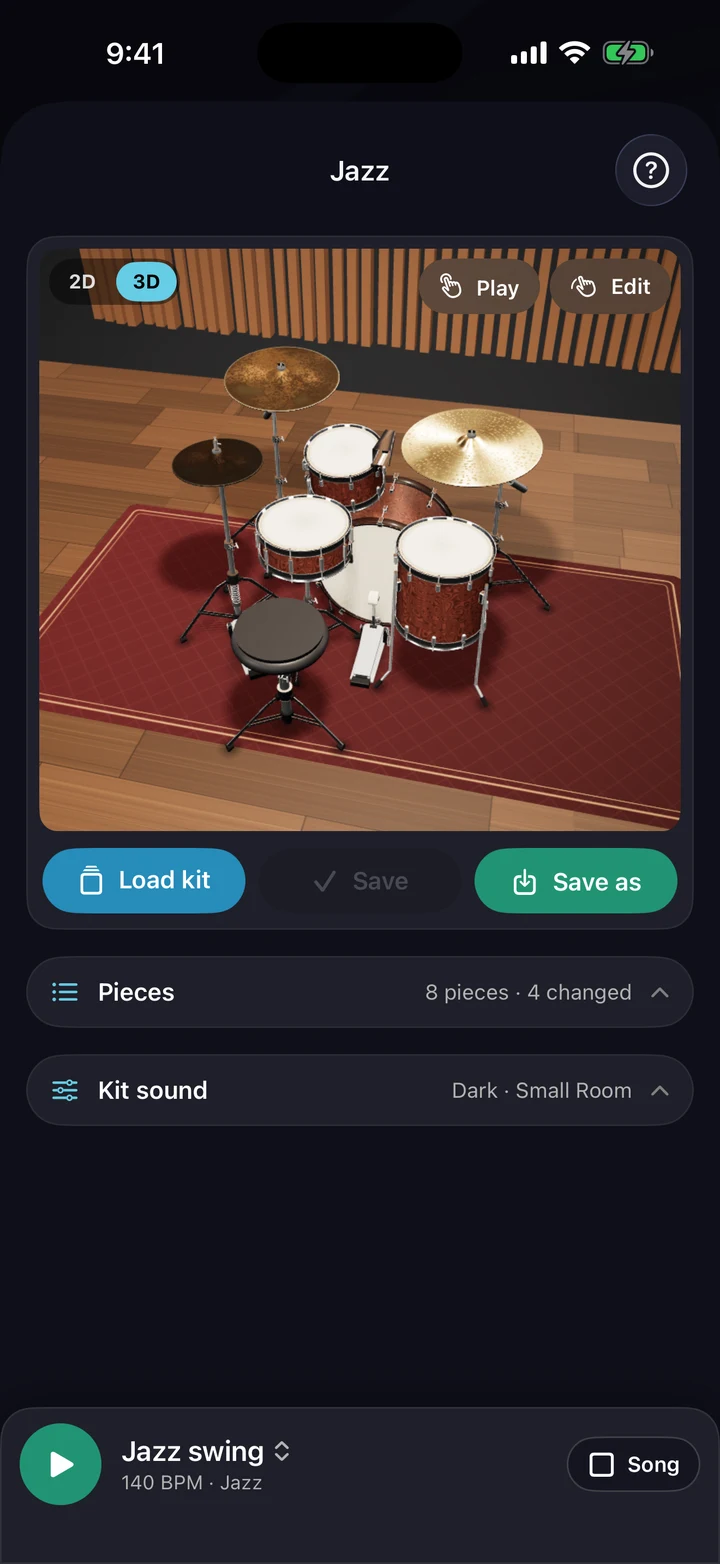
Yes. The kit is drawn from above, as it stands. Move each piece where yours sits, set its size, pick a finish and a head color for the drums and a finish for the cymbals. Left-handed players get the kit mirrored to match.
Can I see my kit in 3D?
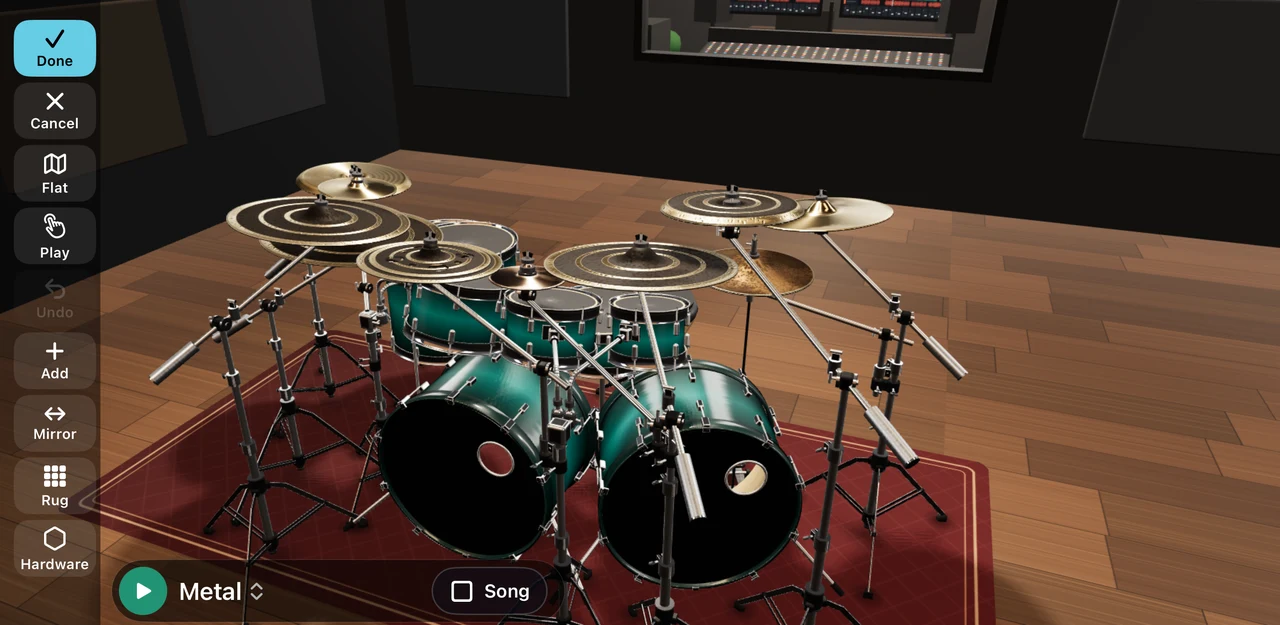
Yes. Switch the kit view to 3D to see your kit as it stands, with its finishes, hardware and throne. Full screen, turn it around, zoom in and tap a drum to hear it.
Can I keep more than one kit?
Yes. Save your setup under a name and switch between your kits and the presets from the kit menu. Your kits follow your account to every device.
Where is it in the app?
On iPhone, iPad and Android, under More, then Practice Preferences, then Drum Kit. New drummers pick a kit as they sign up.
Every drummer needs
a home base.
Your kit, your sounds. Free for everyone.