The click doesn't have to
sit on the grid.
Practice against a metronome that grooves. Drag or rush the backbeat, shuffle the 8ths or 16ths, and hear the pocket instead of a dead grid — free on the main metronome.
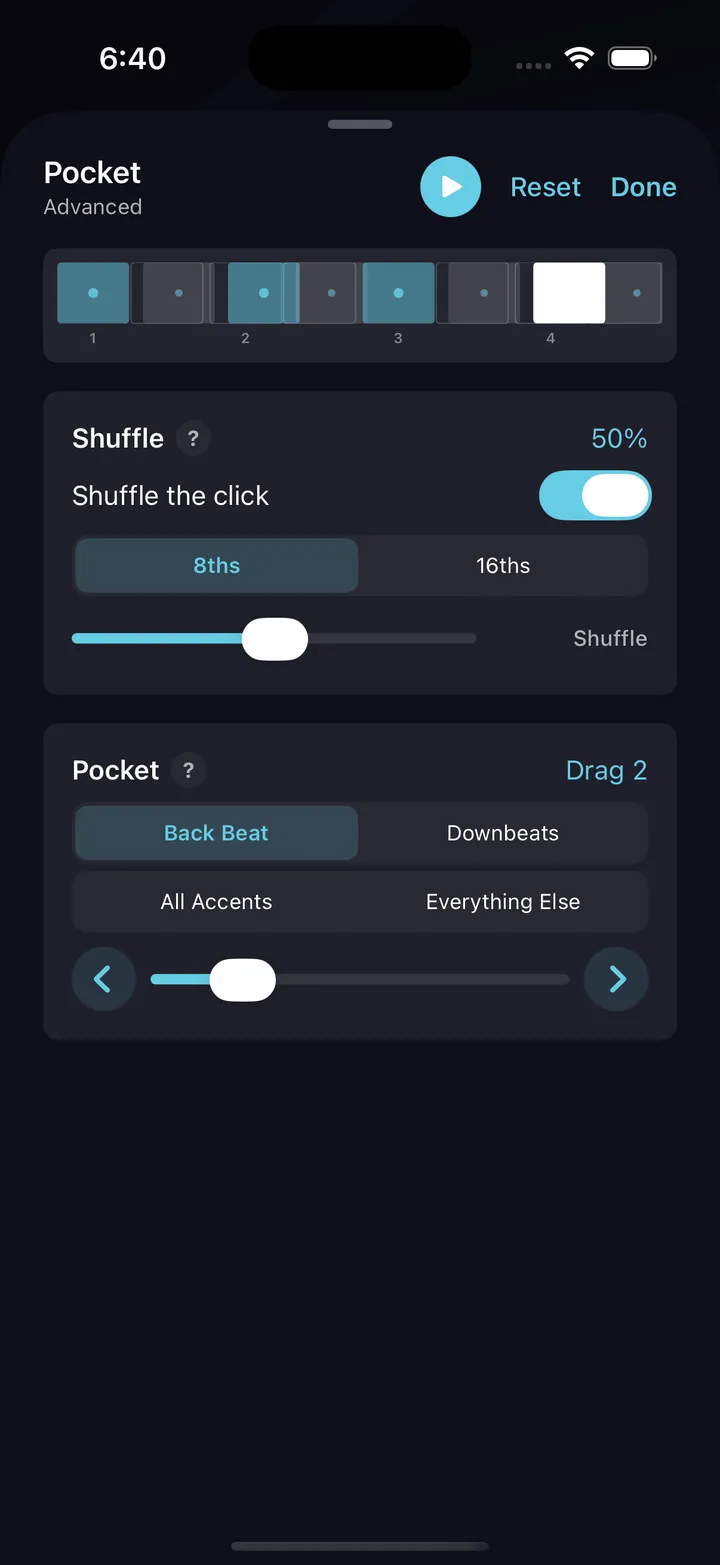
Every metronome clicks the grid. This one plays the pocket.
A quarter-note pulse dead on the grid is a starting point, not a groove. Real feel lives in where the backbeat lands and how the subdivisions lean. DrumShed's metronome lets you move both — so the click you practice to sounds like the music you actually play.
Drag or rush the backbeat
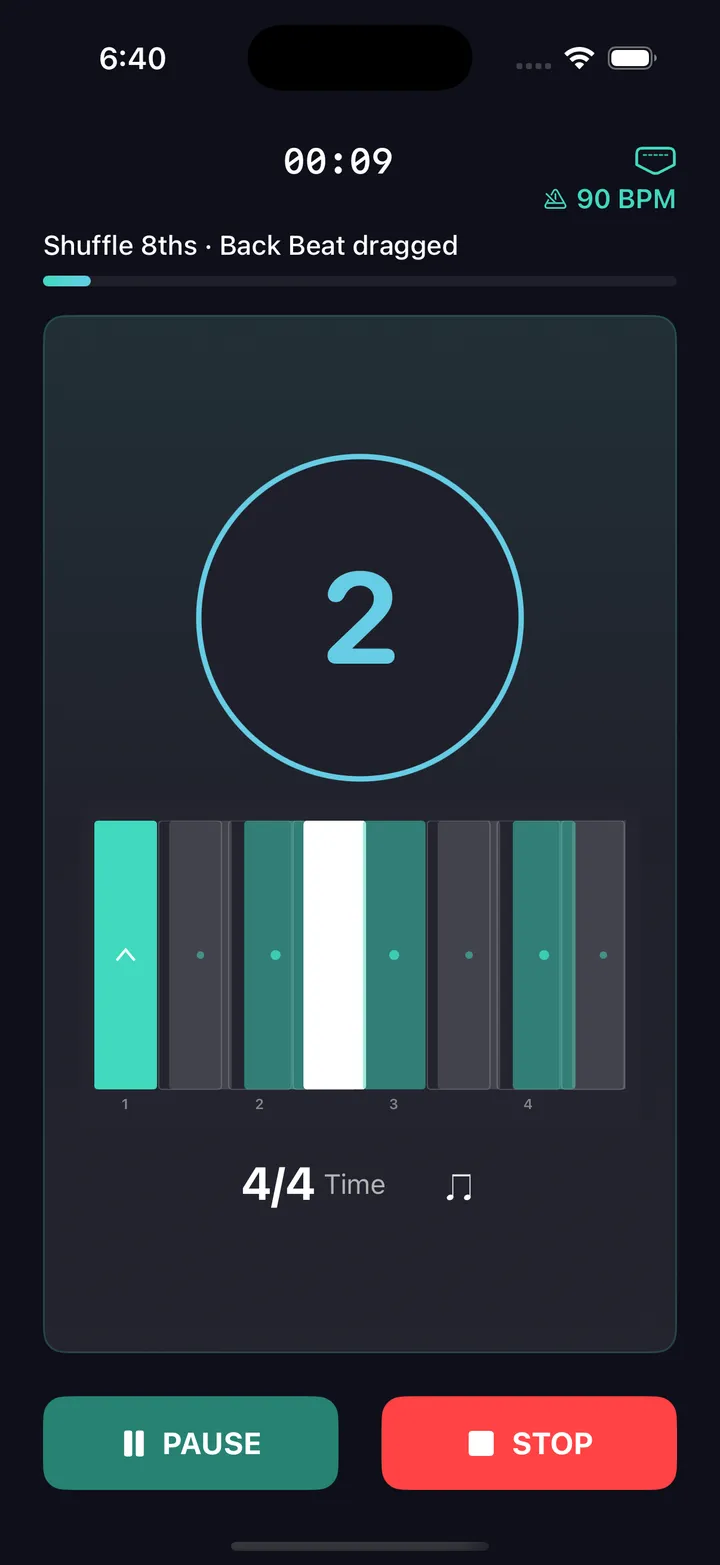
Push the 2 and 4 behind or ahead of the grid in discrete steps — a laid-back pocket or one that leans forward. Or anchor the backbeat and move everything around it instead.
Real shuffle percentages
Shuffle the 8ths or 16ths at genuine percentages — 0 is straight, 100 is a full triplet feel, and everything between is on the dial. Hear the exact amount, not a straight-or-swung toggle.
Pick your target
Shift only the back beat, the downbeats, every accented click, or everything around an anchored back beat — the click bars themselves slide off the grid so you can see exactly which clicks move and which way.
Free on the main metronome
The pocket and shuffle click controls live right on the main metronome screen — no drill, no paywall, no expiring trial. Free forever.
The Pocket drill
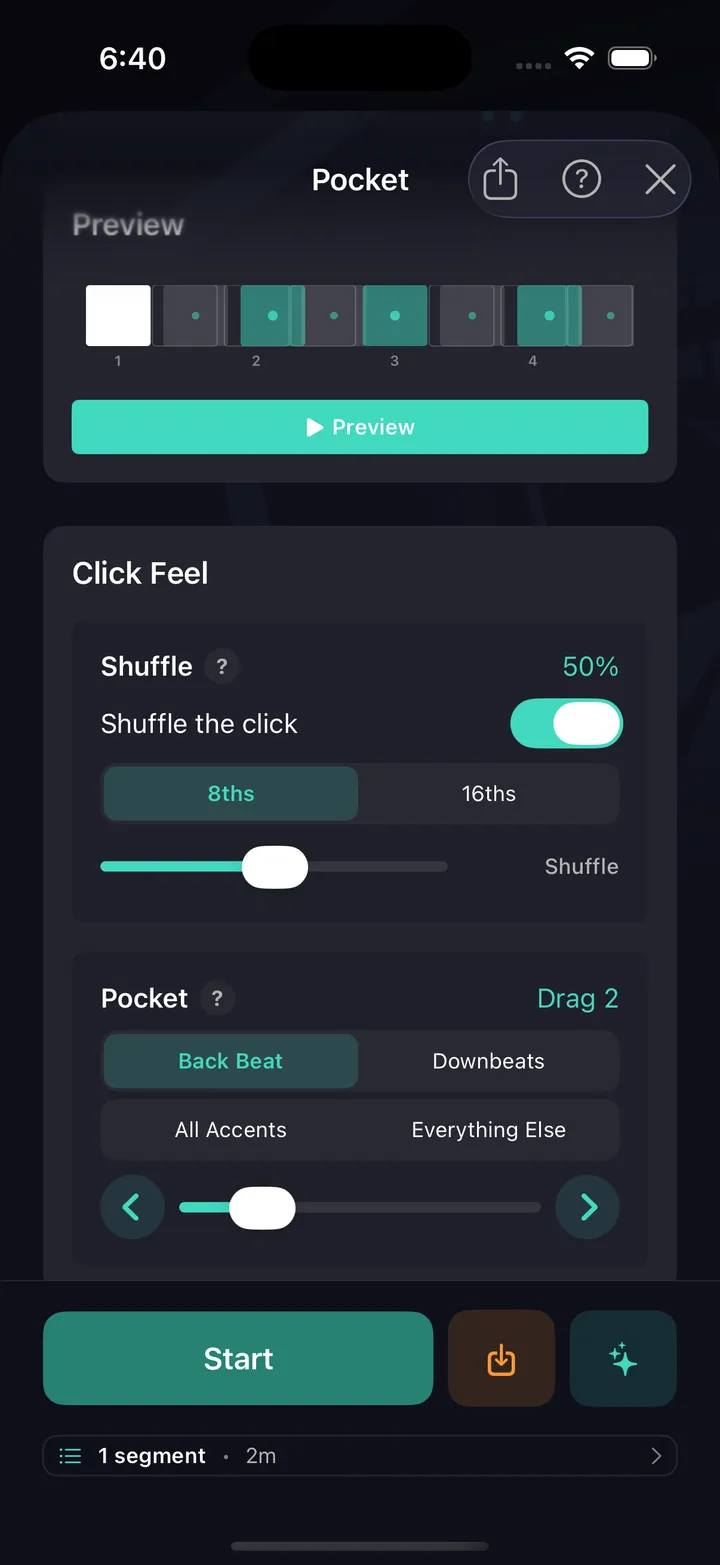
For structured reps, the Pocket drill — free — steps you from Beginner to Advanced with presets, a live preview, and session-builder support.
Practice history
Every Pocket run is logged — the shift, the shuffle amount, tempo, and duration. Scroll back and see exactly what you've put reps into.
A path from grid to groove
The layered reference click is the training wheel. Start with it on and the backbeat barely moved, then take both away as the pocket becomes yours.
Start anchored
Drag the backbeat one step and leave the reference click on. You play against the moved backbeat while still hearing the intact grid — the gap between them is the pocket you're learning.
Move the click
Once one step feels natural, drag the backbeat further, or anchor the backbeat and shift everything around it. Increase the displacement only when it stops fighting you.
Drop the reference
Turn off the intact grid and hold the pocket against the shifted click alone. This is where the feel moves from something you hear to something you generate.
Practice tips
One step, reference on
Begin with the backbeat dragged a single step and the extra reference click layered over the intact grid. You want to feel the pocket against the pulse before you remove either.
Graduate to a moved click
Take the reference away and hold your groove against the shifted click alone. If you drift back onto the grid, turn the reference back on for a few bars, then try again.
Light shuffle for funk and soul
A light shuffle around 20–35% gives funk, soul, and heartland grooves their lean without swinging all the way to a triplet feel. Start there before pushing the percentage higher.
Step the shift, don't jump it
Increase the displacement one step at a time and hold each for a full practice block. A small shift you can keep beats a big one you can only visit.
Practice this in DrumShed
Free on the App Store & Google Play
“I also LOVE the internal clock and feel transitions capabilities. Those are awesome not just on drums but I also use them as a bass and guitar player!”
★★★★★ · jtc180, App Store review
The Pocket drill is free.
Not a trial, not a preview. The metronome underneath is complete — no limits, nothing held back — and this drill, along with all ten that aim it, ships in the free app, with hands-free sessions and your full drill history, stats and streaks. No ads, no card, not a timed trial. A subscription only comes in when you want to build your own beats and fills, publish them, or use the AI co-pilot.
Every drummer needs
a home base.
Practice to a click that grooves.