Ghost notes make
grooves breathe.
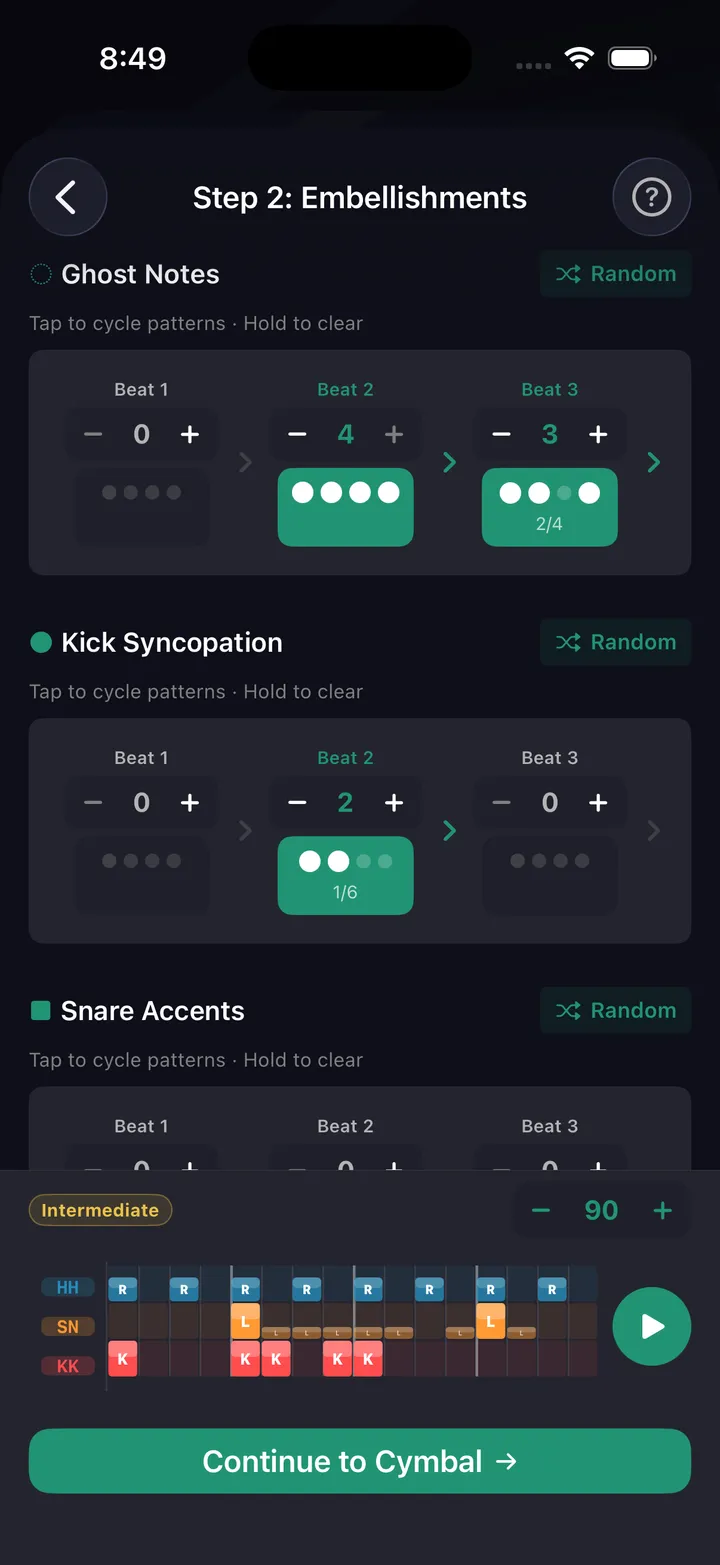
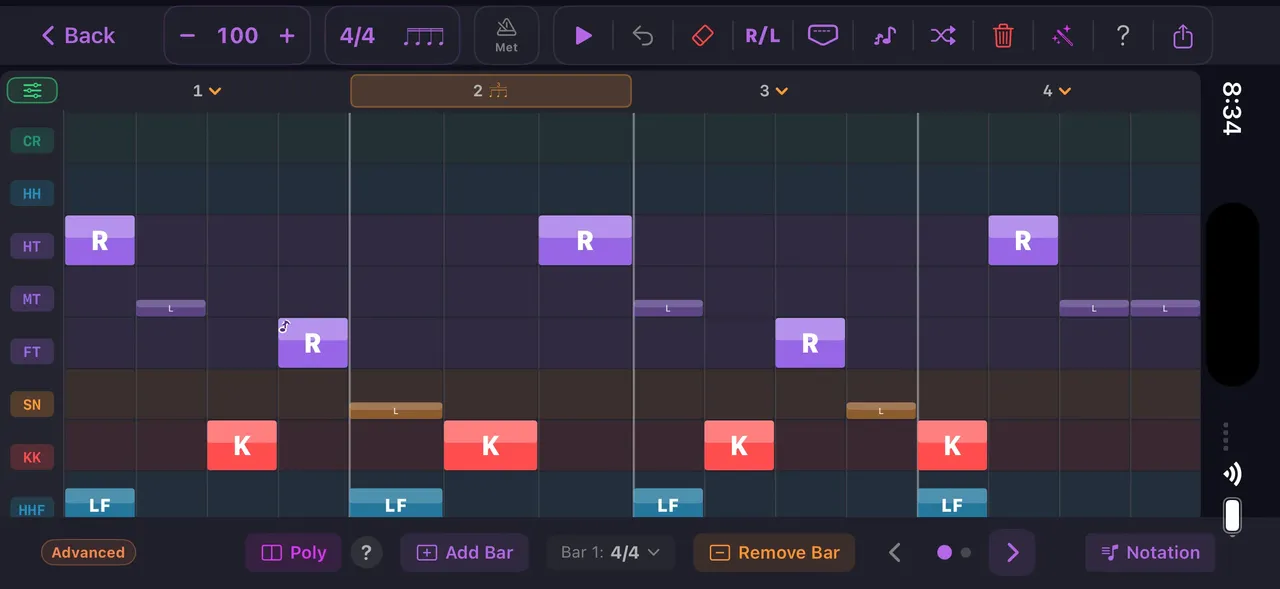
Tap any cell in DrumShed's grid editor to cycle accent, normal, ghost, off — on any voice. Or let the beat wizard layer ghost embellishments beat by beat. The quiet hits that make a groove move.
The quiet snare hits nobody notices
Take the ghost notes out of a Purdie shuffle and you're left with a kick-snare exercise. The barely-there strokes between the backbeats are what make it move.
Ghosts in the grid
Tap a cell to cycle accent, normal, ghost, off — on any voice. Ghost the snare line under a ride pattern in seconds.
Wizard embellishments
The beat wizard adds ghost notes per beat. Dial in how many and where for each beat of the bar, with a Random reroll when you want ideas.
Ghost Toms style
One wizard style moves the ghosts off the snare and onto the toms — a rolling texture under the backbeat instead of beside it.
Ghost-driven fill accents
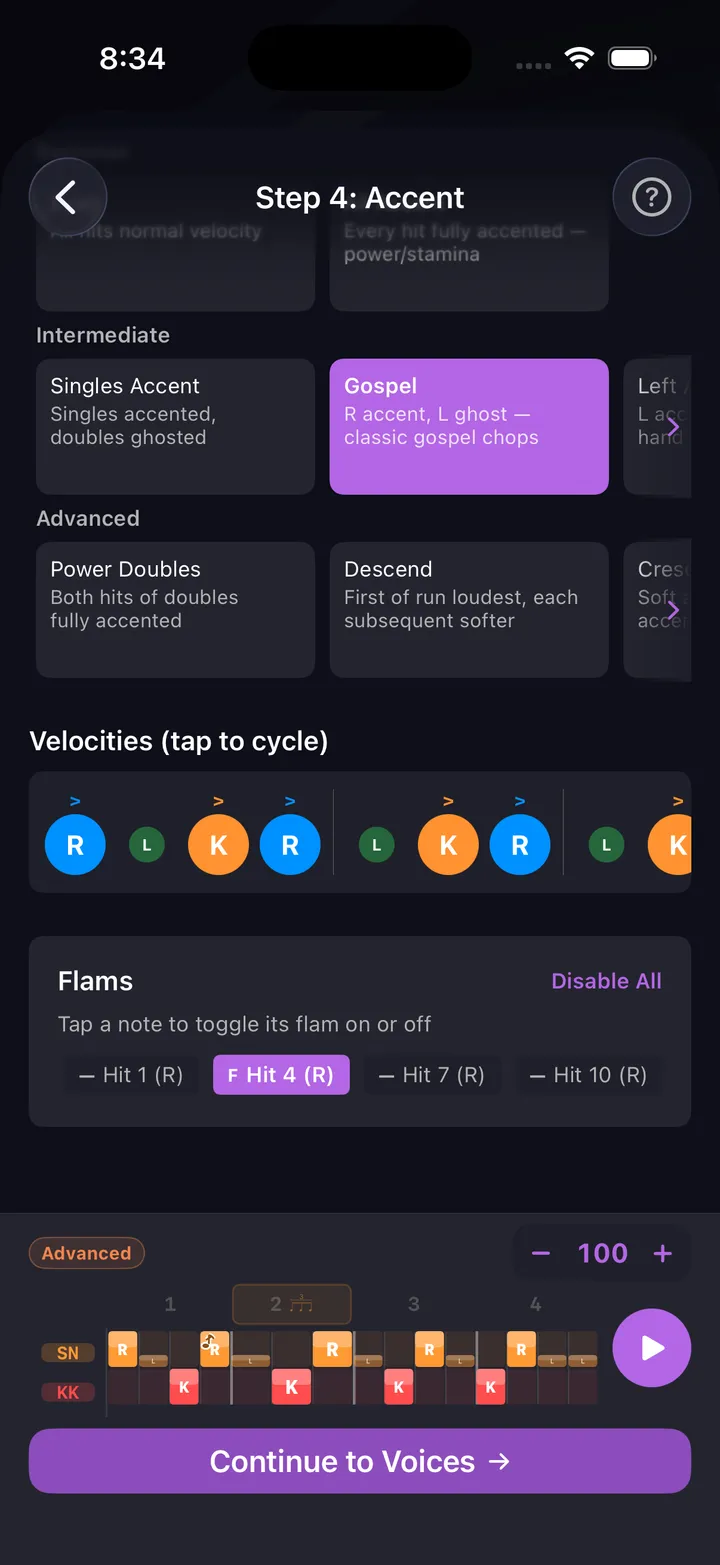
Fill accent shapes are built on ghosts. Gospel is R accent, L ghost — classic gospel chops. Random Ghosts scatters them for a looser feel.
Read the dynamics
Ghosts render as parenthesized noteheads in the notation view, and their sticking labels drop to lowercase (r, l) — so hand and dynamic read together, not just the placement.
Hear the difference
Play the groove, strip the ghosts in the grid editor, play it again. What's missing the second time is the pocket.
Three ghost note exercises
Work them in order. Each one is about the gap between loud and quiet, not the notes themselves.
Build it, then strip it
Beat wizard → Embellishments → grid editorBuild a 16th-note funk groove in the beat wizard and add one ghost per beat on the Embellishments step, then two. Play it at 85 BPM until the ghosts stop feeling like extra work. Then open the grid editor, tap the ghosts off, and play the bare version — you'll hear exactly what they were doing.
Purdie-style fill-ins
Ghosts on the e and a around 2 & 4Eighth-note hi-hats, kick on 1 and 3, backbeat on 2 and 4. Add left-hand ghosts on the e after beat 2 and the a before beat 4. The ghosts should sit two dynamic levels under the backbeat — if someone in the next room can hear them, they're too loud. Start at 70 BPM and move up 5 BPM at a time to 90.
Accent-vs-ghost paradiddles
RLRR LRLLAccent the first note of each four, ghost the other three. The gap between the accent and the ghosts is the whole exercise — most drummers play the ghosts too loud, not the accents too soft. Snare or pad, 60 BPM to start, up to 100 once the two levels stay honest.
Practice this in DrumShed
Free on the App Store & Google Play
Every drummer needs
a home base.
Add the feel that's been missing.