Beat Builder
The Beat Builder creates beats in the same way a drummer actually thinks about them — starting with the kick-snare foundation, then layering embellishments, cymbals, and sticking on top. Or skip the wizard and build from scratch in the full pattern editor.
In the app, this lives in the Beat Maker tab — same feature, and the steps below match what you'll see on screen.
The wizard: step by step
Before step 1: Beat Type & Beat Settings
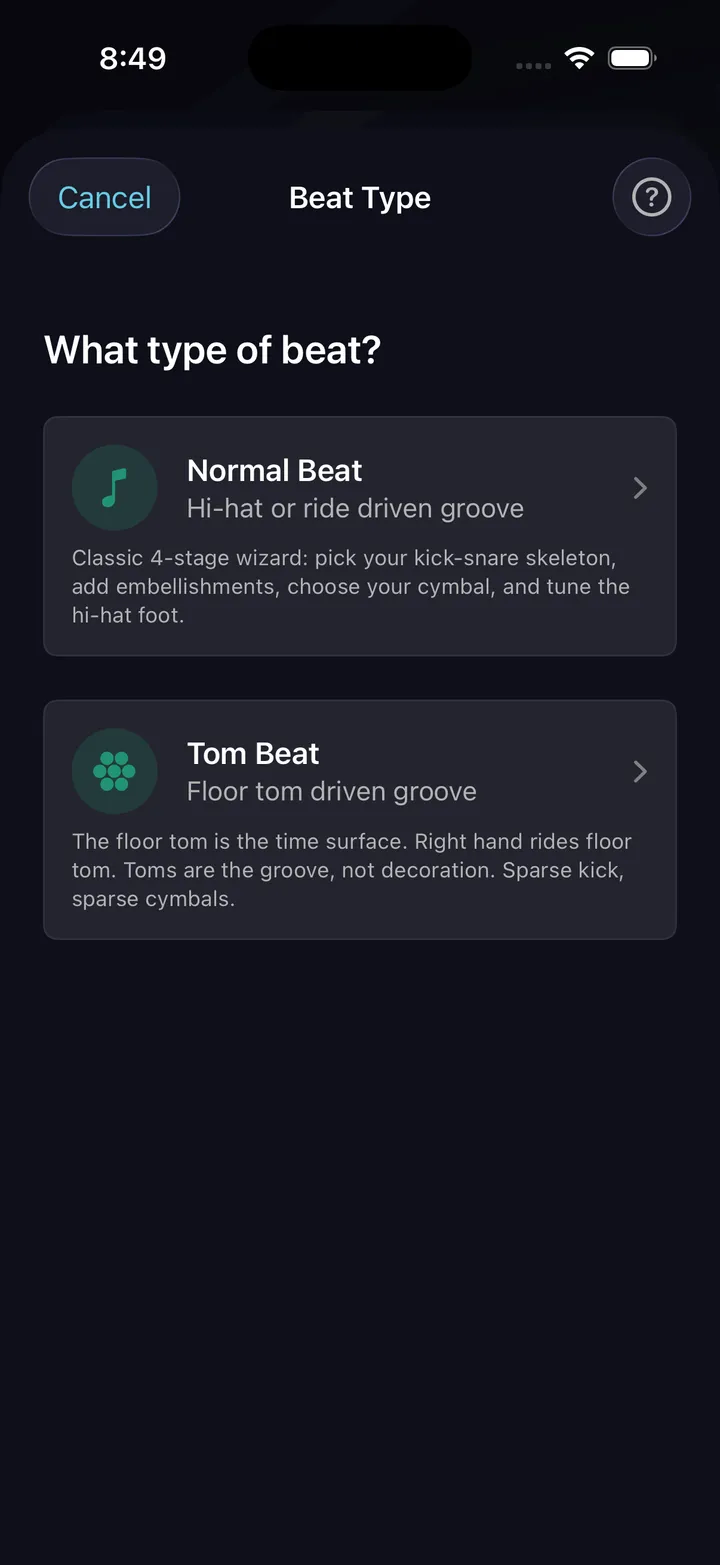
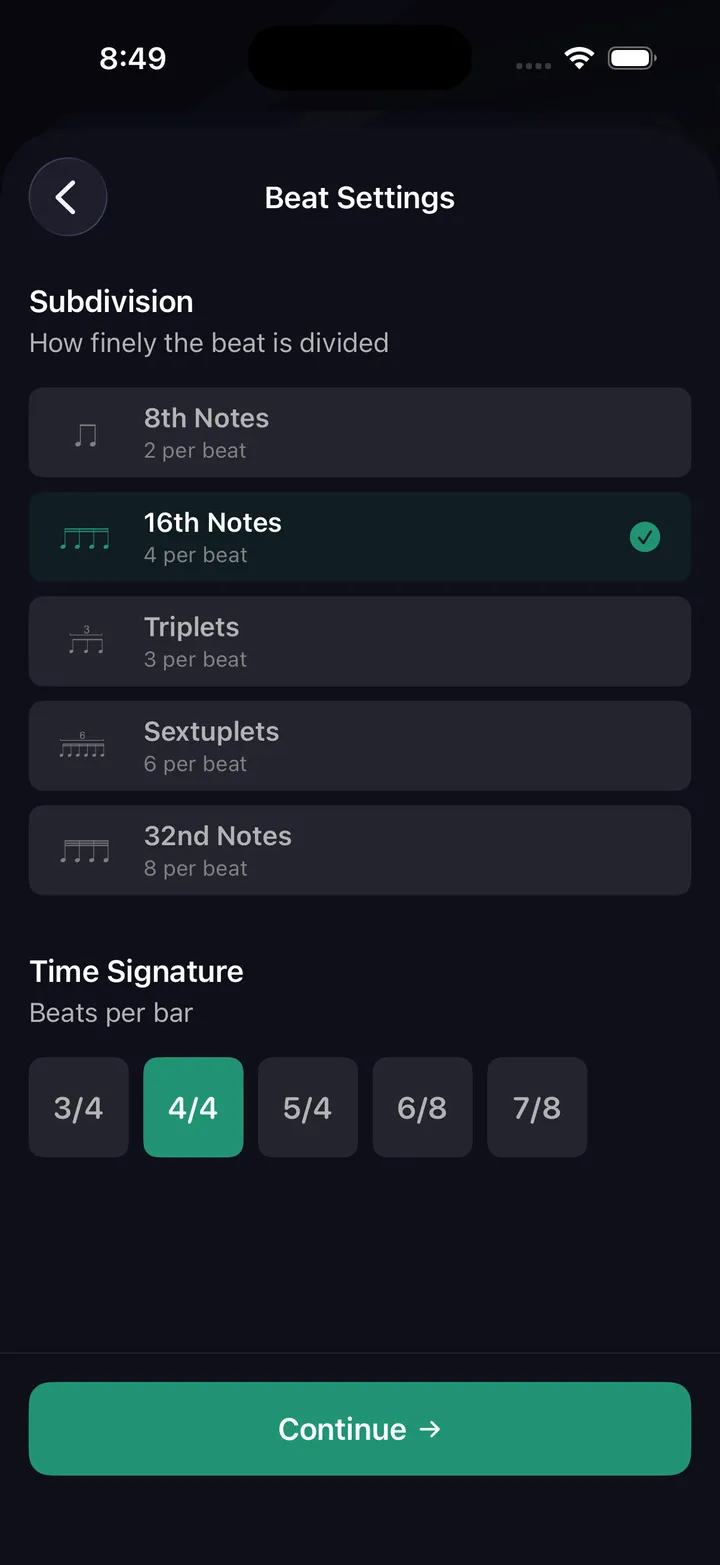
The wizard opens with a beat type choice — a standard groove, or the Tom Groove path, which builds a tom-driven pattern instead of a hi-hat/ride one. Then the Beat Settings screen sets the frame: time signature and subdivision. Everything the wizard builds sits on that grid.
Step 1: Kick-Snare
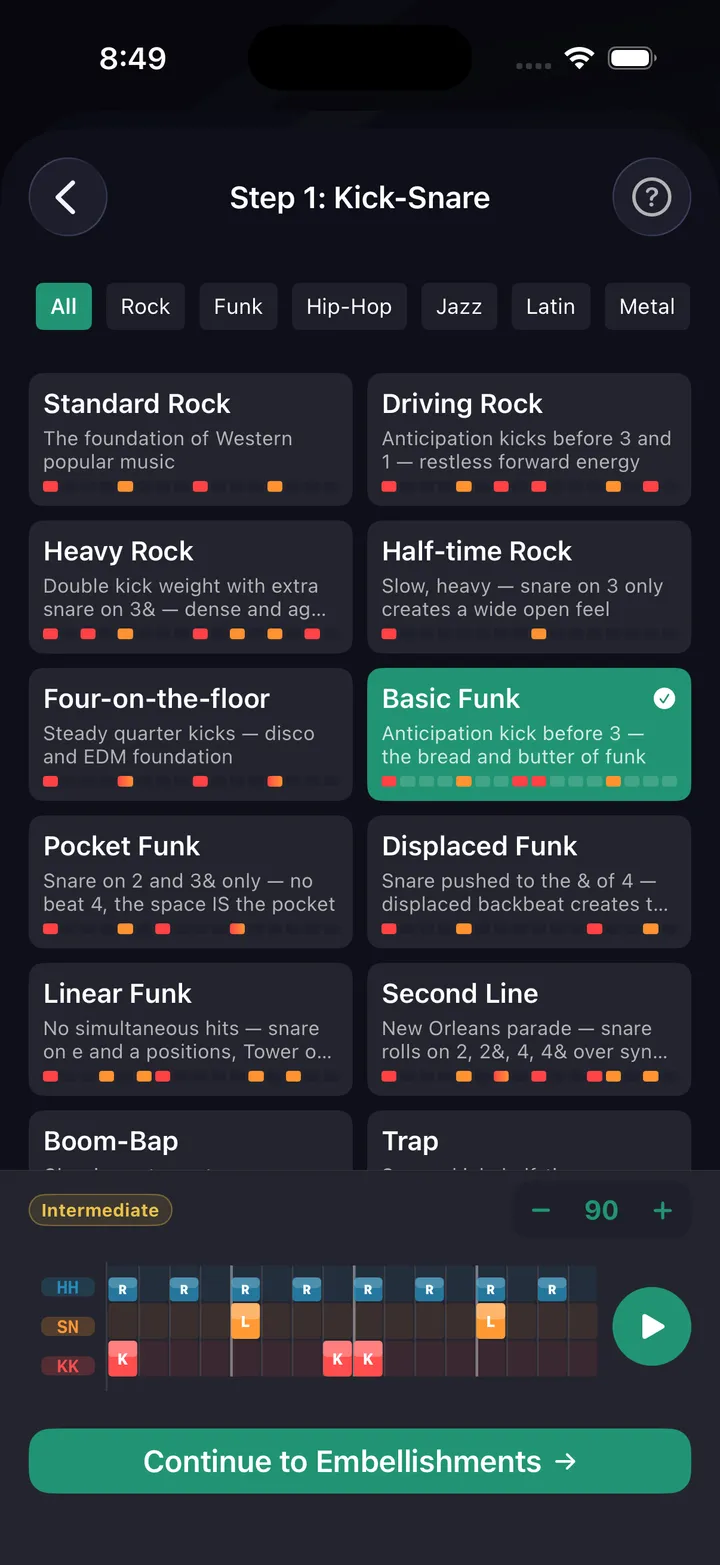
Choose your kick-snare anchor pattern. Browse 35+ kick-snare presets across 9 genres — Rock, Funk, Jazz, Latin, Metal, Hip-Hop, Gospel, and more — or start from a blank canvas. Each preset shows a mini grid preview so you can hear it before committing. A selected pattern is highlighted and shows a checkmark.
Step 2: Embellishments
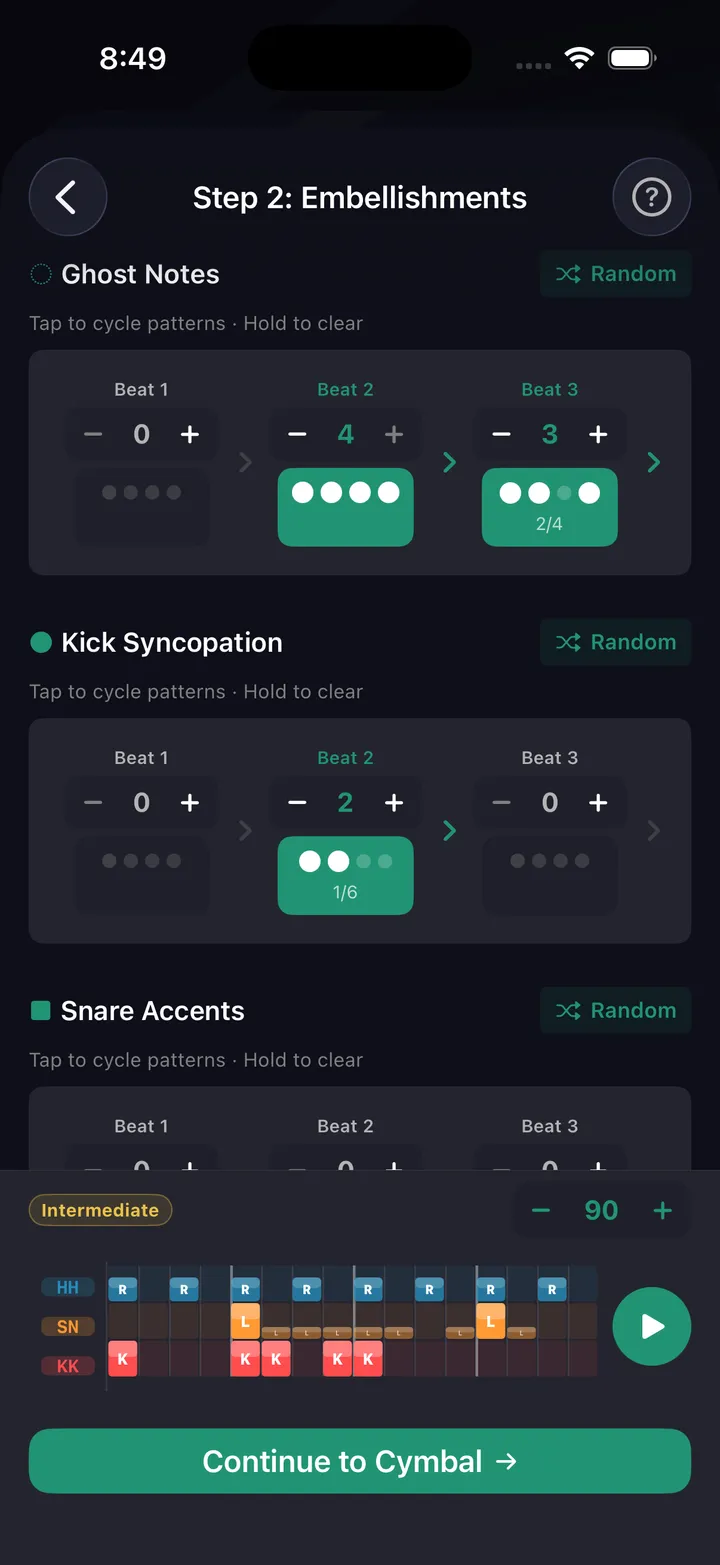
Add kick syncopation and snare accents on top of the foundation. Configure how many additional hits land on each beat, with randomize options if you want to explore. The live grid preview at the bottom updates in real time as you make changes.
Step 3: Cymbal
Configure voice routing (hi-hat, ride, or alternating), density (quarter, eighth, 16th, etc.), and sticking pattern. Choose from preset stickings or configure per-beat. The sticking affects the accent shape — "Offset Para" feels completely different from "Double Para" even with the same notes.
Step 3.5: Toms (Optional)
Layer tom hits into the groove — the step sits between Cymbal and Hi-Hat Foot, and you can skip it entirely. Useful for tom-flavored grooves without committing to the full Tom Groove path from the start.
Step 4: Hi-Hat Foot (Optional)
Add a hi-hat foot pattern for independence practice. Options include Chick on 2 & 4, Quarter Notes, Eighth Notes, Offbeats, Clave, and more. Toggle it off entirely if you want to focus on three-limb coordination first.
Feel (Optional)
The last stop before the editor, and the one that makes the beat sound like a drummer instead of a sequencer. Set swing or shuffle per voice, and pocket — micro-timing that lays a voice back or pushes it ahead, applied to ghost notes only or every note. The same groove sits completely differently once the hi-hat leans back a few milliseconds.
Pattern editor
For full control, open the pattern editor after the wizard — or start there directly. Place every hit exactly where you want it across every voice: crash, ride, hi-hat, snare, toms, kick, hi-hat foot. Any time signature from 2 to 13 over /4 or /8, with mixed subdivisions per beat and half-beat splits — across patterns up to 64 bars. This is the same editor visible on iPad with the full grid view.
From beat to drill
Once you've built a beat, tap Preview to hear it, then Start to begin the Beat Maker drill. Configure duration in minutes or bars and whether the metronome click plays alongside the pattern. The drill shows the beat in grid or notation view as it plays.
Tips
- Start with a genre preset for the kick-snare. Edit from there — it's faster than building from scratch.
- The "Syncopated Funk" preset is a great starting point for displaced backbeat work.
- Try different stickings on the same note pattern — the feel changes dramatically.
- Use Beat Architect (AI, beta) if you want something specific but don't know which preset to start with.