Hands-Free Sessions
A session is a sequence of drills played back-to-back with voice cues at every transition. Phone on the stand, earbuds in — you don't touch the screen again until it's done.
Build your own session from scratch, or let AI generate one based on your practice history.
Building a session manually
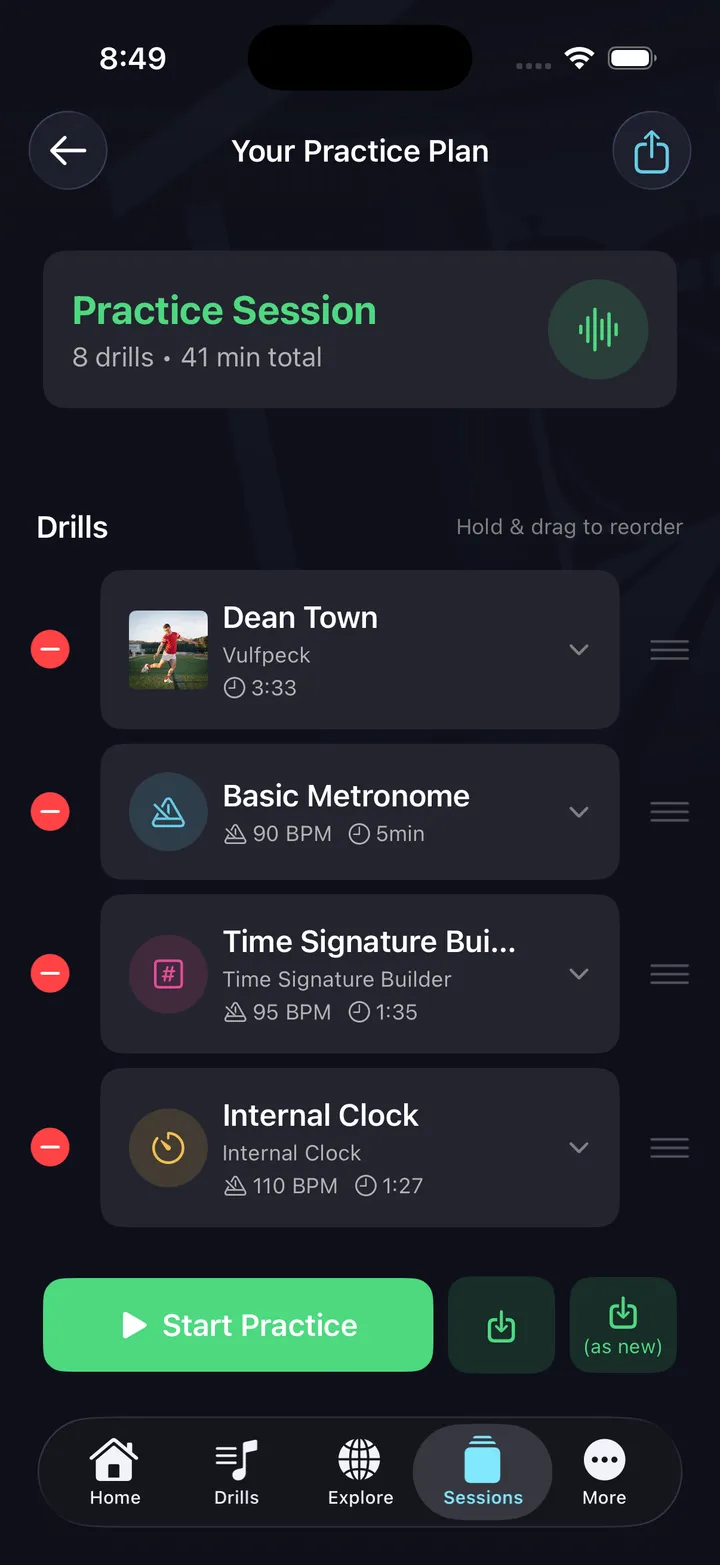
Open Sessions and tap + to create a new session. Add drills in any order — timing drills, Beat Maker drills, Fill Maker drills — plus play-along music between drills using your connected music service (Apple Music on iOS). Set tempo and duration for each segment. Drag to reorder. Tap Save to keep it.
On iPad, the session builder shows your drill library in the sidebar alongside the editor, making it easy to browse and add without losing your place.
AI session builder (beta)
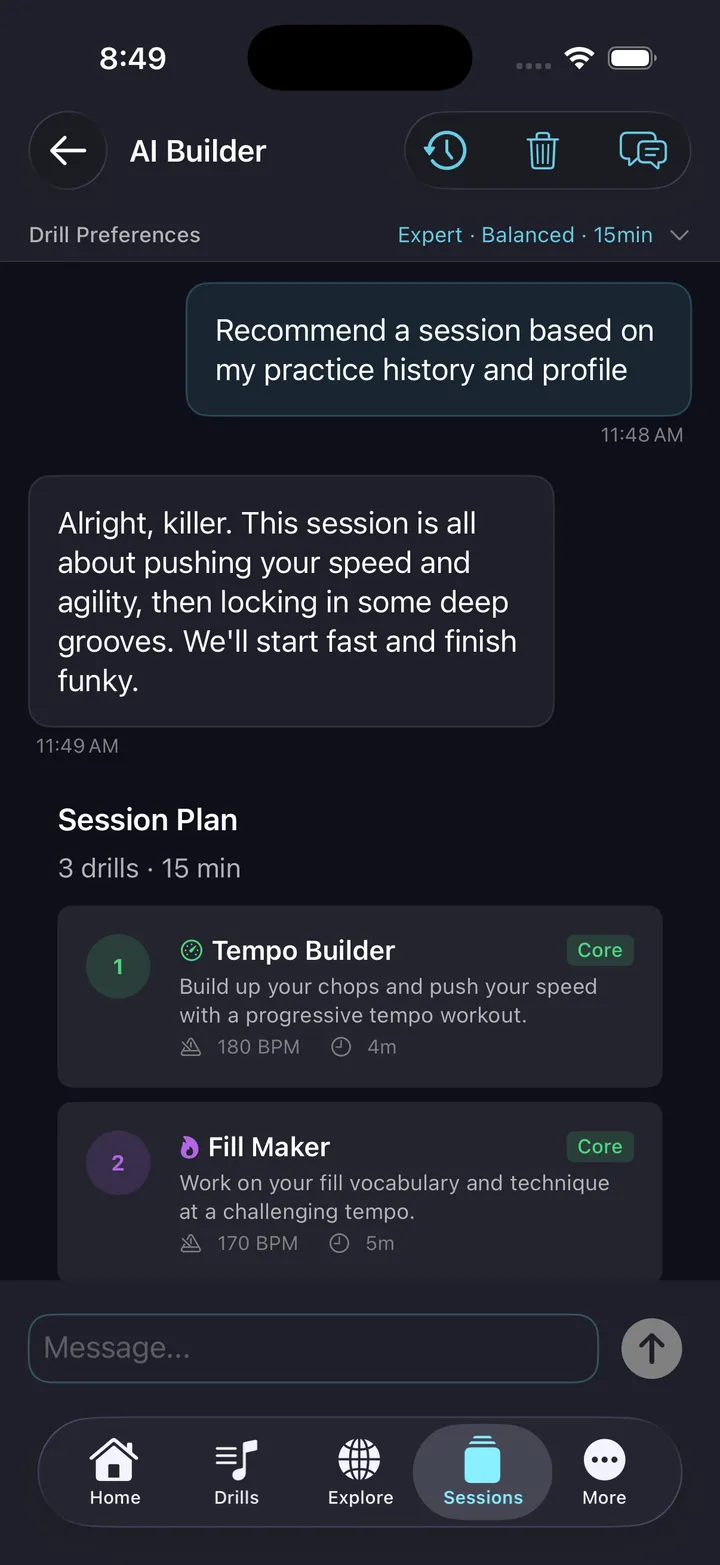
Tap AI Builder from the Sessions tab. Describe your goal in plain English:
- "Build me a 30-minute session based on my history"
- "I want to work on speed at 140 BPM"
- "Give me a pocket-focused session"
The AI reads your practice history, identifies gaps, and drafts a sequenced plan with warmup, core drills, and challenge work — BPM targets and durations included. Treat the plan as a starting point: review it, adjust anything, then start. AI Builder is in beta, part of All Access, and metered by monthly AI credits.
Voice cues
Every transition is announced by voice. You hear what's coming next, how long you have, and the tempo — without looking at the screen. Examples:
- "Up next: Tempo Builder. 90 to 150 BPM over 4 minutes."
- "Next drill: Internal Clock — 100 BPM, 3 minutes."
- "Final drill: your Beat Maker pattern at 88 BPM."
Play-along between drills
Sessions can include music segments between drills, played through your connected music service — Apple Music on iOS, using your own Apple Music subscription. A manual playback-rate slider lets you slow a track down while you learn it. Free in DrumShed; not on Android yet.
Finishing a session
When the last drill ends, the completion screen shows the outcome for every segment — what you finished, what you skipped, and how each drill went — so the session leaves a record, not just a sweat.
Tips
- Keep your first session short — 20 minutes. Build the habit before adding length.
- Build one by hand first — use AI when you want a starting draft.
- Save sessions you like and re-run them to track improvement.
- Always include an Internal Clock segment somewhere — it's the hardest drill to choose voluntarily.