Sextuplet Weave

ExercisePresetOpen in DrumShed
AdvancedHi-Hat FootSticking Control
4/4
6
2 bars

Preview

Bar 1 of 2
SN
KK
HHF

Open it. Make it yours. Learn it.

Clone it, bend it, then let Learn This ramp it into your hands — no floor, no ceiling.

Exercise Builder

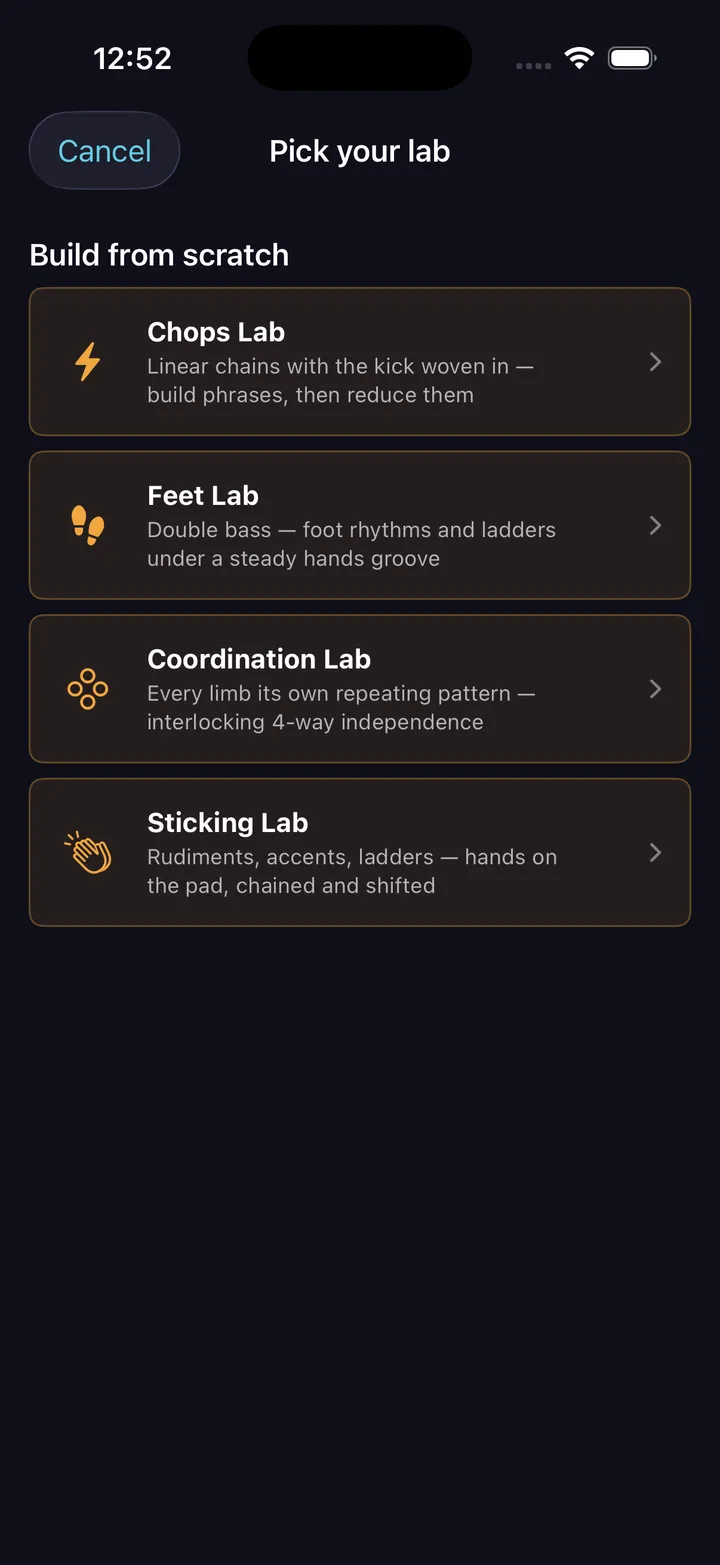
Four labs over one engine — rudiments, chops, feet, and four-way coordination

An exercise isn’t a fill with the ending cut off. It repeats on purpose, and what makes it work is the thing that changes bar to bar — so the builder starts from the mechanism, not the notes.
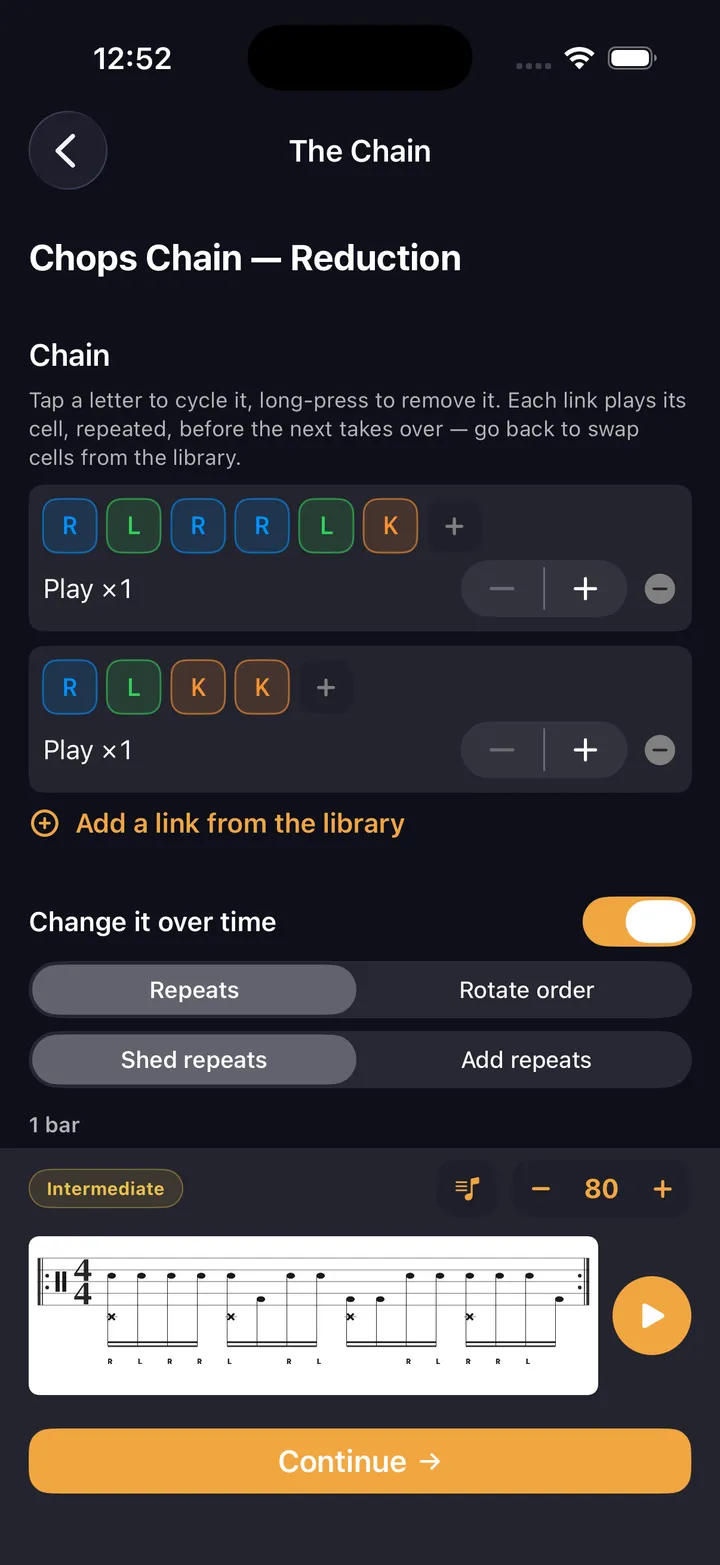
  • Sticking chains that rotate their order, or count their repeats down
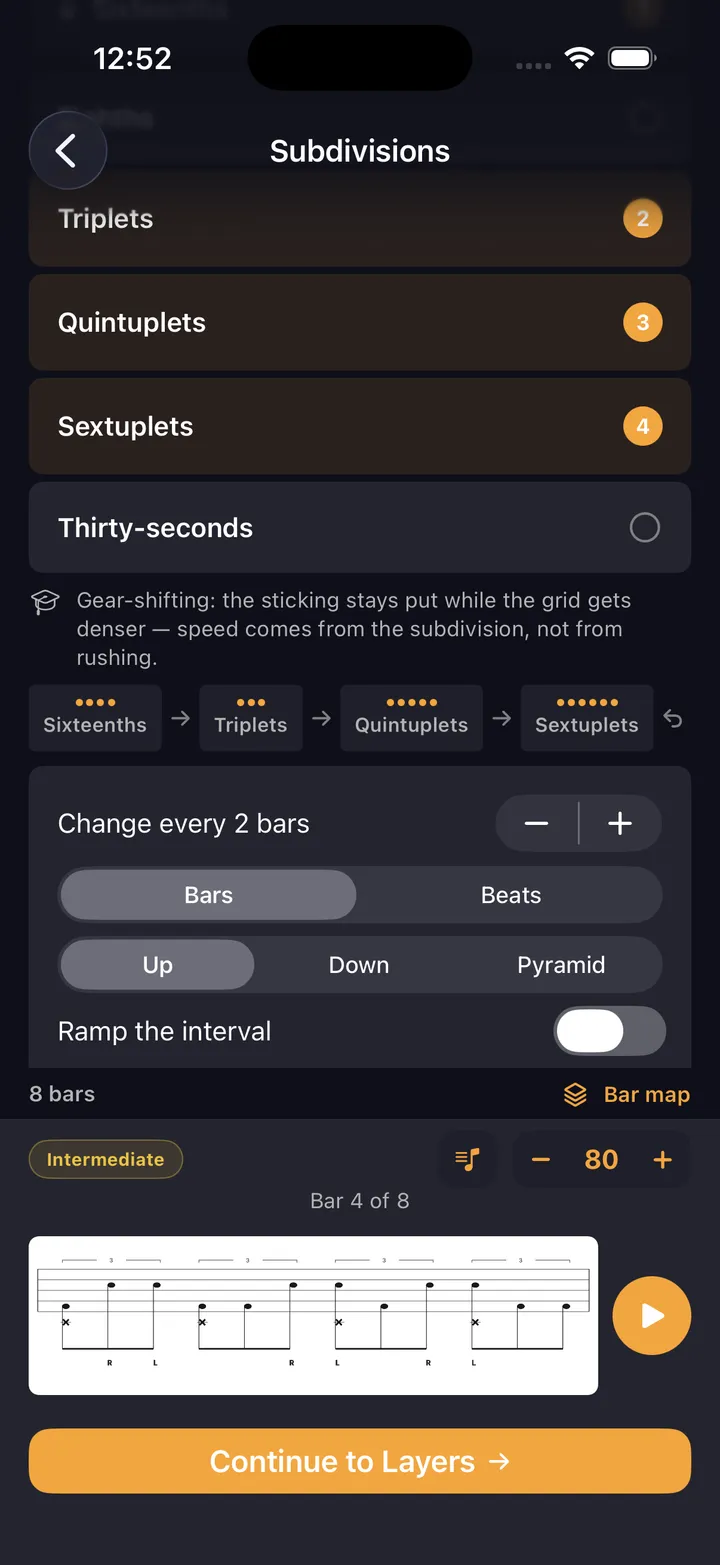
  • Subdivision ladders — up, down, or a pyramid that peaks and returns
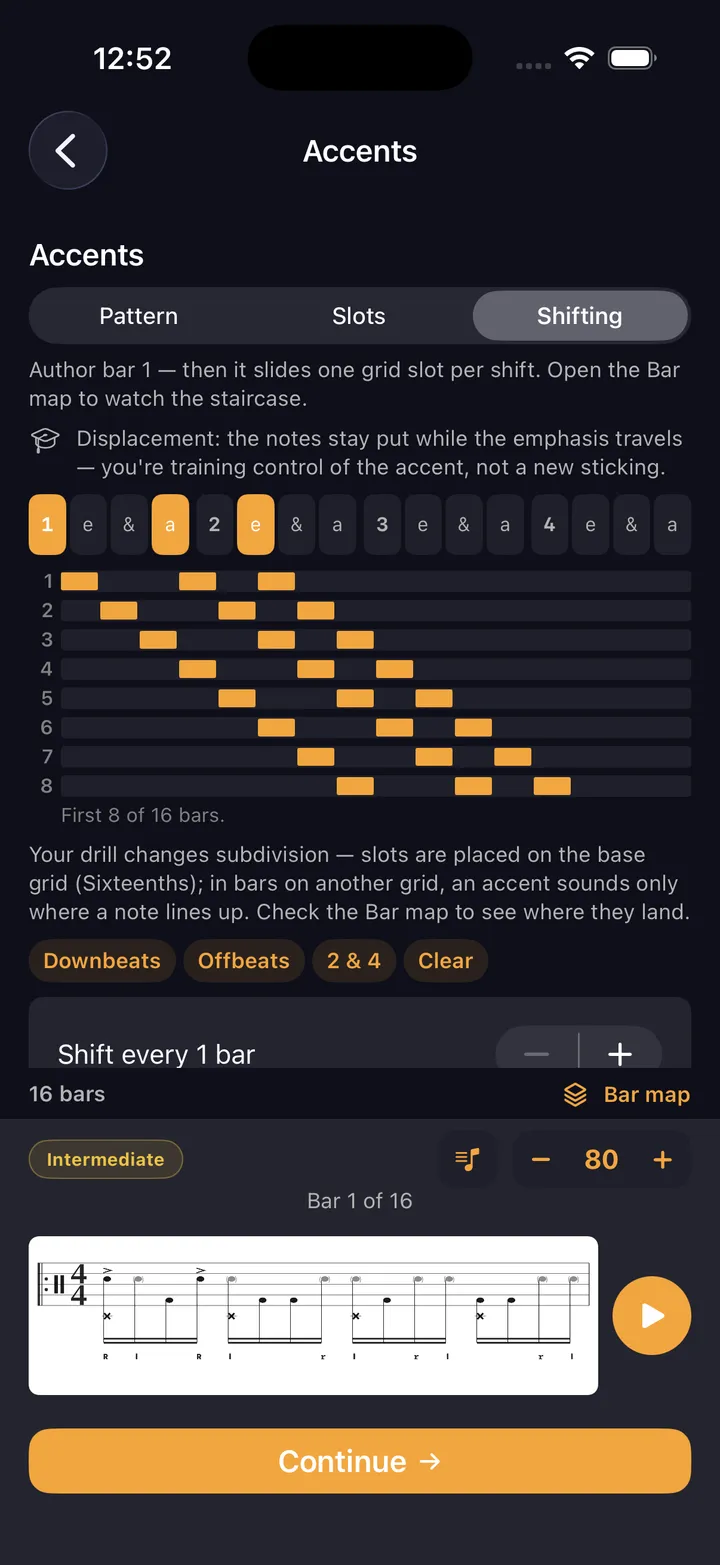
  • Shifting accents, drawn as a staircase before you play them
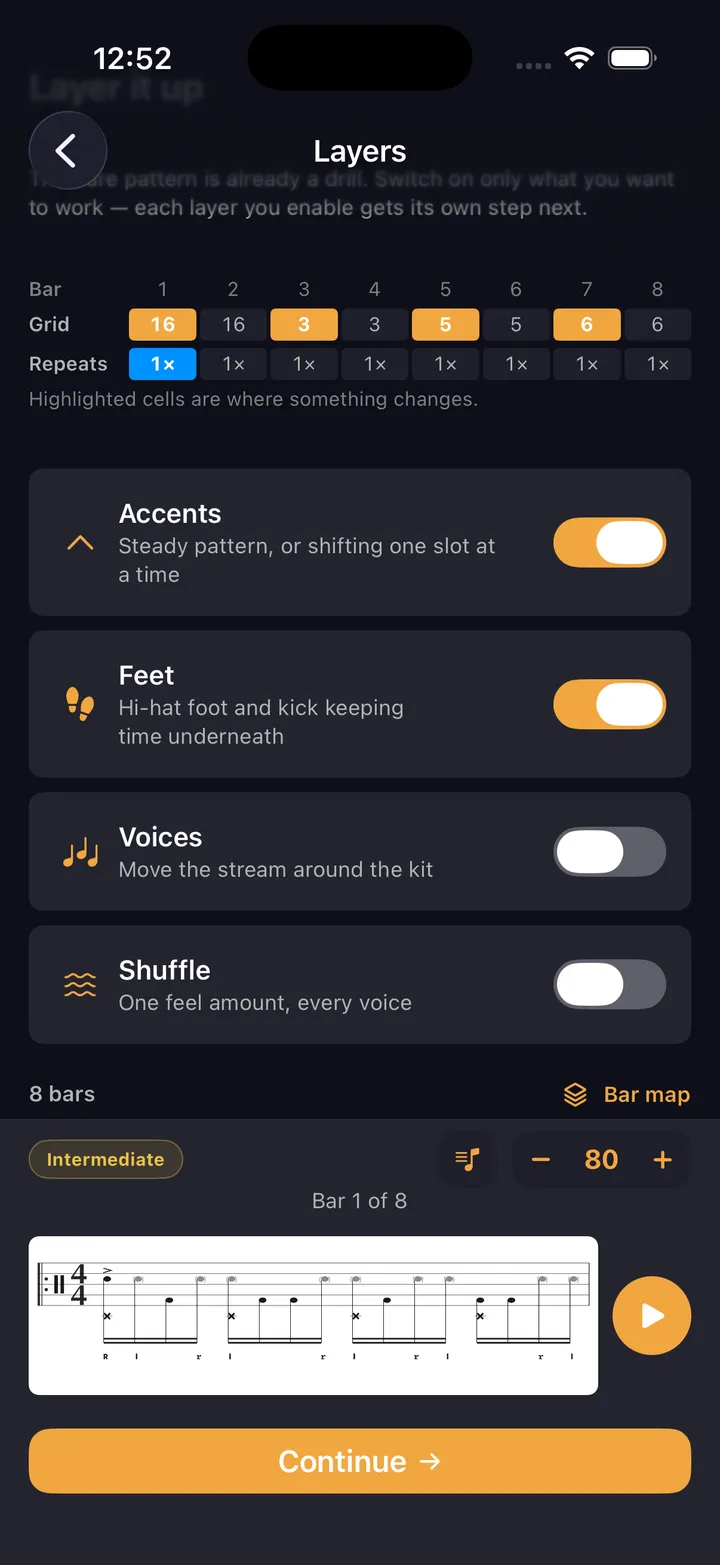
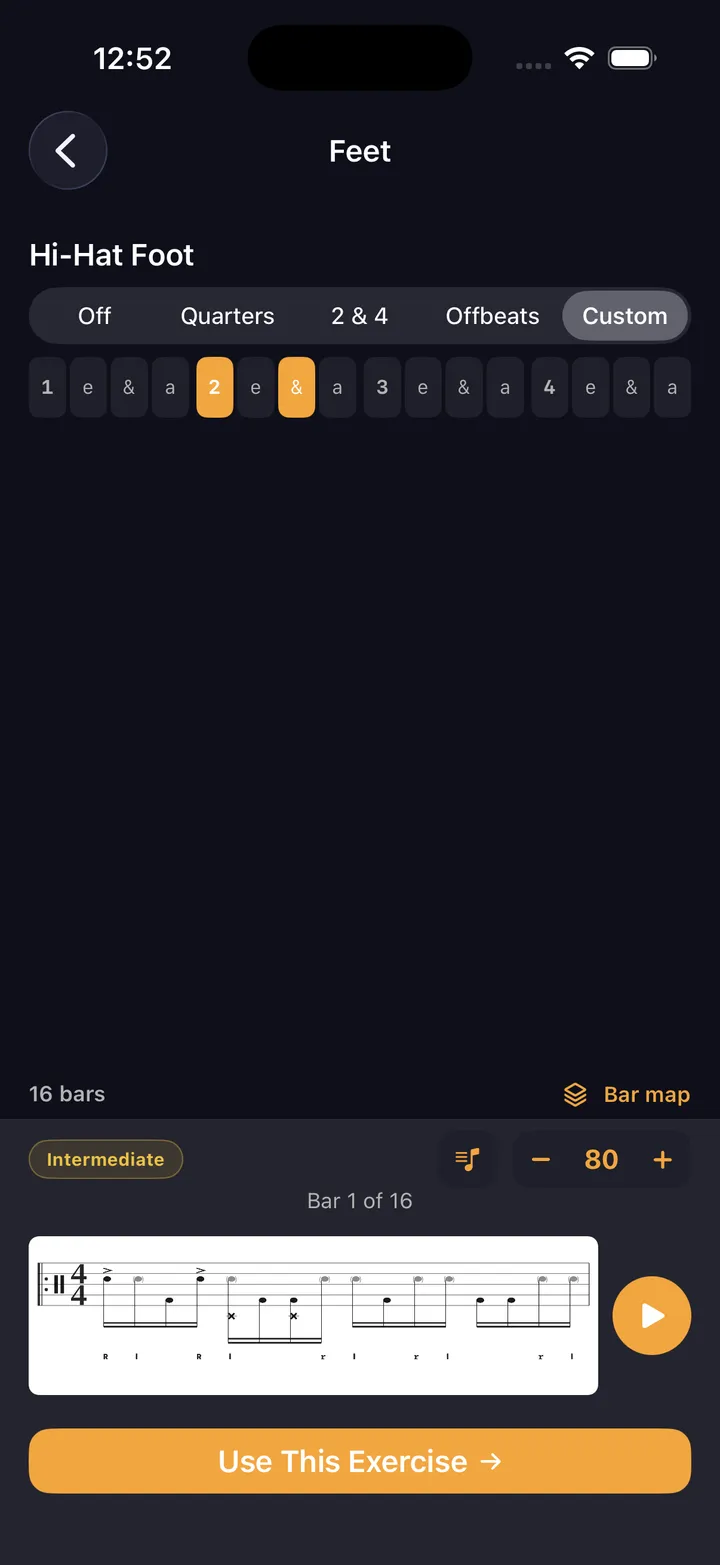
  • Hi-hat foot, kick, flams, shuffle and voicing — only the layers you check
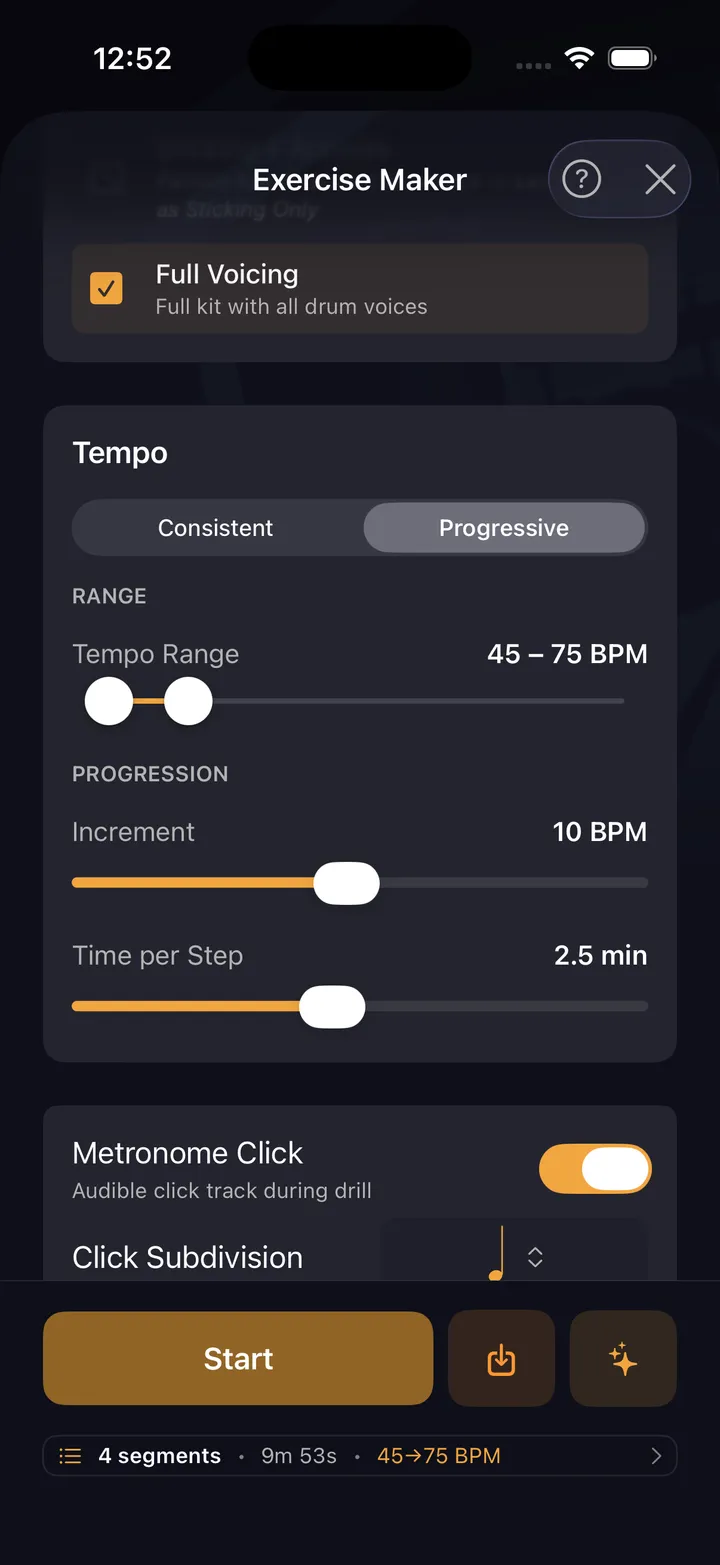
  • A tempo ladder instead of a tempo: start, target, step
How the labs work
The four Labs — Sticking, Chops, Feet, and Coordination
Pick a lab
Sticking chain editor — link cells together with per-segment repeats
Sticking chain
Subdivision ladder — working subdivisions with up, down, or pyramid direction
Subdivision ladder
Add layers checklist — accents, feet, shuffle, and voicing
Add layers
Shifting accents — the accent moves one slot per cycle, drawn as a staircase
Shifting accents
Hi-hat foot placement — off, quarters, 2 and 4, offbeats, or placed tick by tick
Hi-hat foot
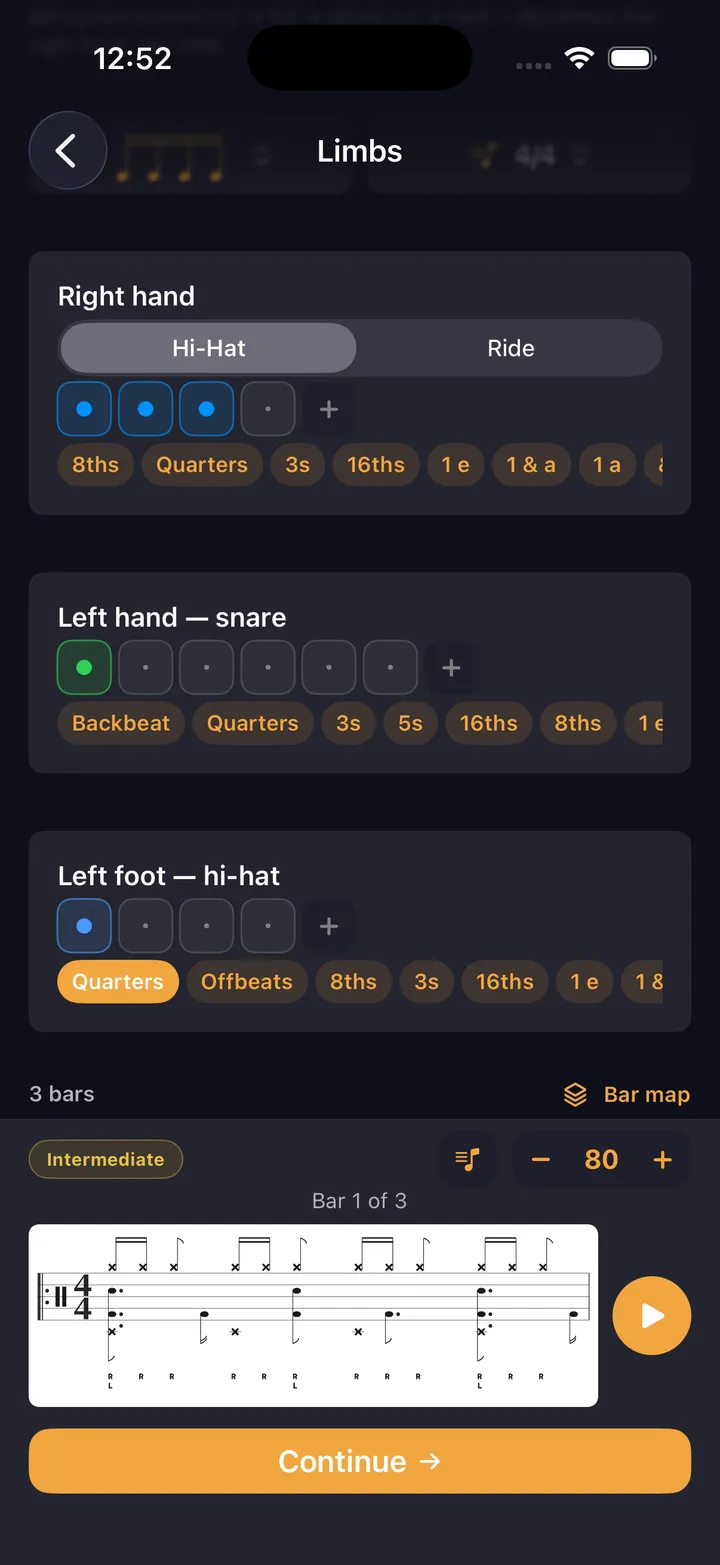
Coordination Lab — each limb carries its own cell, cycling independently
Coordination Lab
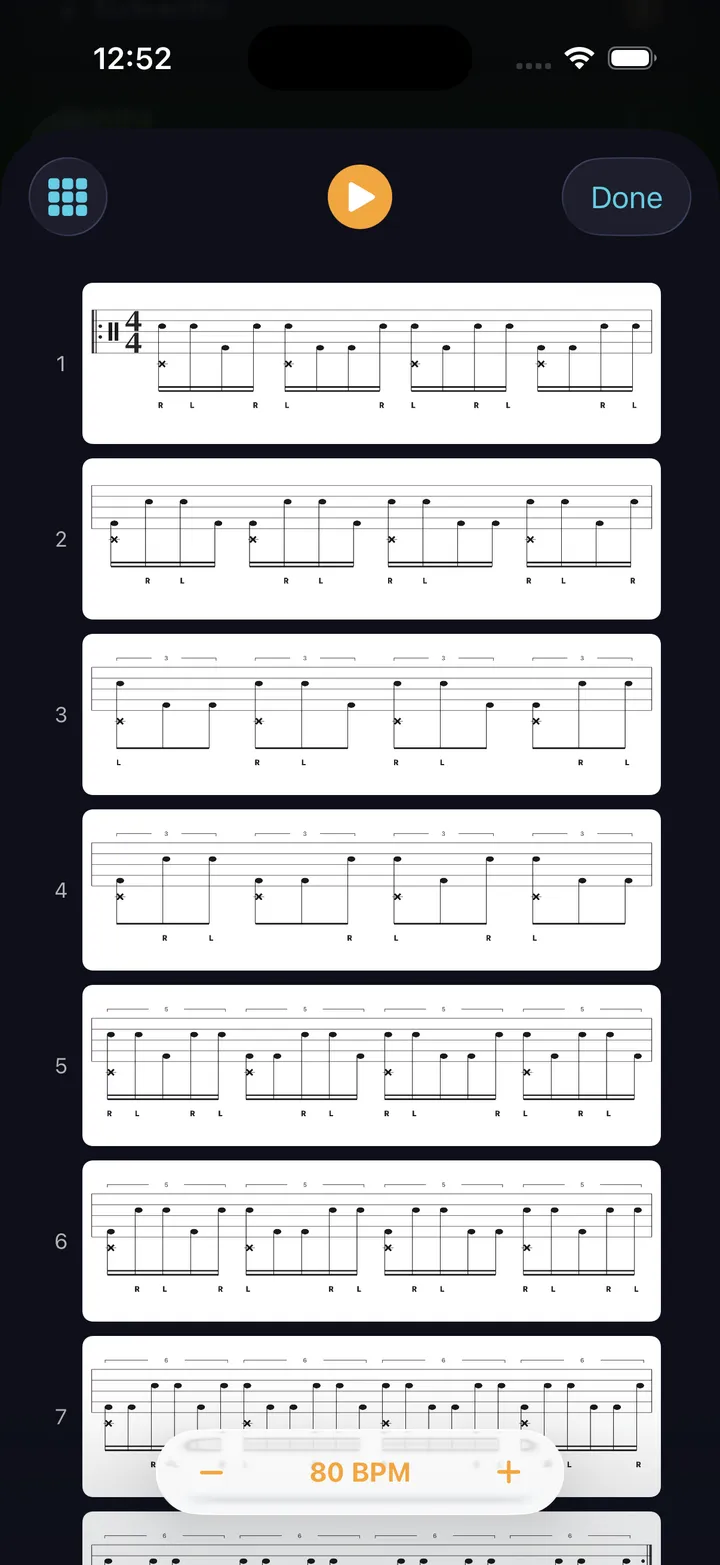
Bar map — every bar of the generated exercise, stacked one row per bar
Bar map
Tempo ladder — start tempo, target tempo, and the step between them
Tempo ladder

Sticking Lab

Rudiments & hands

Hands-only cells, kept on the snare where a rudiment belongs.

Chops Lab

Gospel chops & linear

Kick-integrated cells chained, then reduced 4→3→2→1.

Feet Lab

Double bass & foot

A generated kick rhythm under a held hands ostinato.

Coordination Lab

Four-way independence

Every limb on its own cell, cycling on its own length.

Live Playback

Sticking under the staff, counting syllables above it, and a playhead on the bar you’re in

The beat you just built goes straight to the stand — phone or iPad, sticks in your hands. Every pattern and drill runs with a live playback view that tracks your position in real time. Grid view shows every voice color-coded. Notation view shows standard drum notation with sticking. Toggle counting syllables — 1 e & a — above the staff, ghost notes read as lowercase sticking, and any shuffle or pocket feel is captioned right on the notation. And the metronome itself plays that pocket — drag or rush the backbeat and shuffle the click, free on the main screen.
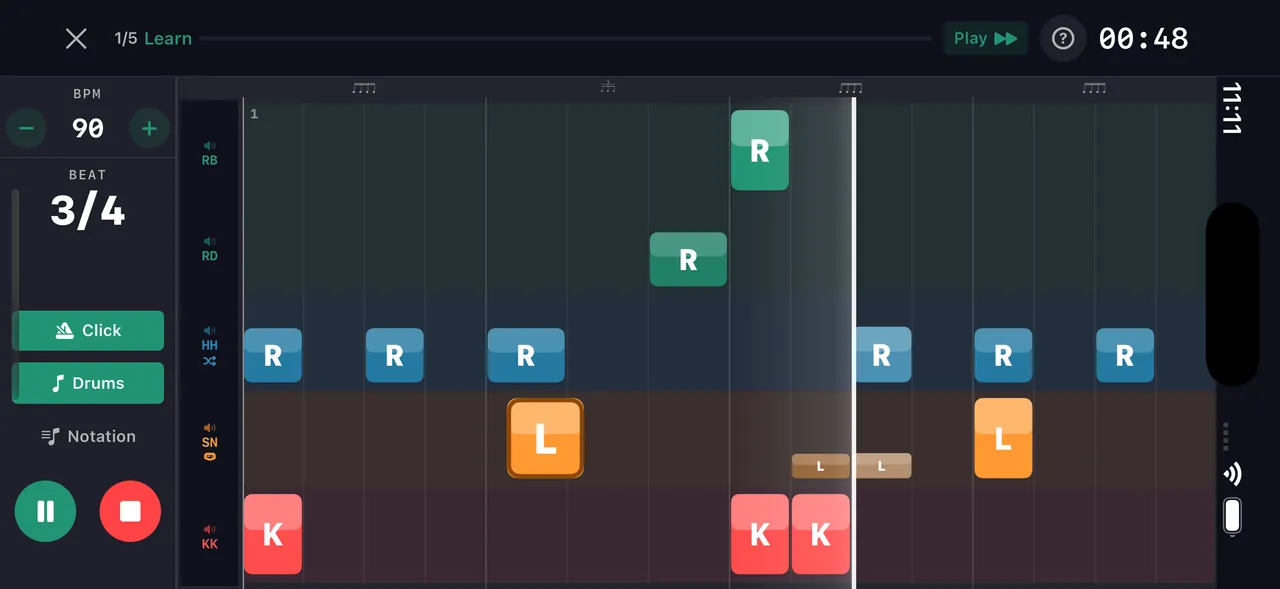
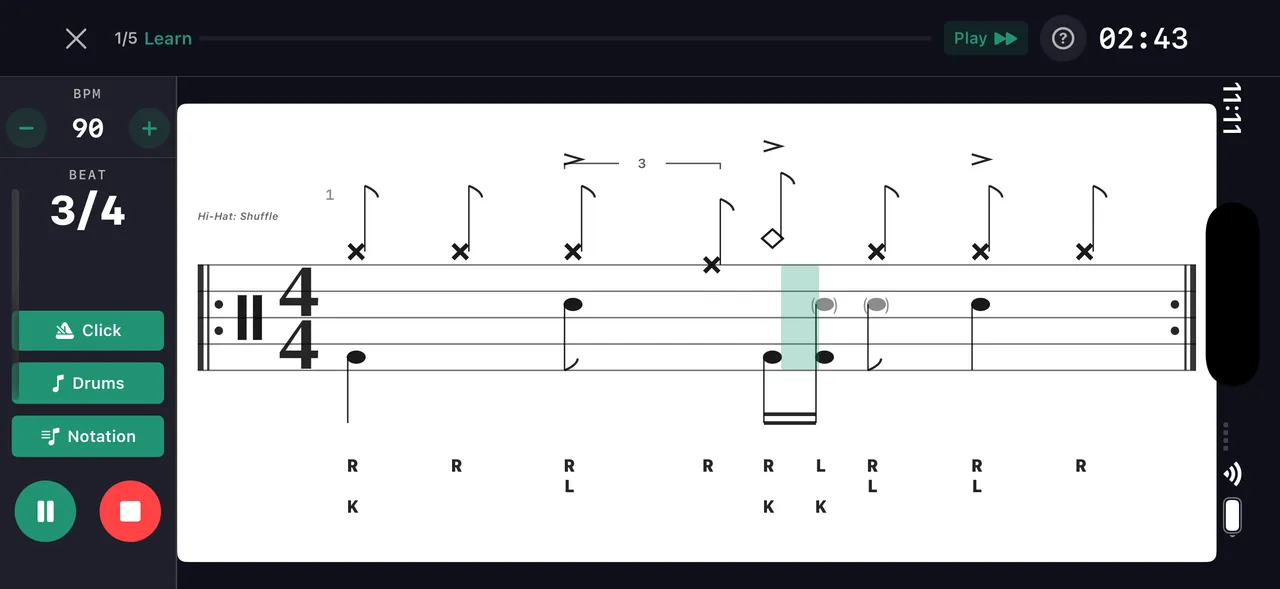
Beat maker live drill playback
Grid view — voices scrub live
Beat maker — live playback notation view
Notation view

Pattern Editor

Full cell-by-cell control over every hit

Place hits on a grid, adjust velocity and sticking per cell, add ghost notes and flams. Every pattern opens in the editor for fine-tuning — whether it came from the wizard, AI, or the community.
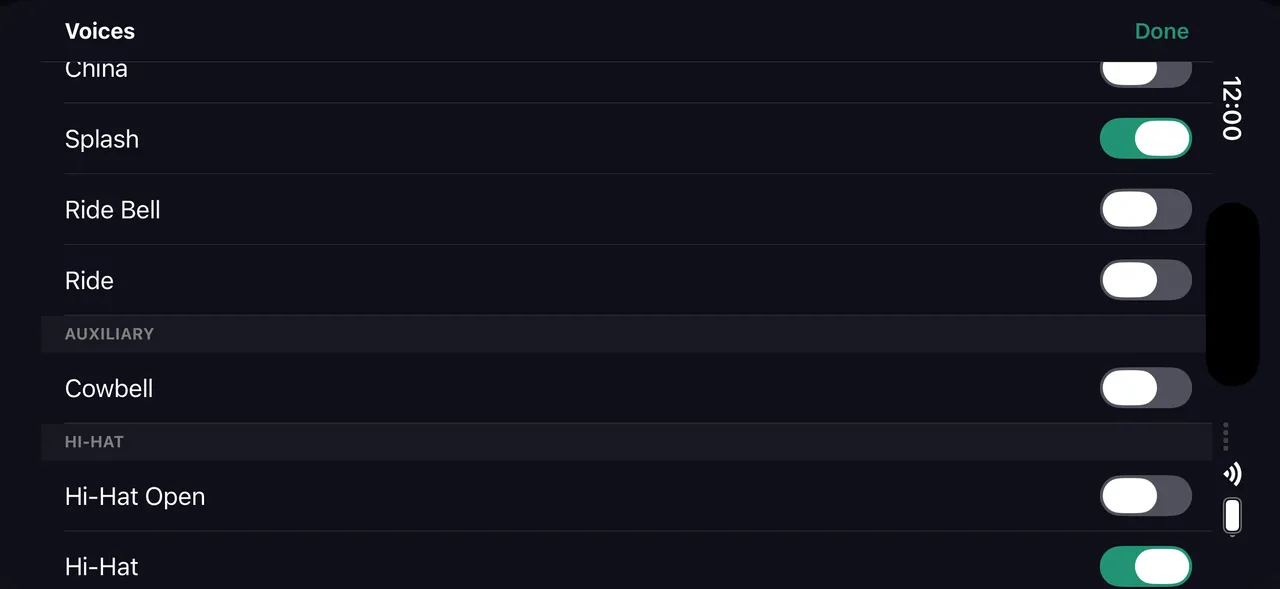
  • 20 drum voices — kick, snare, side stick, rim clicks, open/closed/pedal hats, three toms, ride bow & bell, crash, china, splash, cowbell
  • Tap cells to place hits — velocity sets automatically by position
  • Drag to adjust velocity, long-press for flams and cross-stick
  • Mixed subdivisions per beat — triplets next to sixteenths
  • Any time signature from 2 to 13 over /4 or /8 — patterns up to 64 bars
Pattern grid editor — grid view
Pattern editor

Drum Notation

Place hits on the grid — see them as standard notation instantly
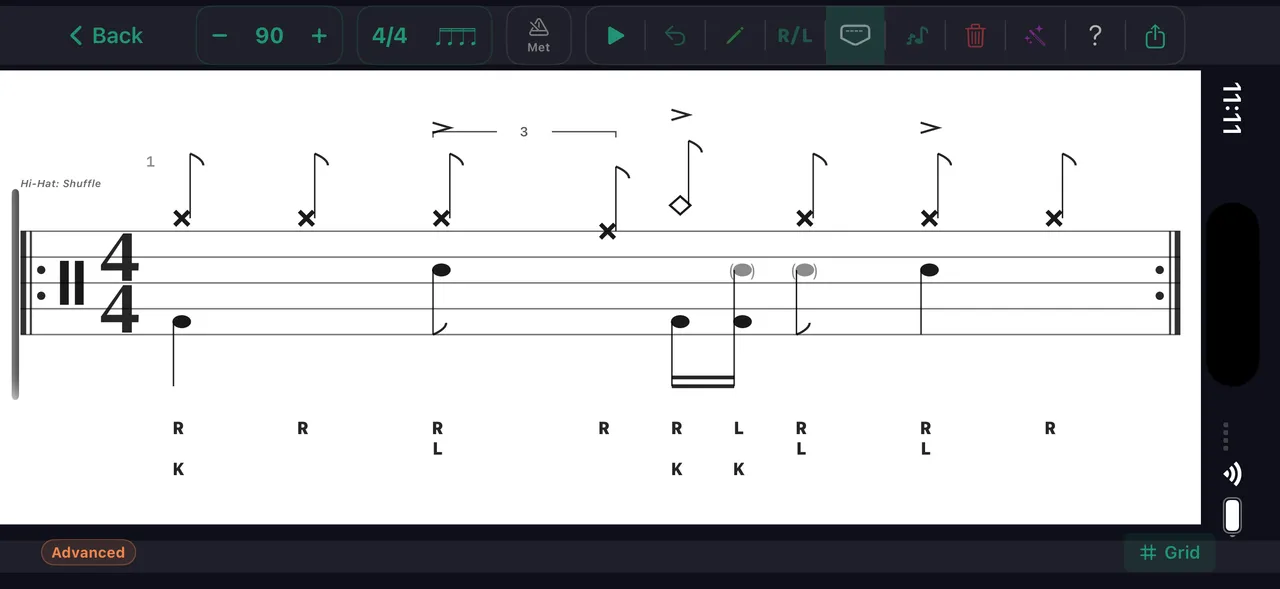
Beat maker notation view
Notation view

Every pattern you build or clone automatically converts to standard drum notation. Toggle between the color-coded grid and staff notation with one tap — both update in real time during playback.

  • Automatic conversion from grid to standard drum notation
  • Sticking labels (R/L/K) appear below the staff
  • Accent marks, ghost notes, and flams render correctly
  • Export notation as images for lessons or social media

Learn it

Any pattern can become a drill. Tap Learn This in the app and it turns into a day-by-day tempo ramp — a practice path built around the thing you actually want to play.

Get in touch

Questions, feedback, or a bug to report? Send a note and a human on the DrumShed team will get back to you.

Follow us on socials